Don't miss your chance to take the Fabric Data Engineer (DP-600) exam for FREE! Find out how by watching the DP-600 session on-demand now through April 28th.
Learn moreJoin the FabCon + SQLCon recap series. Up next: Power BI, Real-Time Intelligence, IQ and AI, and Data Factory take center stage. All sessions are available on-demand after the live show. Register now
Hi, I'm having difficulty setting up Power BI Embedded sample app for a dashboard. I used the sample app to upload the PBIX file, which has only two tables imported from Azure SQL using Direct Query. I provisioned the Workspace Collection and created workspace, and updated the web.config with relevant information. When I run the Power BI embedded sample web application, it shows the dashboard and correct titles for the visuals. However, it doesn't render the visuals (technical details show 401 error). I have specified the connection string using the sample app. When I publish the PBIX file to powerbi.com, I need to manually enter the credentials when viewing the dashboard. Has anyone faced a similar problem? Please help.
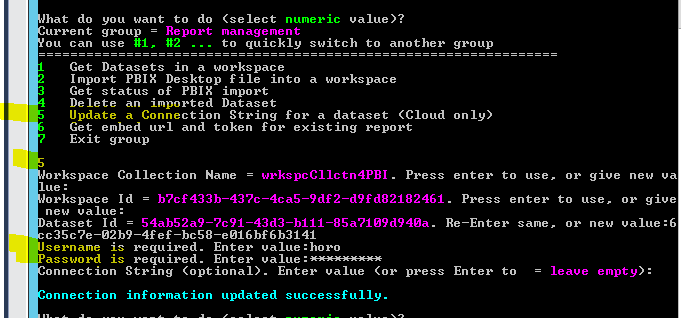
Did you configure the credential for the dataset that using direct query in Power BI Embedded?
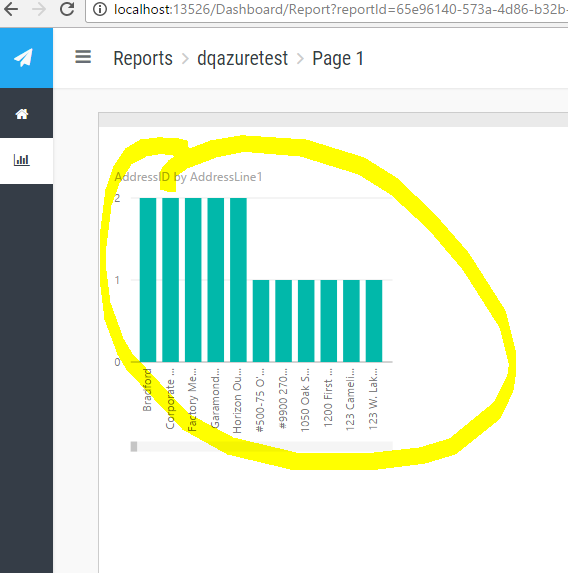
The visual is rendered with data after setting the username and password.
Check out the April 2026 Power BI update to learn about new features.
If you have recently started exploring Fabric, we'd love to hear how it's going. Your feedback can help with product improvements.
A new Power BI DataViz World Championship is coming this June! Don't miss out on submitting your entry.
| User | Count |
|---|---|
| 2 | |
| 2 | |
| 1 | |
| 1 | |
| 1 |