Get certified for free when you join Fabric Data Days 2026 and dive into Fabric, Power BI, SQL, AI, and other essential data skills.
Join nowData Days is here! Join us now for 60+ days of learning, challenges, and connection. Learn more
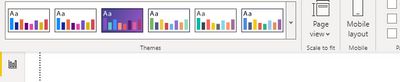
Hi I'm trying to add powerbi theme color palette to my custom visual, I was able to generate color palette using IVisualHost.colorPalette.getColor() function and successfully change color based on different theme selections, but in the default theme selection I don't want to use that color palette provide by powerbi, so is there is any way to detect if the selected theme is default or not?
Hi @Anonymous,
Thanks for the replay, I implemnetd theme support in custom visual, but what I want is if I selected the default theme I don't want to use the color palette powerbi provides, So in order to achieve that I need to know which theme is currently active(selected by the user), so is there is any way to know which theme is currently set by the user.
Hi @Anonymous,
AFAIK, the current power bi theme does not work for custom visuals. If you want to custom visual also interact with the theme settings, you need to add code support about the theme and properties.
Adding formatting options to a Power BI custom visual - Power BI | Microsoft Docs
Regards,
Xiaoxin Sheng
Don't miss out on Data Days, June 15 through August 7. Learn Fabric, Power BI, SQL, AI and more.
Check out the May 2026 Power BI update to learn about new features.
| User | Count |
|---|---|
| 2 | |
| 2 | |
| 1 | |
| 1 | |
| 1 |