Don't miss your chance to take the Fabric Data Engineer (DP-700) exam on us!
Learn moreWe've captured the moments from FabCon & SQLCon that everyone is talking about, and we are bringing them to the community, live and on-demand. Starts on April 14th. Register now
Hi,
We are working on embedding a sample Power BI report with Row Level Security enabled in an external Web application. The report shows data according to the user when tested in the Power BI portal, but the embedded report does not show any data.
The visuals show an error message that the "data cannot be loaded for this visual". Can someone please help us in resolving this?
Has anyone found a solution yet?
I have the same issue.
The report will work perfectly in desktop/ on the portal.
But as soon as it is embedded it fails to display the data
The embedded sample works fine without RLS, but fails with it.
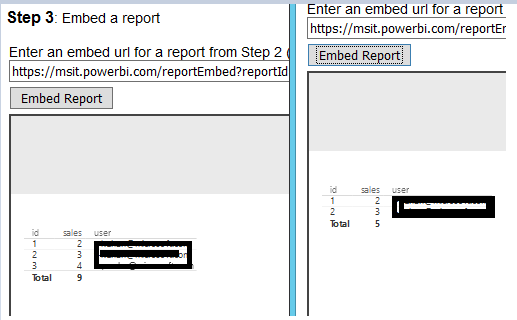
Based on my test, it works fine, see the different lines.
I didn't get that data not load error, may I know how do you embed the report?
Thanks for the reply, Eric.
I am using the Microsoft sample solution available on GitHub to embed the reports, which is updted as per the new APIs released. I am passing the Workspace ID, Workspace name, Report ID, Username and Role to generate token.
As per the Row Level Security with Power BI Embedded document, report will be filtered as per the username and role, but in my case, the visual does not load the data.
Thanks in advance for the help.
Hello,
Same case here, I'm facing the same error as piyush, and I used the same sample solution.
It's been 2 days and I didn't found anything...
If you have recently started exploring Fabric, we'd love to hear how it's going. Your feedback can help with product improvements.
A new Power BI DataViz World Championship is coming this June! Don't miss out on submitting your entry.
Share feedback directly with Fabric product managers, participate in targeted research studies and influence the Fabric roadmap.
| User | Count |
|---|---|
| 1 | |
| 1 | |
| 1 | |
| 1 | |
| 1 |