Don't miss your chance to take the Fabric Data Engineer (DP-700) exam on us!
Learn moreNext up in the FabCon + SQLCon recap series: The roadmap for Microsoft SQL and Maximizing Developer experiences in Fabric. All sessions are available on-demand after the live show. Register now
I am trying to create tree structure in Power BI uing d3@3.5.5. But I am having some issue with it. I have a simple update function as shown below.
public update(options: VisualUpdateOptions) {
console.log("hello1");
var tree = d3.layout.tree()
.size([400, 400]);
console.log("hello2");
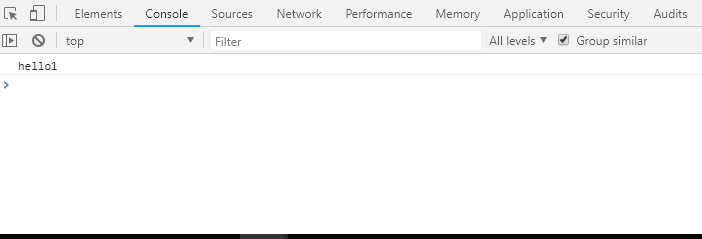
}As you can see in above code, I am priting hello1 to console then creating tree object using d3 then printing hello2 to finish off. The problem is that I can see the hello1 on the console but I can not see hello2 no matter how many time I refresh the visual. See screenshot of console below.
Can someone please tell me why I can not see hello2 into the console?
Solved! Go to Solution.
There's a JavaScript exception. Our recommendation is to wrap update into try-catch to figure out a root of this issue.
public update(options: VisualUpdateOptions) {
console.log("hello1");
try {
var tree = d3.layout.tree()
.size([400, 400]);
} catch(e) {
console.log(e);
}
console.log("hello2");
}
Ignat Vilesov,
Software Engineer
Microsoft Power BI Custom Visuals
There's a JavaScript exception. Our recommendation is to wrap update into try-catch to figure out a root of this issue.
public update(options: VisualUpdateOptions) {
console.log("hello1");
try {
var tree = d3.layout.tree()
.size([400, 400]);
} catch(e) {
console.log(e);
}
console.log("hello2");
}
Ignat Vilesov,
Software Engineer
Microsoft Power BI Custom Visuals
If you have recently started exploring Fabric, we'd love to hear how it's going. Your feedback can help with product improvements.
A new Power BI DataViz World Championship is coming this June! Don't miss out on submitting your entry.
Share feedback directly with Fabric product managers, participate in targeted research studies and influence the Fabric roadmap.
| User | Count |
|---|---|
| 2 | |
| 1 | |
| 1 | |
| 1 | |
| 1 |