Hello All,
A little new to API calls. Would appreciate assistance.
The setup in the query statement below was working fine up until November 18th, 2020:
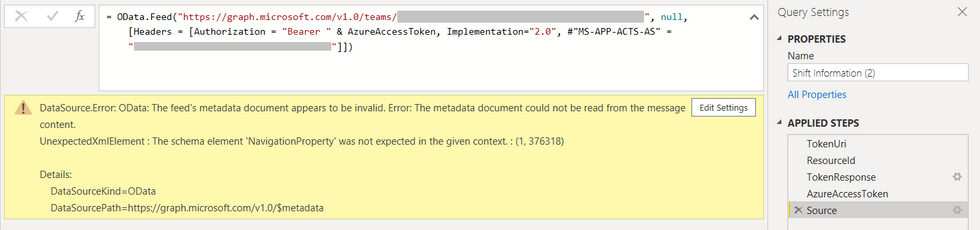
After which point it can no longer refresh due to the below error.
DataSource.Error: OData: The feed's metadata document appears to be invalid. Error: The metadata document could not be read from the message content.
UnexpectedXmlElement : The schema element 'NavigationProperty' was not expected in the given context. : (1, 376318)

Details:
    DataSourceKind=OData
    DataSourcePath=https://graph.microsoft.com/v1.0/$metadata
I'm wondering as to what I can do to resolve the error. I've investigated as best I can, but cannot seem to understand why it's happening.
The query statement is below, with confidential information redacted:
let
     TokenUri = "https://login.microsoftonline.com/" & #"Azure Tenant Id" & "/oauth2/token",
     ResourceId = "https://graph.microsoft.com",
     TokenResponse = Json.Document(Web.Contents(TokenUri,
     [
     Content = Text.ToBinary(Uri.BuildQueryString([client_id = #"Azure Application Id", resource = ResourceId, grant_type = "client_credentials", client_secret = #"Azure Application Client Secret"])),
     Headers = [Accept = "application/json"], ManualStatusHandling = {400}
         ]
     )),
     AzureAccessToken = TokenResponse[access_token],
    Source = OData.Feed("https://graph.microsoft.com/v1.0/teams/12a3bc4d-ab56-12a3-1a23-123456ab7def/schedule", null, [Headers = [Authorization = "Bearer " & AzureAccessToken, Implementation="2.0", #"MS-APP-ACTS-AS" = "1234a567-12a3-1a23-1234-1ab2c345678d"]])
in
    Source
Appreciate your assistance in advance!
Kind regards,
~Rice


