Hi,
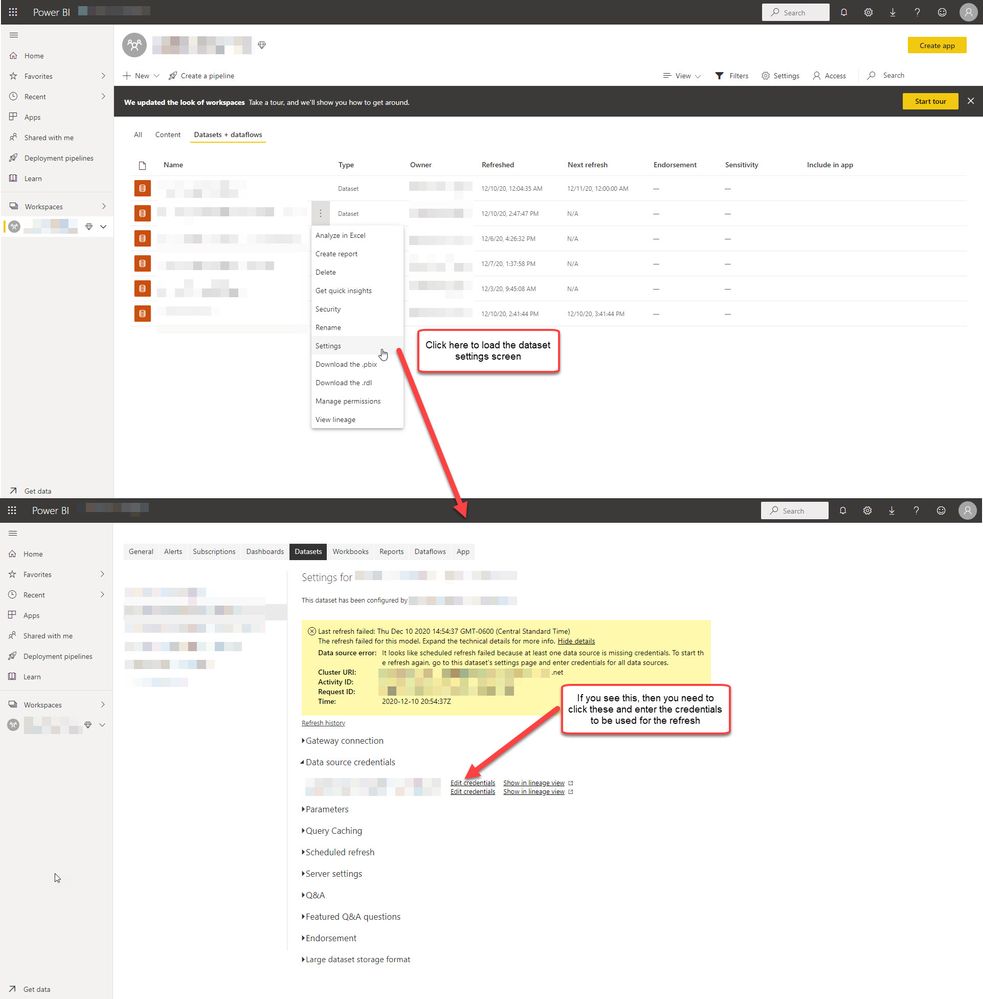
I have a report with Cosmos as data source. After some data of Cosmos change, I want to force a refresh for PBI report updates.
Post
https://api.powerbi.com/v1.0/myorg/groups/{{groupId}}/datasets/{{datasetId}}/refreshes
it returns 202.
while by
GET
https://api.powerbi.com/v1.0/myorg/groups/{{groupId}}/datasets/{{datasetId}}/refreshes
the history tells the error below:
{
      "id": 225716337,
      "refreshType": "ViaApi",
      "startTime": "2019-10-14T08:48:15.39Z",
      "endTime": "2019-10-14T08:48:15.453Z",
      "serviceExceptionJson": "{\"errorCode\":\"ModelRefreshFailed_CredentialsNotSpecified\"}",
      "status": "Failed",
      "requestId": "65b98616-85fd-4535-a978-d9ff2ca9764c"
    }
The token is prcoceeded by the steps:
1. get openId token by
https://login.microsoftonline.com/common/oauth2/token
payload:
headers:
   {
     Authorization: 'Bearer {{openid token}}
}
form:
{ client_id: '{{my client id}}',
scope: 'openid',
resource: 'https://analysis.windows.net/powerbi/api',
username: '{{my account name}}',
password: '{{my password}}',
grant_type: 'password'
}2. get access token of dataset:
https://api.powerbi.com/v1.0/myorg/groups/{{groupId}}/datasets/{{datasetId}}/GenerateToken
header:
headers:
   {
     Authorization: 'Bearer {{openid token}}
}
Could you check what I missed? Thank you!