Don't miss your chance to take the Fabric Data Engineer (DP-700) exam on us!
Learn moreWe've captured the moments from FabCon & SQLCon that everyone is talking about, and we are bringing them to the community, live and on-demand. Starts on April 14th. Register now
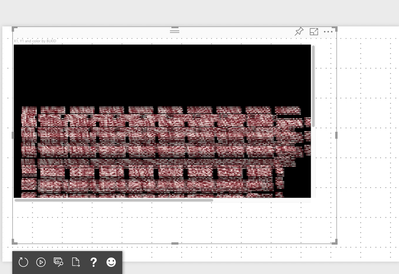
I am trying to build a custom visual which contains nearly 20,000 data points in it. So my problem is when I resize or drag the report, all the points get distorted while displaying.
So, I want to capture the resizing event of a report and, it should stop rendering when I am resizing the report and once done resizing or dragging then display the chart again.
Current Problem:
Is there any way I can reduce the lag or drag it smoothly. I can also stop rendering during resizing which is done in the second video.
Problem :
https://drive.google.com/file/d/13CiqdfEdU-9dlQ5SJ72eMWQabkfwZGiU/view?usp=sharing
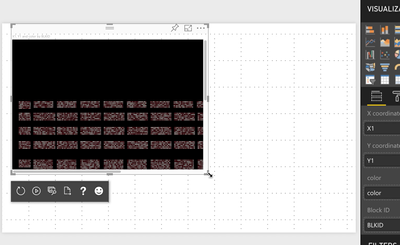
Before Dragging
After Dragging
Desired Output:
The similar output which is in the video below is expected. Is it possible to capture the resizing so that I can stop rendering during that time? I am new to custom visual so if possible help me with the code.
https://drive.google.com/file/d/17_W4BfAQtKEzdzbfQ1STBhhgdQ_Jb16f/view?usp=sharing
Any small help will be appreciated.
Thank you
Solved! Go to Solution.
Yes, it's possible to detect a resize event by checking type.
However, we would rather recommend you should use d3's enter-exit-remove flow to prevent your code from creating new DOM elements for each update.
Ignat Vilesov,
Software Engineer
Microsoft Power BI Custom Visuals
Problem:
Desired Output:
Yes, it's possible to detect a resize event by checking type.
However, we would rather recommend you should use d3's enter-exit-remove flow to prevent your code from creating new DOM elements for each update.
Ignat Vilesov,
Software Engineer
Microsoft Power BI Custom Visuals
If you have recently started exploring Fabric, we'd love to hear how it's going. Your feedback can help with product improvements.
A new Power BI DataViz World Championship is coming this June! Don't miss out on submitting your entry.
Share feedback directly with Fabric product managers, participate in targeted research studies and influence the Fabric roadmap.
| User | Count |
|---|---|
| 1 | |
| 1 | |
| 1 | |
| 1 | |
| 1 |