Hi All,
I've been given a Power BI file with an API connector that calls a JSON file. The problem is when I upload the file to Power BI Service it won't let me refresh. I get this error:
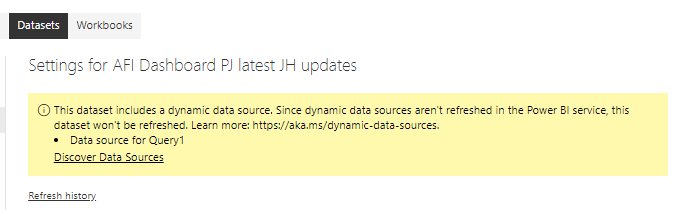
How can I update the code to make sure it refreshes on Power BI service?
Thanks in advance!
Here's the code for the data source:
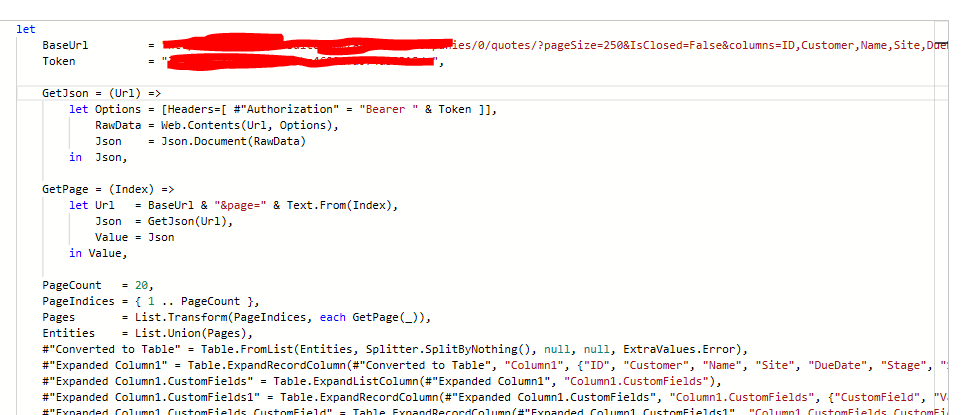
And the code in a text format:
let
    BaseUrl         = "URL",
    Token           = "TOKEN",

    GetJson = (Url) =>
        let Options = [Headers=[ #"Authorization" = "Bearer " & Token ]],
            RawData = Web.Contents(Url, Options),
            Json    = Json.Document(RawData)
        in  Json,

    GetPage = (Index) =>
        let Url   = BaseUrl & "&page=" & Text.From(Index),
            Json  = GetJson(Url),
            Value = Json
        in Value,

    PageCount   = 20,
    PageIndices = { 1 .. PageCount },
    Pages       = List.Transform(PageIndices, each GetPage(_)),
    Entities    = List.Union(Pages),
    #"Converted to Table" = Table.FromList(Entities, Splitter.SplitByNothing(), null, null, ExtraValues.Error),


