Get certified for free when you join Fabric Data Days 2026 and dive into Fabric, Power BI, SQL, AI, and other essential data skills.
Join nowJuly 7 - July 17 | Round 2 of the Power BI Dataviz World Championships. Don't miss your chance! Learn more
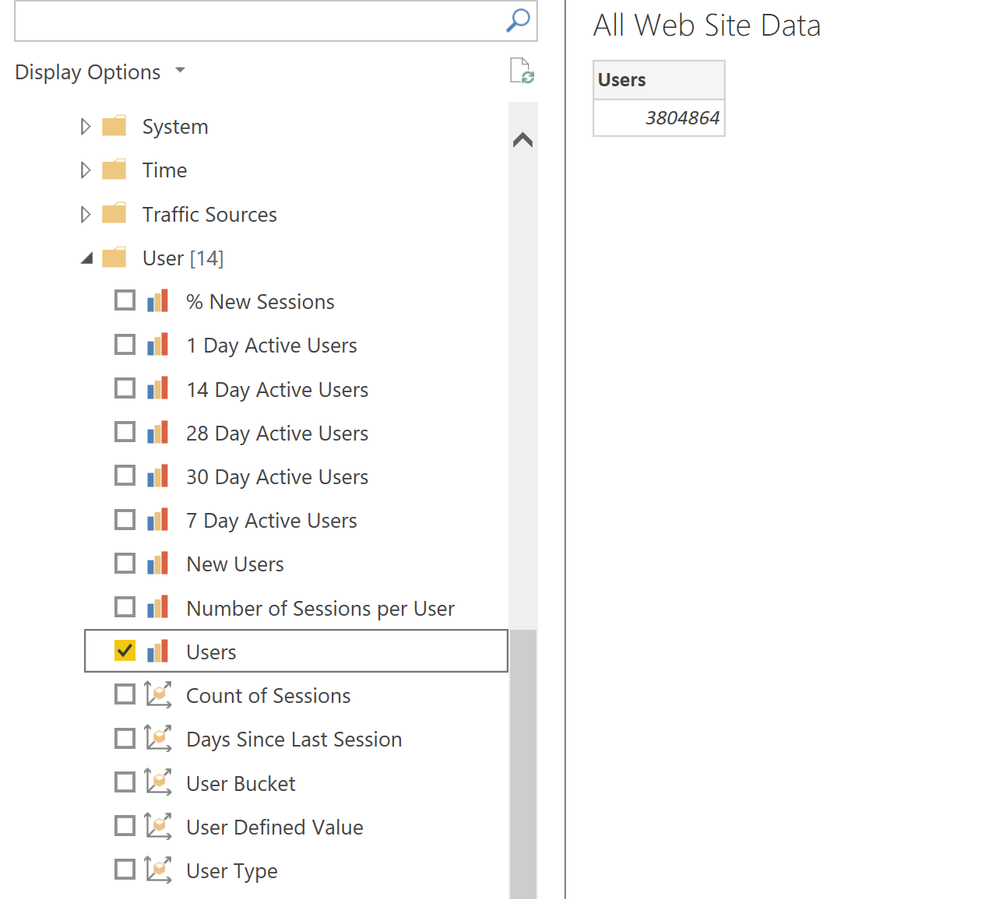
Hi, I am relatively new to PowerBI - I am looking to build a PowerBI Dashboard connected to our e-commerce website with key stats from Google Analytics. For some reason however, it's only bringing in the aggregate numbers, with no way to filter it by date. Since I'd like to create a time series chart, does anyone know how to bring in date data as well? I've attached a photo of what it looks like.
Solved! Go to Solution.
Hi @phillipross2000,
Please check the following link about google analytics APIs and you can use a web connector to get data from that API:
Google Analytics | Google Developers
Solved: Pull data from a REST API Authentication - Microsoft Power BI Community
Regards,
Xiaoxin Sheng
Hi @phillipross2000 As a workaround, maybe you can try to test your connection with a 3rd party connector. I currently use windsor.ai's GA connector and I can bring date field from GA, and also I can filter by date on a preview stage in the platfrom before exporting to PBI, so once my data arrives in PBI it is already filtered for the date range I set. In case you wonder, to make the connection first search for the GA connector in the data sources list:
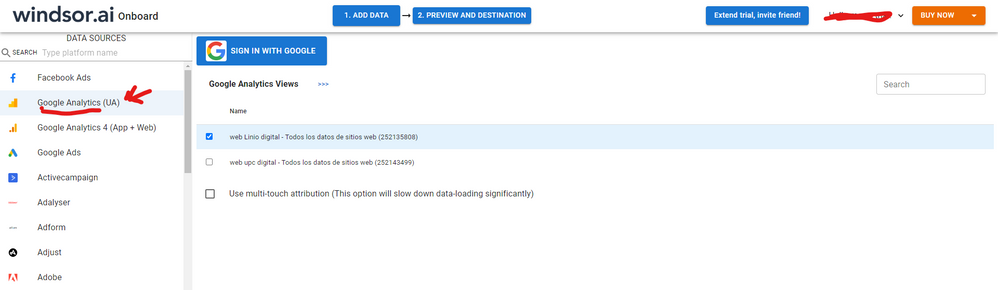
After that, just grant access to your GA account using your credentials, then on preview and destination page you will see a preview of your GA fields:
There just select the fields you need. Finally, just select PBI as your data destination and finally just copy and paste the url on PBI --> Get Data --> Web --> Paste the url.
HI @phillipross2000,
In fact, these fields are defined analysis results from google analytics datasets and you can change them.
If you want to do custom with visualizations, I'd like to suggest you get data from the underlying dataset, then you can use them to manually create visuals based on data fields with value fields.
Regards,
Xiaoxin Sheng
Thanks for your help - when you say "get data from the underlying dataset", how do I do that with Google Analytics and PowerBI? It's only letting me bring in any data if I check the checkbox, which goes to the aggregated data.
Hi @phillipross2000,
Please check the following link about google analytics APIs and you can use a web connector to get data from that API:
Google Analytics | Google Developers
Solved: Pull data from a REST API Authentication - Microsoft Power BI Community
Regards,
Xiaoxin Sheng
Join us in Barcelona for FabCon and SQLCon, the Fabric, Power BI, SQL, and AI community event. Save €200 with code FABCMTY200.
Join Data Days 2026: 60 days of free live/on-demand sessions, challenges, study groups, and certification opportunities.
| User | Count |
|---|---|
| 2 | |
| 1 | |
| 1 | |
| 1 | |
| 1 |
| User | Count |
|---|---|
| 5 | |
| 3 | |
| 3 | |
| 2 | |
| 2 |