cancel
Showing results for 
Search instead for 
Did you mean: 

Data Days is here! Join us now for 60+ days of learning, challenges, and connection. Learn more

Reply
Sil3ntGam3r
Regular Visitor

Exporting to PowerPoint using the PowerBI API

Hi, I am completly new to using the Power BI API.

I looked at the code examples on how to export to powerpoint but I am completly lost on how it works

Export Power BI reports API - Power BI | Microsoft Docs


Does anyone have a working sample I can look at? or can maybe guide me to a working sample?

1 ACCEPTED SOLUTION
Anonymous
Not applicable

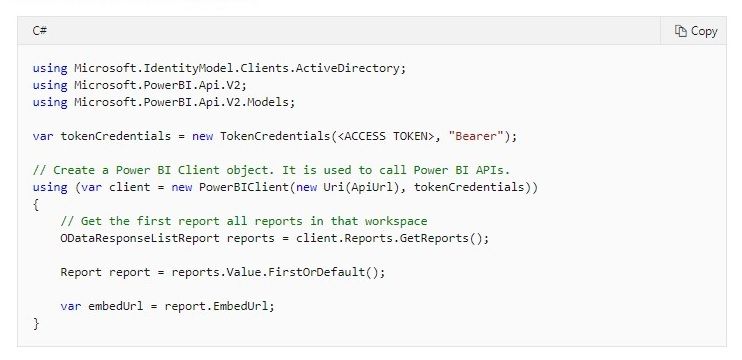
using Microsoft.PowerBI.Api;

var client = new PowerBIClient(new Uri("https://api.powerbi.com/"), tokenCredentials);

you will need to create the token Credentials by generating the token

View solution in original post

6 REPLIES 6
Anonymous
Not applicable

Anonymous
Not applicable

HI @Sil3ntGam3r,

As lbendlin said, it already shared the C# version sample code about the methods to invoke rest API. Are you mean the different programming/script language versions or the whole project source codes?

Bookmark:

Export Power BI report to file (preview)#code-examples 

In addition, you can also navigate to the rest API page and click on 'try it' button to use the online version(HTML script) :

Reports - Get Pages In Group#code-try-0 

Regards,

Xiaoxin Sheng

Thanks for the reply. Ill check out the online version.


The problem I am having is with the example code.


I tried using it, but I get an error with the Client object. It says in the comments that 'Client' is an instance of the Power BI .NET SDK.

But what does that mean to me? How do I declare the Client object in my C# application?

Anonymous
Not applicable

using Microsoft.PowerBI.Api;

var client = new PowerBIClient(new Uri("https://api.powerbi.com/"), tokenCredentials);

you will need to create the token Credentials by generating the token

lbendlin
Super User
Super User

There is a working example in the link you reference.

Sorry let me rephrase that. I am looking for working source code?

Helpful resources

Announcements
Fabric Data Days is here Carousel

Fabric Data Days 2026

Don't miss out on Data Days, June 15 through August 7. Learn Fabric, Power BI, SQL, AI and more.

May Power BI Update Carousel

Power BI Monthly Update - May 2026

Check out the May 2026 Power BI update to learn about new features.

Power BI DataViz World Championships carousel

Power BI DataViz World Championships - June 2026

A new Power BI DataViz World Championship is coming this June! Don't miss out on submitting your entry.

Top Kudoed Authors