We've captured the moments from FabCon & SQLCon that everyone is talking about, and we are bringing them to the community, live and on-demand. Starts on April 14th. Register now
Hi All,
I'm hoping someone can help me.
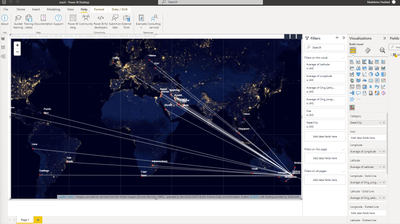
I have built a visualiation for the purpose of it being used on a website.
Is someone able to please inform me how to export it as a way that it can show the visualisation and not a CSV?
I would like the whole image to show as an export.
See below for an image of my creation.
Thank you in advance. 🙂
Solved! Go to Solution.
Hi,
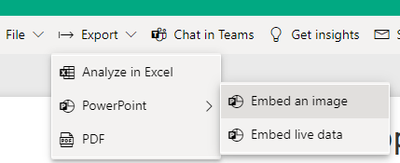
As per screenshot, you are using custom map visual. Export to PowerPoint as a Image or Live should work in your case.
Thanks
Hari
I tried to publish and export it, however i received this error.
Can this be done via a screenshot saved as an image ?
Have you considered the new PowerPoint integration?
Hi,
That would be my last resort as i would rather export the visualisation.
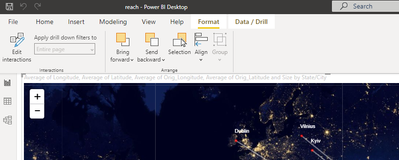
I do not have that banner on my Power Bi. Can you advise which version you are using?
Hi,
As per screenshot, you are using custom map visual. Export to PowerPoint as a Image or Live should work in your case.
Thanks
Hari
That feature is available in the Power BI service, after you publish your Desktop file to a workspace.
If you have recently started exploring Fabric, we'd love to hear how it's going. Your feedback can help with product improvements.
A new Power BI DataViz World Championship is coming this June! Don't miss out on submitting your entry.
Share feedback directly with Fabric product managers, participate in targeted research studies and influence the Fabric roadmap.
| User | Count |
|---|---|
| 1 | |
| 1 | |
| 1 | |
| 1 | |
| 1 |
| User | Count |
|---|---|
| 4 | |
| 2 | |
| 2 | |
| 2 | |
| 2 |