Don't miss your chance to take the Fabric Data Engineer (DP-600) exam for FREE! Find out how by attending the DP-600 session on April 23rd (pacific time), live or on-demand.
Learn moreNext up in the FabCon + SQLCon recap series: The roadmap for Microsoft SQL and Maximizing Developer experiences in Fabric. All sessions are available on-demand after the live show. Register now
Hi All,
I'm hoping someone can help me.
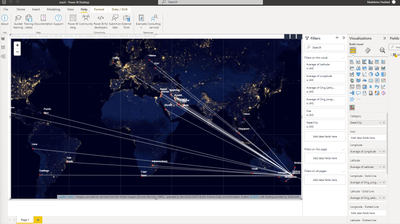
I have built a visualiation for the purpose of it being used on a website.
Is someone able to please inform me how to export it as a way that it can show the visualisation and not a CSV?
I would like the whole image to show as an export.
See below for an image of my creation.
Thank you in advance. 🙂
Solved! Go to Solution.
Hi,
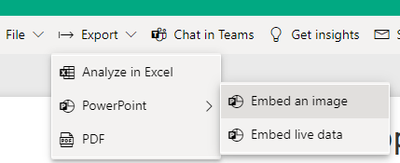
As per screenshot, you are using custom map visual. Export to PowerPoint as a Image or Live should work in your case.
Thanks
Hari
I tried to publish and export it, however i received this error.
Can this be done via a screenshot saved as an image ?
Have you considered the new PowerPoint integration?
Hi,
That would be my last resort as i would rather export the visualisation.
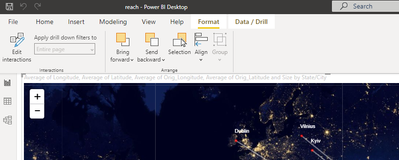
I do not have that banner on my Power Bi. Can you advise which version you are using?
Hi,
As per screenshot, you are using custom map visual. Export to PowerPoint as a Image or Live should work in your case.
Thanks
Hari
That feature is available in the Power BI service, after you publish your Desktop file to a workspace.
If you have recently started exploring Fabric, we'd love to hear how it's going. Your feedback can help with product improvements.
A new Power BI DataViz World Championship is coming this June! Don't miss out on submitting your entry.
| User | Count |
|---|---|
| 1 | |
| 1 | |
| 1 | |
| 1 | |
| 1 |