Join us in Barcelona for FabCon and SQLCon, September 28 - October 1, 2026.
This is best Fabric, Power BI, SQL and AI community event. How do we know? The last event sold out! Save €200 with code FABCMTY200.
Register now- Power BI forums
- Get Help with Power BI
- Desktop
- Service
- Report Server
- Power Query
- Mobile Apps
- Developer
- DAX Commands and Tips
- Custom Visuals Development Discussion
- Health and Life Sciences
- Power BI Spanish forums
- Translated Spanish Desktop
- Training and Consulting
- Instructor Led Training
- Dashboard in a Day for Women, by Women
- Galleries
- Data Stories Gallery
- Themes Gallery
- Contests Gallery
- QuickViz Gallery
- Quick Measures Gallery
- Visual Calculations Gallery
- Fabric Apps Gallery
- Notebook Gallery
- Translytical Task Flow Gallery
- TMDL Gallery
- R Script Showcase
- Webinars and Video Gallery
- Ideas
- Custom Visuals Ideas (read-only)
- Issues
- Issues
- Events
- Upcoming Events
July 28 - August 9 | Final Round of the Power BI Dataviz World Championships. This is your chance. Learn more
- Power BI forums
- Forums
- Get Help with Power BI
- Developer
- Error: GET https://localhost:8080/assets/status 40...
- Subscribe to RSS Feed
- Mark Topic as New
- Mark Topic as Read
- Float this Topic for Current User
- Bookmark
- Subscribe
- Printer Friendly Page

- Mark as New
- Bookmark
- Subscribe
- Mute
- Subscribe to RSS Feed
- Permalink
- Report Inappropriate Content
Error: GET https://localhost:8080/assets/status 404 (Not Found)
Hi,
I'm trying to create a new visual and for it I need to use a webpack.config.js for exclude node_modules. But when I start the project with webpack-dev-server (not pbiviz because it don't use the webpack.config.js) my localhost seems good but I have
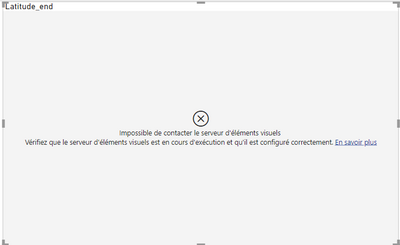
And the error : GET https://localhost:8080/assets/status 404 (Not Found) in the console
I don't understand where the probleme come from...
And I have this webpack.config.js:
var path = require('path')
const fs = require("fs");

// werbpack plugin
var webpack = require('webpack')
console.log(require.resolve('powerbi-visuals-webpack-plugin'));
const PowerBICustomVisualsWebpackPlugin = require('powerbi-visuals-webpack-plugin');
const MiniCssExtractPlugin = require("mini-css-extract-plugin");
// const Visualizer = require('webpack-visualizer-plugin');
const ExtraWatchWebpackPlugin = require('extra-watch-webpack-plugin');

// api configuration
const powerbiApi = require("powerbi-visuals-api");

// visual configuration json path
const pbivizPath = "./pbiviz.json";
const pbivizFile = require(path.join(__dirname, pbivizPath));

// the visual capabilities content
const capabilitiesPath = "./capabilities.json";
const capabilitiesFile = require(path.join(__dirname, capabilitiesPath));

const pluginLocation = './.tmp/precompile/visualPlugin.ts'; // path to visual plugin file, the file generates by the plugin

// string resources
const resourcesFolder = path.join(".", "stringResources");
const localizationFolders = fs.readdirSync(resourcesFolder);

// babel options to support IE11
let babelOptions = {
    "presets": [
        [
            require.resolve('@babel/preset-env'),
            {
                "targets": {
                    "ie": "11",
                    "chrome": "52"
                },
                useBuiltIns: "entry",
                modules: false
            }
        ]
    ],
    sourceType: "unambiguous", // tell to babel that the project can contains different module types, not only es2015 modules
    cacheDirectory: path.join(".tmp", "babelCache") // path for chace files
};

module.exports = {
    entry: './src/visual.ts',
    // output: {
    //     path: path.resolve('./dist'),
    //     filename: 'visual.bundle.js',
    // },
    output: {
        path: path.join(__dirname, "/.tmp","drop"),
        publicPath: 'assets',
        filename: "[name].bundle.js",
    },
    mode: "development",
    resolve: {
        extensions: ['.js', '.jsx', '.ts', '.tsx'],
    },
    module: {
        rules: [
            { test: /\.ts$/, use: 'ts-loader' },
            {
                test: /\.js$/, use: {
                    loader: 'babel-loader',
                    options: {
                        ignore: ['./node_modules/mapbox-gl/dist/mapbox-gl.js']
                    }
                }
            },
            { test: /\.css$/, use: 'css-loader' },
            { test: /\.less$/, use: [
                {
                    loader: 'css-loader',
                },
                {
                    loader: 'less-loader',
                },
            ] }
        ]
    },
    devServer: {
        // disableHostCheck: true,
        allowedHosts: 'all',
        static: path.join(__dirname, "/.tmp", "drop"), // path with assets for dev server, they are generated by webpack plugin
        compress: true,
        port: 8080, // dev server port
        hot: false,
        // inline: false,
        // cert files for dev server
        https: {
            pfx: fs.readFileSync(path.join(__dirname, 'node_modules\\powerbi-visuals-tools\\certs\\PowerBICustomVisualTest_public.pfx')), // for windows
            passphrase: "6529273902027273"
        },
        headers: {
            "access-control-allow-origin": "*",
            "cache-control": "public, max-age=0"
        },
        client: {
            overlay: true,
            progress: true,
        },
    },
    externals: {
        "powerbi-visuals-api": 'null',
        "fakeDefine": 'false',
        "corePowerbiObject": "Function('return this.powerbi')()",
        "realWindow": "Function('return this')()"
    },
    plugins: [
        new MiniCssExtractPlugin({
            filename: "visual.css",
            chunkFilename: "[id].css"
        }),
        // new Visualizer({
        //     filename: "webpack.statistics.dev.html"
        // }),
        // visual plugin regenerates with the visual source, but it does not require relaunching dev server
        new webpack.WatchIgnorePlugin({paths:[
            path.join(__dirname, pluginLocation),
            "./.tmp/**/*.*"
        ]}),
        // custom visuals plugin instance with options
        new PowerBICustomVisualsWebpackPlugin({
            ...pbivizFile,
            capabilities: capabilitiesFile,
            stringResources: localizationFolders.map(localization => path.join(
                resourcesFolder,
                localization,
                "resources.resjson"
            )),
            apiVersion: powerbiApi.version,
            capabilitiesSchema: powerbiApi.schemas.capabilities,
            pbivizSchema: powerbiApi.schemas.pbiviz,
            stringResourcesSchema: powerbiApi.schemas.stringResources,
            dependenciesSchema: powerbiApi.schemas.dependencies,
            devMode: false,
            generatePbiviz: true,
            generateResources: true,
            modules: true,
            visualSourceLocation: './src/visual', // "../../src/visual",
            pluginLocation: pluginLocation,
            packageOutPath: path.join(__dirname, "dist")
        }),
        new ExtraWatchWebpackPlugin({
            files: [
                pbivizPath,
                capabilitiesPath
            ]
        }),
        new webpack.ProvidePlugin({
            window: 'realWindow',
            define: 'fakeDefine',
            powerbi: 'corePowerbiObject'
        }),
    ]
};
Thank in advance !
Solved! Go to Solution.
- Mark as New
- Bookmark
- Subscribe
- Mute
- Subscribe to RSS Feed
- Permalink
- Report Inappropriate Content
Hi @Anonymous,
AFAIK, 404 error means these requests have referenced the wrong path of link/resource. According to your description and error messages, I think it means the project can't find out the specified resource which hosts in the assets folder.
If you want to invoke the external resource, you can take a look at the following link about similar requirements:
Solved: Including External Assets in Custom Visual (/Asset... - Microsoft Power BI Community
Regards,
Xiaoxin Sheng

- Mark as New
- Bookmark
- Subscribe
- Mute
- Subscribe to RSS Feed
- Permalink
- Report Inappropriate Content
Good Evening,
After running command "pbiviz start"
Go to this link in chrom https://localhost:8080/assets/
and then scroll down and click on "proceed without safety" option
and then go back to your report and click on developer visual option.
- Mark as New
- Bookmark
- Subscribe
- Mute
- Subscribe to RSS Feed
- Permalink
- Report Inappropriate Content
I change the line
publicPath: 'assets',in
publicPath: '/assets/',
and now I have the error GET https://localhost:8080/assets/visual.js 404 (Not Found),
So I think the probleme come from where I put the output, or something is not create with my webpack
- Mark as New
- Bookmark
- Subscribe
- Mute
- Subscribe to RSS Feed
- Permalink
- Report Inappropriate Content
Hi @Anonymous,
AFAIK, 404 error means these requests have referenced the wrong path of link/resource. According to your description and error messages, I think it means the project can't find out the specified resource which hosts in the assets folder.
If you want to invoke the external resource, you can take a look at the following link about similar requirements:
Solved: Including External Assets in Custom Visual (/Asset... - Microsoft Power BI Community
Regards,
Xiaoxin Sheng
- Mark as New
- Bookmark
- Subscribe
- Mute
- Subscribe to RSS Feed
- Permalink
- Report Inappropriate Content
Thanks I said to my webpack to put everything I create in a folder assets and now it works (I don't have the visuals but it connect it's an advancement XD) Now i need to search why it don't works... Thanks !
- Mark as New
- Bookmark
- Subscribe
- Mute
- Subscribe to RSS Feed
- Permalink
- Report Inappropriate Content
For more information I change the line
path: path.join(__dirname, "/.tmp","drop"),to
path: path.join(__dirname, "/.tmp","drop", "assets"),Helpful resources

FabCon & SQLCon – Barcelona 2026
Join us in Barcelona for FabCon and SQLCon, the Fabric, Power BI, SQL, and AI community event. Save €200 with code FABCMTY200.

Power BI DataViz World Championships - June 2026
A new Power BI DataViz World Championship is coming this June! Don't miss out on submitting your entry.

| User | Count |
|---|---|
| 2 | |
| 1 | |
| 1 | |
| 1 | |
| 1 |


