Join us at FabCon Atlanta from March 16 - 20, 2026, for the ultimate Fabric, Power BI, AI and SQL community-led event. Save $200 with code FABCOMM.
Register now!The Power BI Data Visualization World Championships is back! Get ahead of the game and start preparing now! Learn more
I have created a Power BI custom connector. This one works almost perfectly. However, with large dataset it is an issue when previewing and refreshing data in Navigator. It takes a long to view the different tables I am fetching through my API call. Is there any way to prevent all tables from loading at once? Or at least limit the amount of rows in the preview?
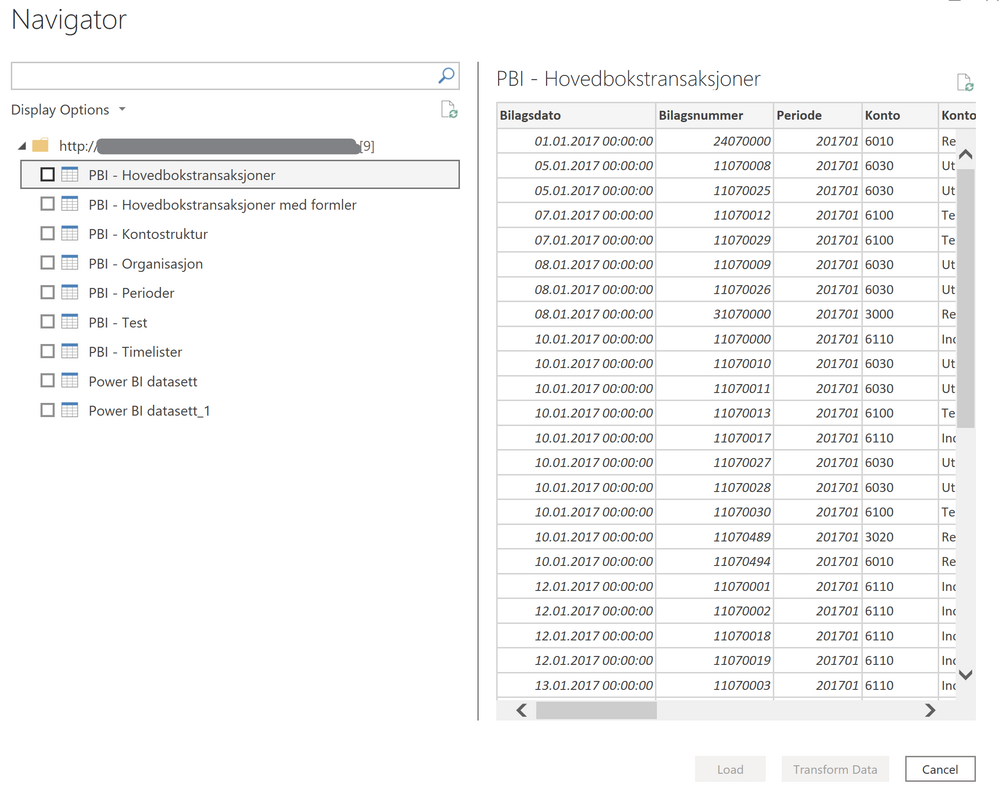
In my example below, I only have a few tables, but it takes about 1-2 minutes to open up this window...
Hi @Anonymous. I'm having an issue with getting navigation while fetching data from an API. I have received the following response from the API:
I want to display the table list as navigation items, and use each table ID to show the corresponding table when each item is clicked.
can you please help me
Hi @Anonymous ,
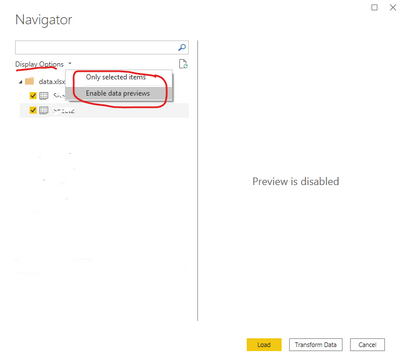
Please try to unselected the option(Only selected items and Enable data previews) and check whether it can reduce the loading time:
Best Regards
The Power BI Data Visualization World Championships is back! Get ahead of the game and start preparing now!
| User | Count |
|---|---|
| 9 | |
| 6 | |
| 4 | |
| 4 | |
| 4 |