Share feedback directly with Fabric product managers, participate in targeted research studies and influence the Fabric roadmap.
Sign up nowGet Fabric certified for FREE! Don't miss your chance! Learn more
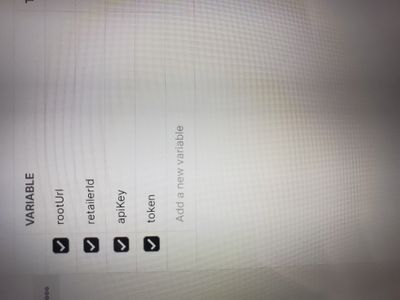
Hello, I am trying to connect to an API that requires re creation of a token every 8 hours. I can get it to create a token and pull the json into postman, but not into Power Bi. When I use that postman token. I also don't know how to code it in bi to make a new token, as this one expires every 8 hours.
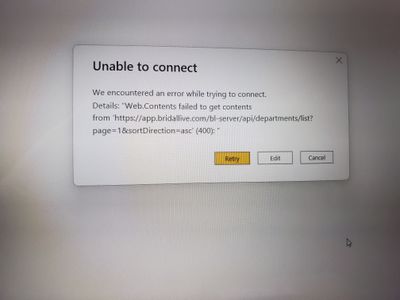
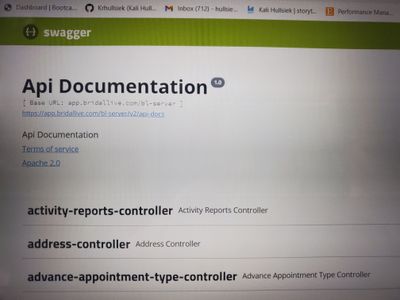
I am entering information into Power Bi and getting the 400 error, and referring to swagger endpoints for the API
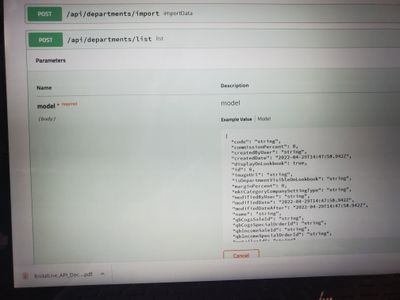
I'm now finding the issue is it is a POST request instead of GET, is there any way to connect to data of they have it set up as a POST?
HI @Anonymous,
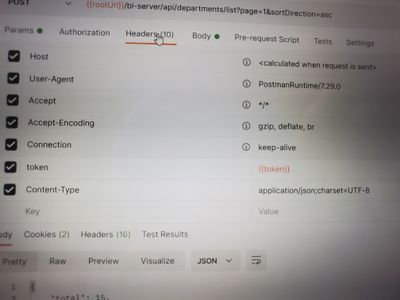
In fact, you can also use post requests in the power query web connector. You need to add the request contents to the header or body(this is based on your API settings) and attached them to the data connector.
let
rootURL = "app.xxx.com",
secretId = xxxxx,
GetJson =
Web.Contents(
rootURL,
[
Headers = [
#"Authorization" = "Basic " & secretId,
#"Content-Type" = "application/json"
],
Content = Text.ToBinary("grant_type=client_credentials")
]
),
body = "xxxxx",
Result =
Web.Contents(
rootURL,
[
Headers = [
Authorization = "Bearer " + token,
apikey = "xxxxxxx",
RelativePath = "/api/departments/list/",
Content = Text.ToBinary(body),
ContentType = "application/json"
],
Query = [
page = "1",
sortDirection = "asc"
]
]
)
in
Result
Regards,
Xiaoxin Sheng
Providing a Content payload to Web.Contents() converts the API call from GET to POST.
There are many examples for handling refresh tokens. Here is one : Solved: Refresh token api call - Microsoft Power BI Community
Share feedback directly with Fabric product managers, participate in targeted research studies and influence the Fabric roadmap.
If you love stickers, then you will definitely want to check out our Community Sticker Challenge!
Check out the January 2026 Power BI update to learn about new features.
| User | Count |
|---|---|
| 3 | |
| 2 | |
| 2 | |
| 1 | |
| 1 |
| User | Count |
|---|---|
| 5 | |
| 4 | |
| 3 | |
| 3 | |
| 2 |