cancel
Showing results for 
Search instead for 
Did you mean: 

A new Data Days event is coming soon! This time we’re going bigger than ever. Fabric, Power BI, SQL, AI and more. Don't miss out.

Reply
Anonymous
Not applicable

Connect to API with token that changes

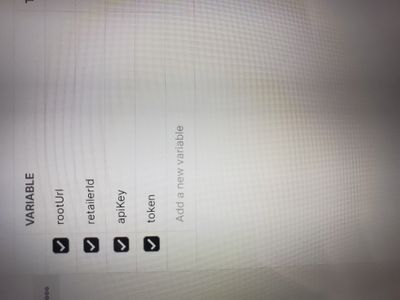
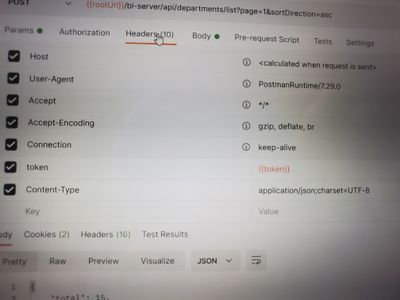
Hello, I am trying to connect to an API that requires re creation of a token every 8 hours. I can get it to create a token and pull the json into postman, but not into Power Bi. When I use that postman token. I also don't know how to code it in bi to make a new token, as this one expires every 8 hours. 


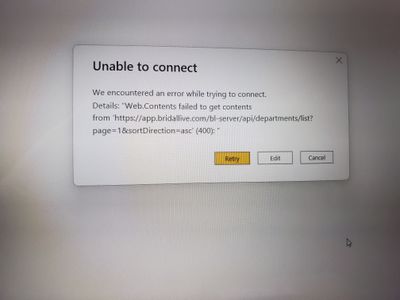
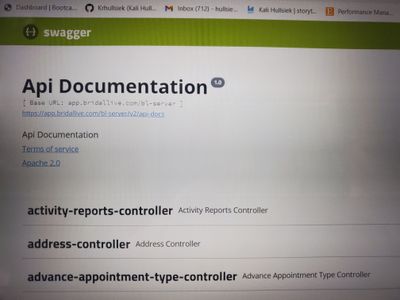
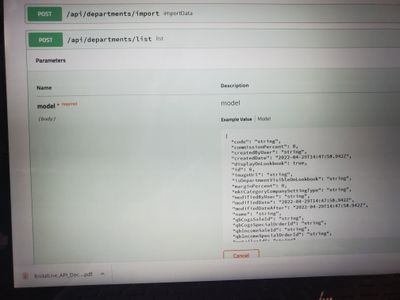
I am entering information into Power Bi and getting the 400 error, and referring to swagger endpoints for the API

20220429_095032.jpg

20220429_095038.jpg

20220429_095054.jpg

20220429_095103.jpg

20220429_095109.jpg

20220429_100912.jpg

20220429_100946.jpg

4 REPLIES 4
Anonymous
Not applicable

I'm now finding the issue is it is a POST request instead of GET, is there any way to connect to data of they have it set up as a POST?

Anonymous
Not applicable

HI @Anonymous,

In fact, you can also use post requests in the power query web connector. You need to add the request contents to the header or body(this is based on your API settings) and attached them to the data connector.


let
    rootURL = "app.xxx.com",
    secretId = xxxxx,
    GetJson =
        Web.Contents(
            rootURL,
            [
                Headers = [
                    #"Authorization" = "Basic " & secretId,
                    #"Content-Type" = "application/json"
                ],
                Content = Text.ToBinary("grant_type=client_credentials")
            ]
        ),
    body = "xxxxx",
    Result =
        Web.Contents(
            rootURL,
            [
                Headers = [
                    Authorization = "Bearer " + token,
                    apikey = "xxxxxxx",
                    RelativePath = "/api/departments/list/",
                    Content = Text.ToBinary(body),
                    ContentType = "application/json"
                ],
                Query = [
                    page = "1",
                    sortDirection = "asc"
                ]
            ]
        )
in
    Result


Chris Webb's BI Blog: Using The RelativePath And Query Options With Web.Contents() In Power Query An...

Regards,

Xiaoxin Sheng

Providing a Content payload to Web.Contents() converts the API call from GET to POST.


Web.Contents - PowerQuery M | Microsoft Docs

lbendlin
Super User
Super User

There are many examples for handling refresh tokens. Here is one : Solved: Refresh token api call - Microsoft Power BI Community

Helpful resources

Announcements
May Power BI Update Carousel

Power BI Monthly Update - May 2026

Check out the May 2026 Power BI update to learn about new features.

Fabric SQL PBI Data Days

Data Days 2026 coming soon!

Sign up to receive a private message when registration opens and key events begin.

New to Fabric survey Carousel

New to Fabric Survey

If you have recently started exploring Fabric, we'd love to hear how it's going. Your feedback can help with product improvements.

Power BI DataViz World Championships carousel

Power BI DataViz World Championships - June 2026

A new Power BI DataViz World Championship is coming this June! Don't miss out on submitting your entry.

Top Kudoed Authors