cancel
Showing results for 
Search instead for 
Did you mean: 

A new Data Days event is coming soon! This time we’re going bigger than ever. Fabric, Power BI, SQL, AI and more. Don't miss out.

Reply
AzaharoddinSk
Frequent Visitor

Changing the content in Layout file

Hi,


I tried to change some content in the LAYOUT file through Powershell Script, but I am unable to make any changes on that file, Can anyone help me with the solution. 


Note: Content in the Layout file should change with the Powershell script.

4 REPLIES 4
lbendlin
Super User
Super User

What type of changes are you planning to make?  The file format is not documented and liable to change at any time.

Hi @lbendlin
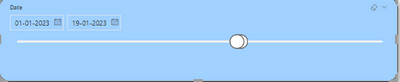
The scenario is like this, In the report having a Slider slicer that is like the start date is 2019/01/01 and the end date is 2024/12/31, I want to change the dates in a layout file like start 2023/01/01 and the end date is today's date. 


AzaharoddinSk_0-1674123563614.png


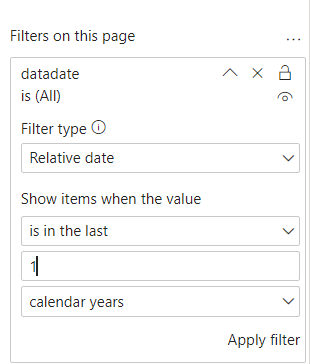
You should be able to use a preset filter for that, like this


lbendlin_0-1674302504371.png


Hi @lbendlin ,


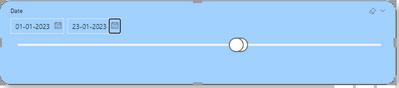
I tried with your solution but it is not working, In that slider has the 3yrs past data and 1yr forecast data and when I open that page it should only display starting of that month(the present month that is 01 January 2023)  and end date is today's date like below i mentioned the image. 


AzaharoddinSk_0-1674454496288.png


Helpful resources

Announcements
Fabric SQL PBI Data Days

Data Days 2026 coming soon!

Sign up to receive a private message when registration opens and key events begin.

New to Fabric survey Carousel

New to Fabric Survey

If you have recently started exploring Fabric, we'd love to hear how it's going. Your feedback can help with product improvements.

Power BI DataViz World Championships carousel

Power BI DataViz World Championships - June 2026

A new Power BI DataViz World Championship is coming this June! Don't miss out on submitting your entry.