Don't miss your chance to take the Fabric Data Engineer (DP-600) exam for FREE! Find out how by attending the DP-600 session on April 23rd (pacific time), live or on-demand.
Learn moreNext up in the FabCon + SQLCon recap series: The roadmap for Microsoft SQL and Maximizing Developer experiences in Fabric. All sessions are available on-demand after the live show. Register now
Hello,
when I import the data from Atera API to PowerBI there is a 50 items limitation on Atera side.
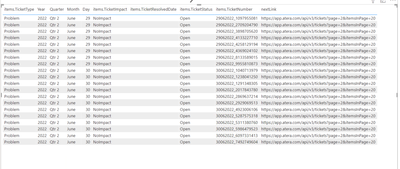
The imported table is contains the next/previous page link fields, like: https://app.atera.com/api/v3/tickets?page=2&itemsInPage=50
Do you have any idea how can I import all pages in to one table?
Many thanks!
Zoltan
Solved! Go to Solution.
I found the solution in this video!
https://www.youtube.com/watch?v=hHkU8tPhVXs&t=492s
!!! Thank you for Hoosier BI !!!
Best Regards!
Zoltan
Hi @JudgElf ,
As far as I know, this limitation should be set by Atera API. I think in your API URL there should be some code to link to the determind page and the data limitation in each page should be 50.
You can try to change this in data source.
Best Regards,
Rico Zhou
If this post helps, then please consider Accept it as the solution to help the other members find it more quickly.
Hello @Anonymous ,
thanks for your ansver!
It wasn't a question, as you can see the original post link I clear about the 50 limitation and how to get pages.
The question is: how can I import this 50 row/pages to one table if I have 33 pages? ( without add the sources one by one)
Thank you!
Zoltan
I found the solution in this video!
https://www.youtube.com/watch?v=hHkU8tPhVXs&t=492s
!!! Thank you for Hoosier BI !!!
Best Regards!
Zoltan
If you have recently started exploring Fabric, we'd love to hear how it's going. Your feedback can help with product improvements.
A new Power BI DataViz World Championship is coming this June! Don't miss out on submitting your entry.
| User | Count |
|---|---|
| 1 | |
| 1 | |
| 1 | |
| 1 | |
| 1 |