Join us at FabCon Atlanta from March 16 - 20, 2026, for the ultimate Fabric, Power BI, AI and SQL community-led event. Save $200 with code FABCOMM.
Register now!The Power BI Data Visualization World Championships is back! Get ahead of the game and start preparing now! Learn more
I have the following information available for connecting to Shopify data from Power BI using the web connection -
URL : (Basic URL for the website)
API Key
API Secret Key
I am unable to connect.
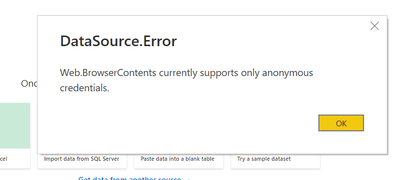
Few of the errors I have encountered are -
If I connect Anonymous - the data I get is not correct.
I have looked at other posts here but none of them solved my problem.
Thanks!
Hi @MwonderfulR , there is an existing solution that could really cut down your workload. They provide a free Shopify Power BI template that comes preloaded with the core Shopify tables and established relationships, so you can just link your data and start using it right away: https://vidi-corp.com/shopify-analytics-dashboards/
It’s especially useful if you’re not experienced with Shopify data modeling or just want to save time.
To connect Shopify to Power BI, use Basic Auth with your API Key and Secret. Make sure API access is enabled in Shopify settings. If it's still tricky, Skyvia can sync Shopify data directly to Power BI.
Hi @MwonderfulR were you able to find a solution? As a workaround, maybe you can try to test your connection with a 3rd party connector. I've tried windsor.ai, supemetrics and funnel.io. I stayed with windsor because it is much cheaper so just to let you know other options. In case you wonder, to make the connection first search for the Shopify connector in the data sources list:
After that, you need to follow instructions and install the windsor.ai app from the Shopify App Store:
then on preview and destination page you will see a preview of your Shopify fields
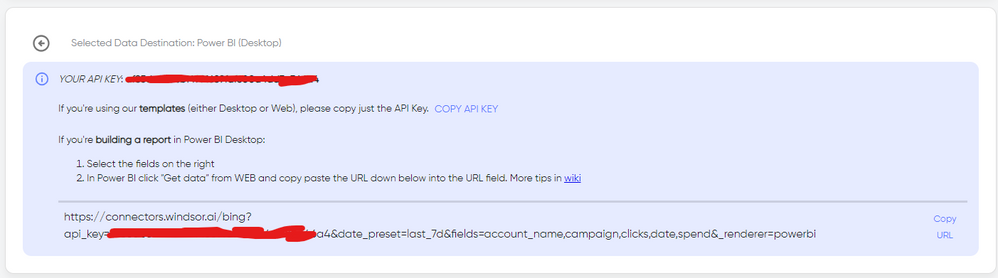
There just select the fields you need. Finally, just select PBI as your data destination and finally just copy and paste the url on PBI --> Get Data --> Web --> Paste the url.
Hey @Anonymous
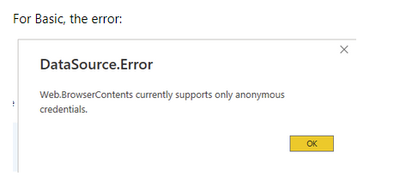
For Basic I get the following error -
Is there something on shopify side that needs to change ?
Thanks.
Hi @MwonderfulR ,
Please refer to below offical blog to learn more details to learn more details about how to access the API.
For reference:
https://dev.applicationinsights.io/documentation/Using-the-API/Power-BI
"In the Access web content dialog, select Basic, enter your app's API key as the Username, and press Connect"
Best Regards,
Rico Zhou
If this post helps, then please consider Accept it as the solution to help the other members find it more quickly.
The Power BI Data Visualization World Championships is back! Get ahead of the game and start preparing now!
| User | Count |
|---|---|
| 11 | |
| 7 | |
| 4 | |
| 3 | |
| 3 |