cancel
Showing results for 
Search instead for 
Did you mean: 

The Power BI Data Visualization World Championships is back! It's time to submit your entry. Live now!

Reply
Anonymous
Not applicable

view

Hi All,


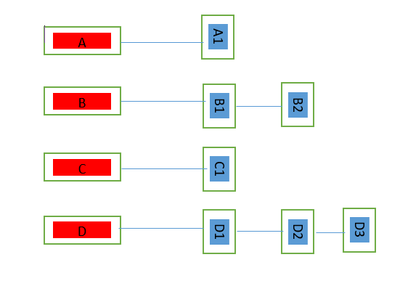
Please give some guidance how can i create below kind of view. I have two columns Header & Content.

Each Header have their respective content which needs to be showns in below manner.


KSC_0-1653989121869.png


1 ACCEPTED SOLUTION
Icey
Community Support
Community Support

Hi @Anonymous ,


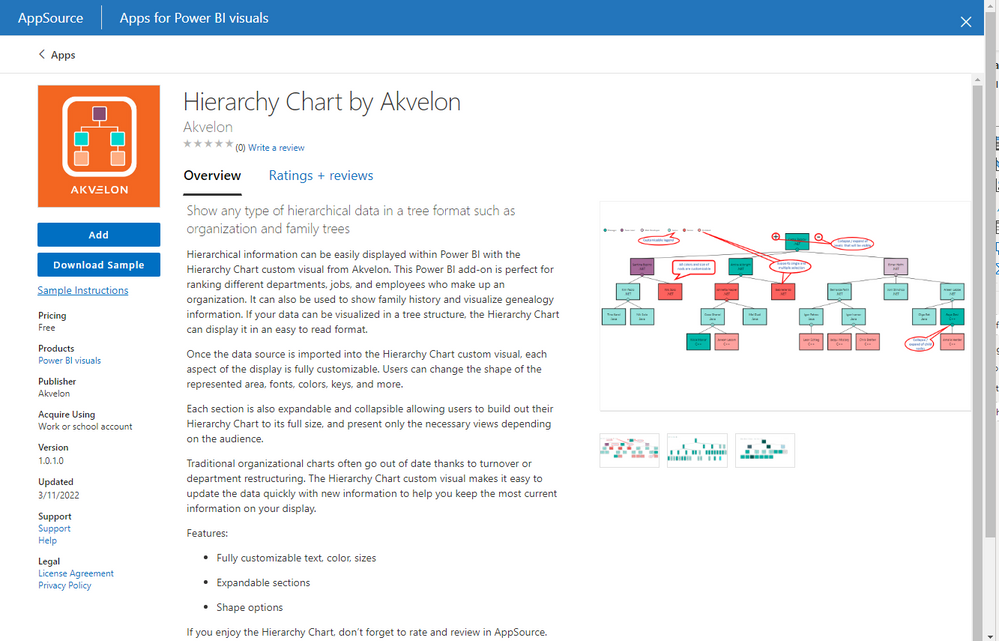
Please check if this visual could meet your requirements.

Icey_0-1654226360526.png


Here is an example:

Icey_1-1654226709264.png


Best Regards,

Icey


If this post helps, then please consider Accept it as the solution to help the other members find it more quickly.

View solution in original post

2 REPLIES 2
Icey
Community Support
Community Support

Hi @Anonymous ,


Please check if this visual could meet your requirements.

Icey_0-1654226360526.png


Here is an example:

Icey_1-1654226709264.png


Best Regards,

Icey


If this post helps, then please consider Accept it as the solution to help the other members find it more quickly.

amitchandak
Super User
Super User

@Anonymous , Create a rank for content inside the header


rank = rankx(filter(Table, Table[header] = earlier(Table[header]) ), Table[Content])


now use a header on rows and Rank on the column of Matrix and max of the content column as values. You can use conditional formatting

Share with Power BI Enthusiasts: Full Power BI Video (20 Hours) YouTube
Microsoft Fabric Series 60+ Videos YouTube
Microsoft Fabric Hindi End to End YouTube

Helpful resources

Announcements
FabCon Atlanta 2026 carousel

FabCon Atlanta 2026

Join us at FabCon Atlanta, March 16-20, for the ultimate Fabric, Power BI, AI and SQL community-led event. Save $200 with code FABCOMM.