Don't miss your chance to take the Fabric Data Engineer (DP-600) exam for FREE! Find out how by watching the DP-600 session on-demand now through April 28th.
Learn moreJoin the FabCon + SQLCon recap series. Up next: Power BI, Real-Time Intelligence, IQ and AI, and Data Factory take center stage. All sessions are available on-demand after the live show. Register now
I've tried to setup an incremental refresh but keep getting stuck at the same point. So far I have:
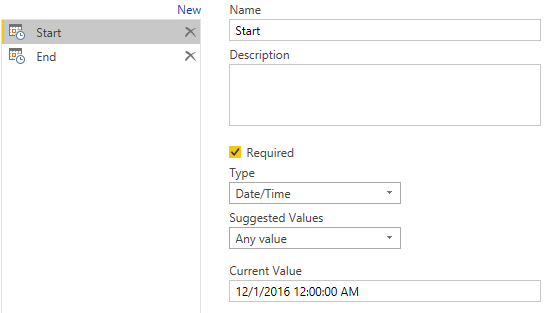
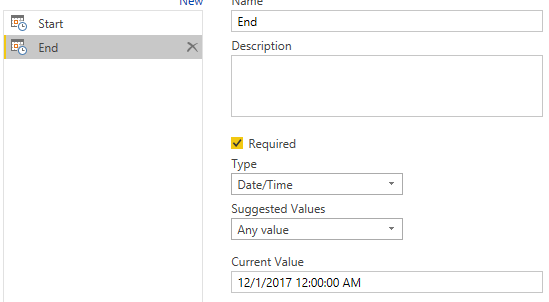
-created date/time parameters "RangeStart" and "RangeEnd"
-applied a custom filter to a date/time column in my table, using those parameters
-applied the changes
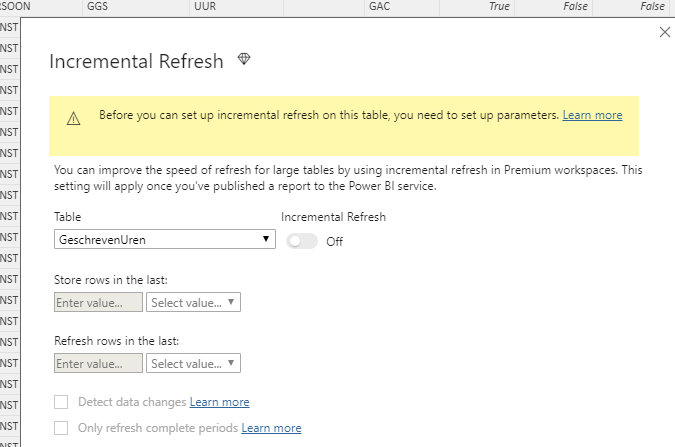
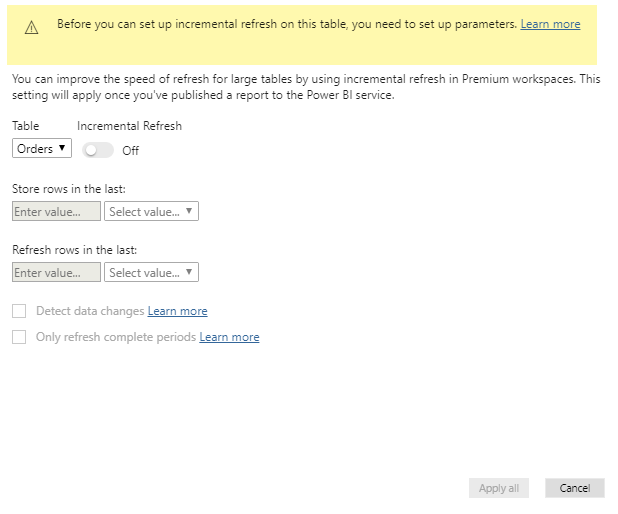
According to the instructions, the incremental refresh should now be available in the context menu for tables. However, when I select this, I keep getting the message that I need to setup the parameters. Any idea what might be going on?
I'm importing data from an Odata feed (Dynamics NAV).
Solved! Go to Solution.
Finally got slution after lot of efforts
We have to keep the Parameter name as RangeStart and RangeEnd only.
You can not use any other name for incremental refresh paramenters.
Paaji Tussi Great Ho
Hi @joris,
How do you set the parameter?
The RangeStart and RangeEnd parameters should be datefield date/time, not just Date.
You could note here.
In addition, you could have a reference of this similar thread which has been solved.
Best Regards,
Cherry
v-piga-msft, I have my Parameters as Date/time and the column also as Date/Time
but still getting same error as before you can set up incremental refresh on this table you need to set up parameters site:community.powerbi.com
Custom is working fine but not able to setup the incremental load.
Finally got slution after lot of efforts
We have to keep the Parameter name as RangeStart and RangeEnd only.
You can not use any other name for incremental refresh paramenters.
Check out the April 2026 Power BI update to learn about new features.
If you have recently started exploring Fabric, we'd love to hear how it's going. Your feedback can help with product improvements.
A new Power BI DataViz World Championship is coming this June! Don't miss out on submitting your entry.
| User | Count |
|---|---|
| 43 | |
| 38 | |
| 35 | |
| 21 | |
| 15 |
| User | Count |
|---|---|
| 63 | |
| 58 | |
| 28 | |
| 27 | |
| 25 |