cancel
Showing results for 
Search instead for 
Did you mean: 

The Power BI Data Visualization World Championships is back! Get ahead of the game and start preparing now! Learn more

Reply
supasith
Frequent Visitor

remove decomposition tree header

hi friends

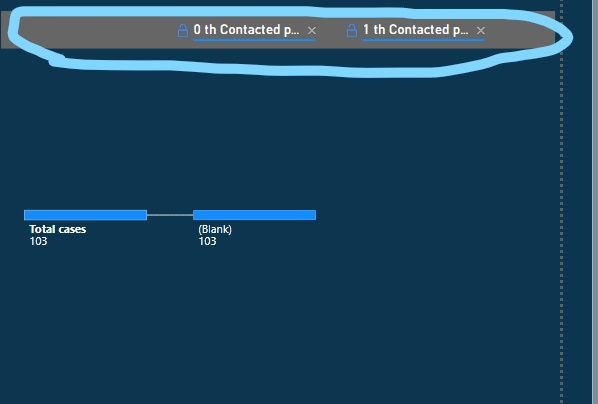
how can i remove header in decomposition tree like pic below

Screenshot (22)_LI.jpg

thank in advance for any suggestion

1 ACCEPTED SOLUTION
jdbuchanan71
Super User
Super User

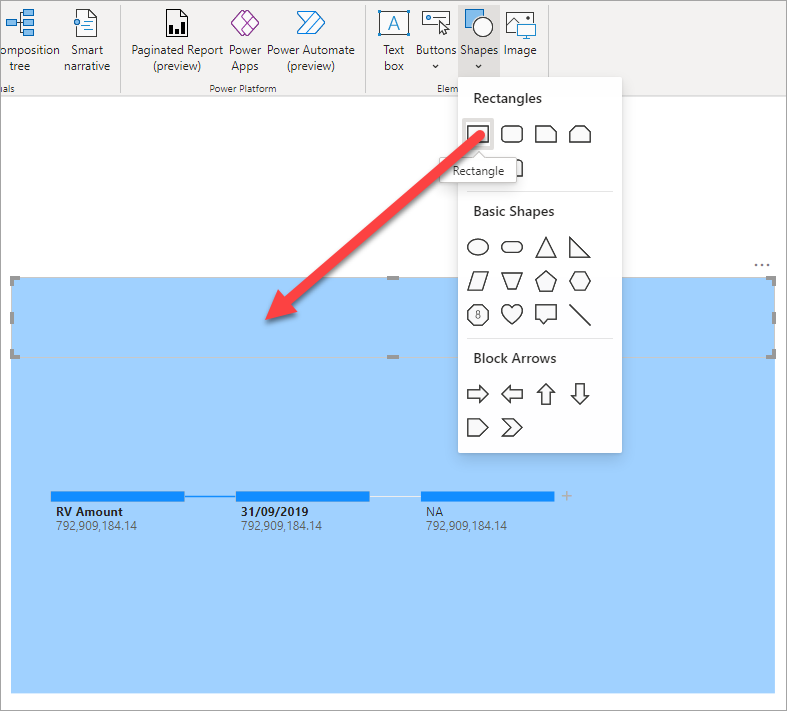
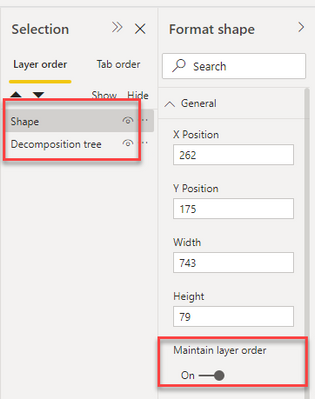
You could put a rectangle shape over the header area with the same background color as the decomp tree.  Just make sure to turn on "Maintain layer order" on the rectangle and decomp tree and have the shape above the chart so that the rectangle is not hidden if they click on the decomp tree.

jdbuchanan71_0-1633062741872.png

jdbuchanan71_1-1633062913024.png


View solution in original post

2 REPLIES 2
adam12237
Advocate I
Advocate I

Why is there no option to toggle header on/off in the Format pane? Here goes MS just pushing out visuals without thinking all the way through (and making people wait to post their ideas to get a lot of votes before change is initiated).


LAME

jdbuchanan71
Super User
Super User

You could put a rectangle shape over the header area with the same background color as the decomp tree.  Just make sure to turn on "Maintain layer order" on the rectangle and decomp tree and have the shape above the chart so that the rectangle is not hidden if they click on the decomp tree.

jdbuchanan71_0-1633062741872.png

jdbuchanan71_1-1633062913024.png


Helpful resources

Announcements
Power BI DataViz World Championships

Power BI Dataviz World Championships

The Power BI Data Visualization World Championships is back! Get ahead of the game and start preparing now!

December 2025 Power BI Update Carousel

Power BI Monthly Update - December 2025

Check out the December 2025 Power BI Holiday Recap!

FabCon Atlanta 2026 carousel

FabCon Atlanta 2026

Join us at FabCon Atlanta, March 16-20, for the ultimate Fabric, Power BI, AI and SQL community-led event. Save $200 with code FABCOMM.