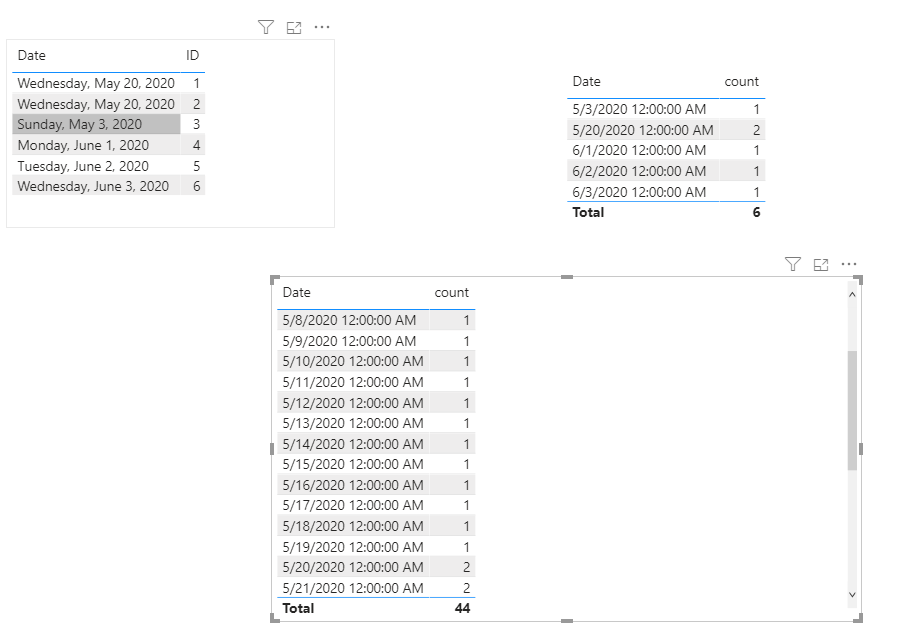
I have a table which contain duplicated date column(table 1).
| Table1 |
| ID | Date | column3 | columN |
| 1 | 30 March 2020 | | |
| 2 | 30 March 2020 | | |
| 3 | 5 April 2020 | | |
| ... | | | |
| ... | | | |
| m | 1 June 2020 | | |
I created Table 2 using
Table 2 = SUMMARIZE(Table 1, Table 1[Date], "count", COUNT(Table 1[Date]))
| Table2 |
| Date | count |
| 30 March 2020 | 2 |
| 5 April 2020 | 1 |
| .. | |
| | |
| 1 June 2020 | 5 |
So, Table 2 will have unique values for Date column. There are missing values in Date column.
Now, trying to create Table 3 to make the Date column continues and put the count column value will be taken from previous date for missing date.
Table3 =
ADDCOLUMNS(
    CALENDAR(MIN(Table2[Date]), MAX(Table2[Date])),
    "count",
    LOOKUPVALUE(
        Table2[count],
        Table2[Date],
        MAXX(
            FILTER(Table2, Table2[Date] <= EARLIER([Date])),
            [Date]
        )
    )
)
But getting error: "A single value for column in table cannot be determined. This can happen when a measure formula refers to a column that contains many values without specifying an aggregation such as min, max, count, or sum to get a single result"
I assume that, this is because Table2 is a derived from Table1 where Date column contain duplicate values.
Is there any way to fix this? Please let me know. Thanks in advance.