This time we’re going bigger than ever. Fabric, Power BI, SQL, AI and more. We're covering it all. You won't want to miss it.
Learn moreGet Fabric Certified for FREE during AI Skills Fest. This week only. Secure your voucher now.
Hi all.
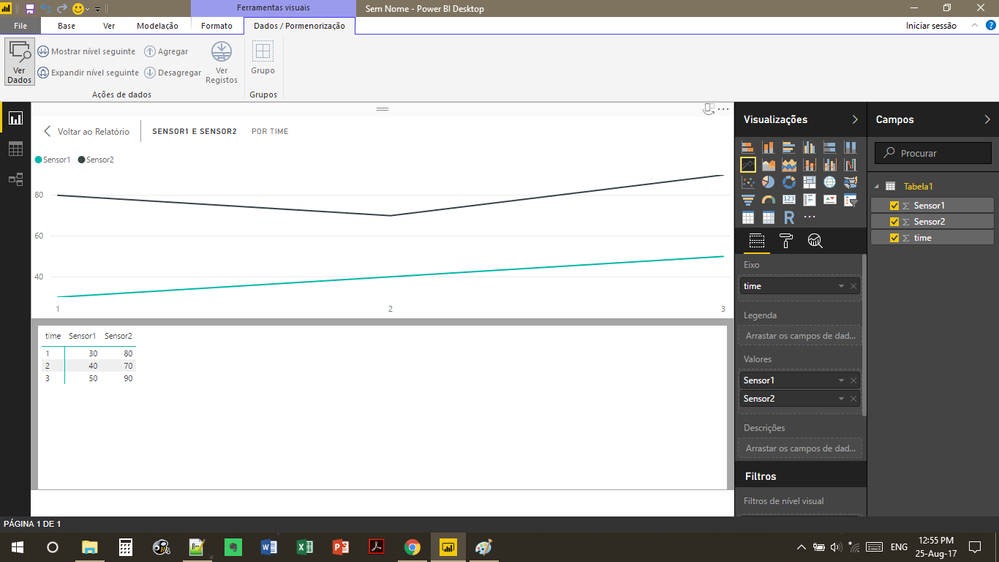
I'm having some problems in filtering data in a multiple graph variables.
So, I plot a graph with the variables columns but i cant create a filter using the group variables (columns) : Sensor1, Sensor2 ....
I trying to create a filter for the user choose what variable he wants to plot in the graph.
Solved! Go to Solution.
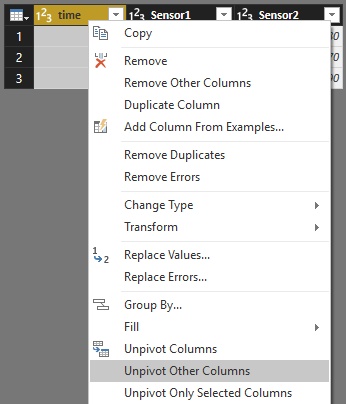
Right click time column and select Unpivot Other Columns.
You may select Unpivot Columns in Query Editor, then drag Attribute to Legend and Value to Values.
follow the prints:
%unpivot columns%
Right click time column and select Unpivot Other Columns.
v-chuncz-msft,
It works, thank you very much.
hello v-chuncz-msft,
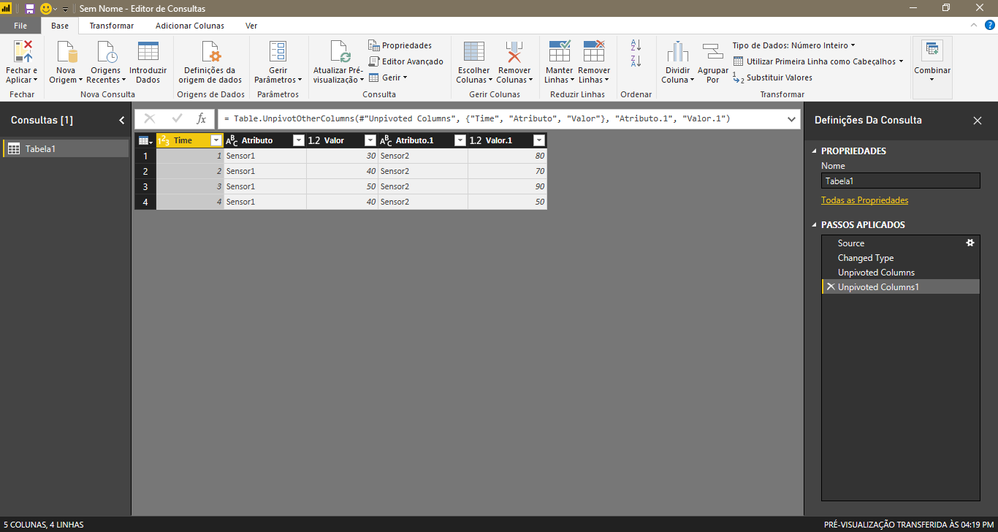
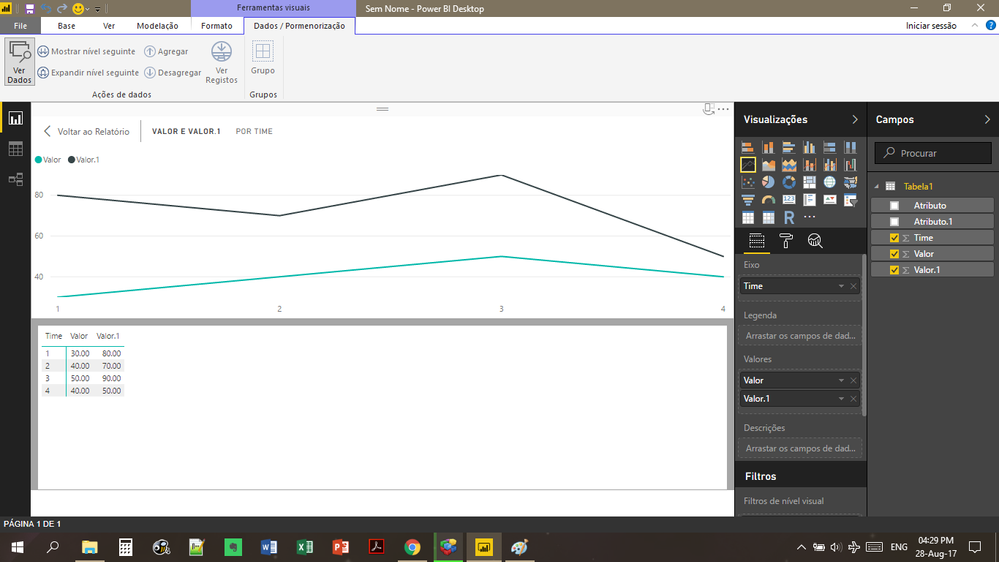
but now I have Attribute, Attribute.1, Value and Value.1
and i cant plot all in the same graph.
Check out the May 2026 Power BI update to learn about new features.
Sign up to receive a private message when registration opens and key events begin.
If you have recently started exploring Fabric, we'd love to hear how it's going. Your feedback can help with product improvements.
| User | Count |
|---|---|
| 24 | |
| 24 | |
| 22 | |
| 21 | |
| 18 |
| User | Count |
|---|---|
| 56 | |
| 52 | |
| 49 | |
| 25 | |
| 25 |