cancel
Showing results for 
Search instead for 
Did you mean: 

We've captured the moments from FabCon & SQLCon that everyone is talking about, and we are bringing them to the community, live and on-demand. Starts on April 14th. Register now

Reply
alexmag92
Regular Visitor

multiple variables graph filter

Hi all.

I'm having some problems in filtering data in a multiple graph variables.

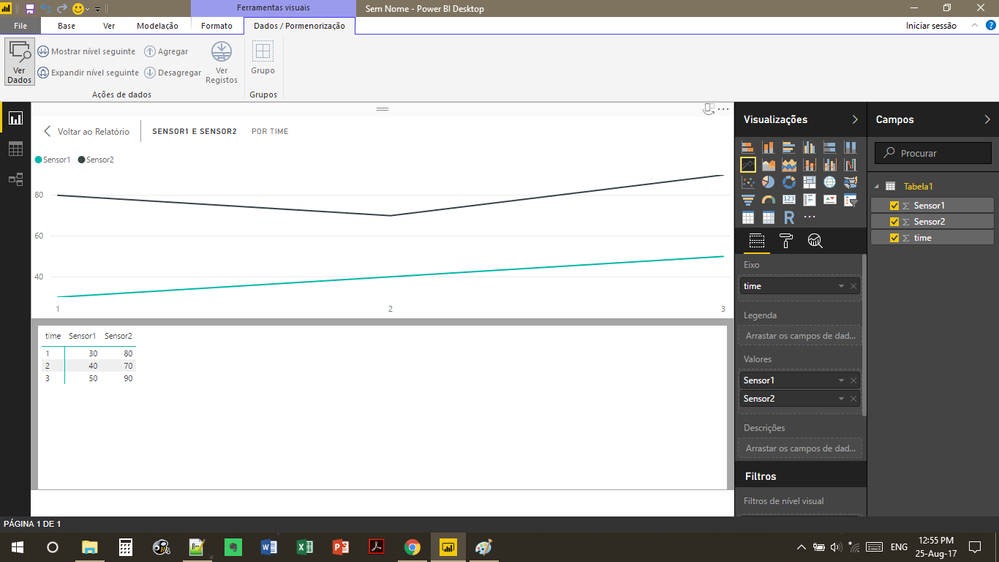
So, I plot a graph with the variables columns but i cant create a filter using the group variables (columns) : Sensor1, Sensor2 ....

I trying to create a filter for the user choose what variable he wants to plot in the graph.

problem1.png

1 ACCEPTED SOLUTION

@alexmag92,


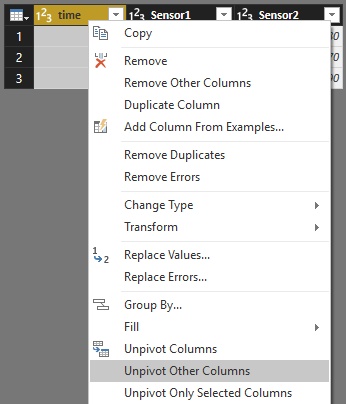
Right click time column and select Unpivot Other Columns.

Capture.PNG

Community Support Team _ Sam Zha
If this post helps, then please consider Accept it as the solution to help the other members find it more quickly.

View solution in original post

5 REPLIES 5
v-chuncz-msft
Community Support
Community Support

@alexmag92,


You may select Unpivot Columns in Query Editor, then drag Attribute to Legend and Value to Values.

Community Support Team _ Sam Zha
If this post helps, then please consider Accept it as the solution to help the other members find it more quickly.

follow the prints:

%unpivot columns%

screen1.png

screen2.png

screen3.png

@alexmag92,


Right click time column and select Unpivot Other Columns.

Capture.PNG

Community Support Team _ Sam Zha
If this post helps, then please consider Accept it as the solution to help the other members find it more quickly.

v-chuncz-msft,


It works, thank you very much.

hello v-chuncz-msft,


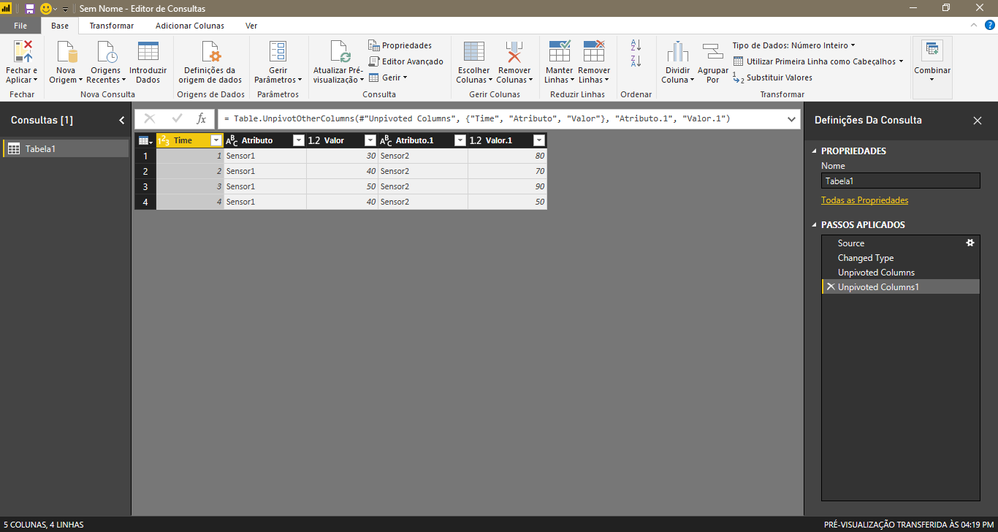
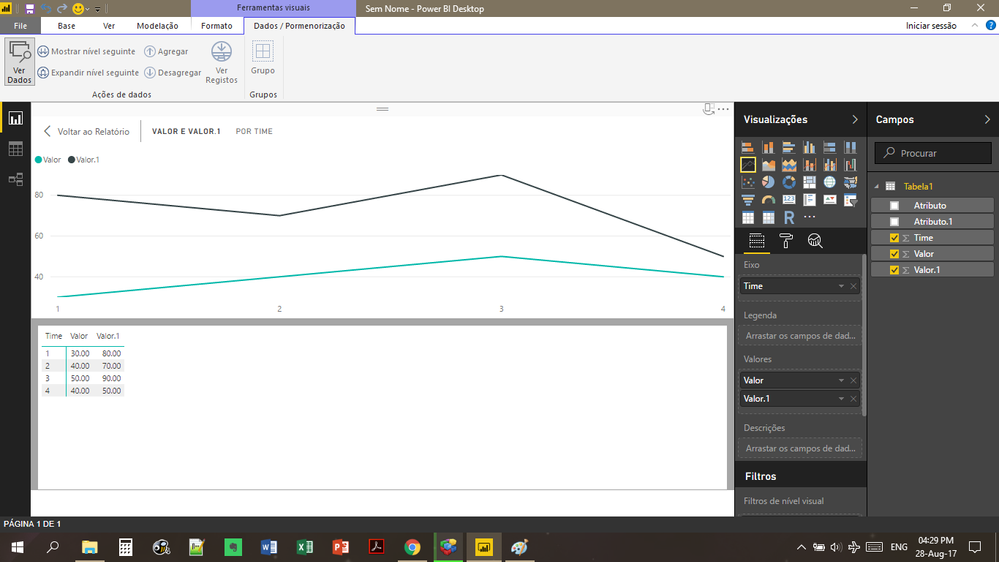
but now I have Attribute, Attribute.1, Value and Value.1


and i cant plot all in the same graph.

Helpful resources

Announcements
New to Fabric survey Carousel

New to Fabric Survey

If you have recently started exploring Fabric, we'd love to hear how it's going. Your feedback can help with product improvements.

Power BI DataViz World Championships carousel

Power BI DataViz World Championships - June 2026

A new Power BI DataViz World Championship is coming this June! Don't miss out on submitting your entry.

Join our Fabric User Panel

Join our Fabric User Panel

Share feedback directly with Fabric product managers, participate in targeted research studies and influence the Fabric roadmap.

March Power BI Update Carousel

Power BI Community Update - March 2026

Check out the March 2026 Power BI update to learn about new features.