Good
I'm defining a custom theme with json and I'm having trouble with some of the features.
The code I'm using is the following (I've trimmed it a bit by removing the color section):
{"name":"Look&feel",
"visualStyles":{
"*":{"*":{
"general":[{"keepLayerOrder":true}],
"valueAxis":[{"show":false,"showAxisTitle":false,
"labelColor":{"solid":{"color":{"expr":{"ThemeDataColor":{"ColorId":2,"Percent":0}}}}},"fontSize":"9","fontFamily":"Segoe UI",
"titleColor":{"solid":{"color":{"expr":{"ThemeDataColor":{"ColorId":2,"Percent":0}}}}},"titleFontSize":"12","titleFontFamily":"DIN",
"gridlineShow":false}],
"categoryAxis":[{"show":true,"showAxisTitle":false,
"labelColor":{"solid":{"color":{"expr":{"ThemeDataColor":{"ColorId":2,"Percent":0}}}}},"fontSize":"9","fontFamily":"Segoe UI",
"titleColor":{"solid":{"color":{"expr":{"ThemeDataColor":{"ColorId":2,"Percent":0}}}}},"titleFontSize":"12","titleFontFamily":"DIN"}],
"labels":[{"show":true}],
"title":[{"show":true,
"fontColor":{"solid":{"color":{"expr":{"ThemeDataColor":{"ColorId":2," Percent":0}}}}},
"fontSize":"14",
"fontFamily":"DIN"}],
"background":[{"show":true,"color":{"solid":{"color":{"expr":{"ThemeDataColor":{"ColorId":0,"Percent":0}}}}}}],
"border":[{"show":true,"color":{"solid":{"color":{"expr":{"ThemeDataColor":{"ColorId":0,"Percent":0}}}}},"radius":4}],
"dropShadow":[{"show":true,"color":{"solid":{"color":{"expr":{"ThemeDataColor":{"ColorId":1,"Percent":0}}}}},"preset":"Custom","shadowSpread":1," shadowBlur":2.0,"angle":90,"shadowDistance":0,"transparency":75}],
"columnHeaders":[{"fontColor":{"solid":{"color":"#1267A2"}}},{"bold":true}],
"grid":[{"outlineColor":{"solid":{"color":{"expr":{"ThemeDataColor":{"ColorId":2,"Percent":0}}}}}}]}},
"page":{"*":{
"outspace":[{"color":{"solid":{"color":"#EDEDED"}}}],
"background":[{"color":{"solid":{"color":"#F6F8FA"}},"transparency":0}]}},
"slicer": {"*": {
" border":[{"show":false}],
"dropShadow":[{"show":false}],
"general": [{"orientation": "vertical"}],
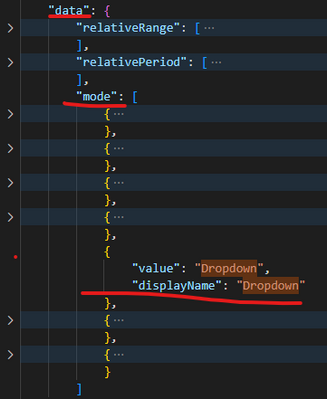
"data":[{"mode":"Dropdown"}],
"selection": [{"selectAllCheckboxEnabled": true,"multiSelect": false,"singleSelect": false}],
"header": [{"show": true,
"fontColor": { "solid": { "color": {"expr":{"ThemeDataColor":{"ColorId":2,"Percent":0}}}}},
"textSize": 11,
"fontFamily": "DIN"}],
"items": [{
"fontColor": { "solid": { "color": {"expr":{"ThemeDataColor":{"ColorId":2,"Percent":0}}}}},
"background": { "solid": { "color": "#F6F8FA"}},
"textSize": 10}],
"slider": [{
"color": {"solid": { "color": {"expr":{"ThemeDataColor":{"ColorId":2,"Percent":0}}}}}}]}},
"image": {"*": {
"border":[{"show":false}],
"dropShadow":[{"show":false}]}},
"textbox": {"*": {
"border":[{"show":false}],
"dropShadow":[{"show":false}]}},
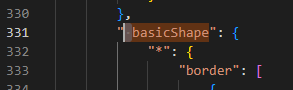
" basicShape": {"*": {
"border":[{"show":false}],
"dropShadow":[{"show":false}]}},
"actionButton": {"*": {
"border":[{"show":false}],
"dropShadow":[{"show":false}]}}
}}
As you can see, in the first section, I have a set of conditions applied to all visualizations and then I define exceptions. But I have two problems: