cancel
Showing results for 
Search instead for 
Did you mean: 

Get Fabric Certified for FREE during Fabric Data Days. Don't miss your chance! Request now

Reply
captainlaw
Microsoft Employee
Microsoft Employee

join not working

powerbi-joinissue.JPGpowerbi-joinissue-setting.JPG

Hello,

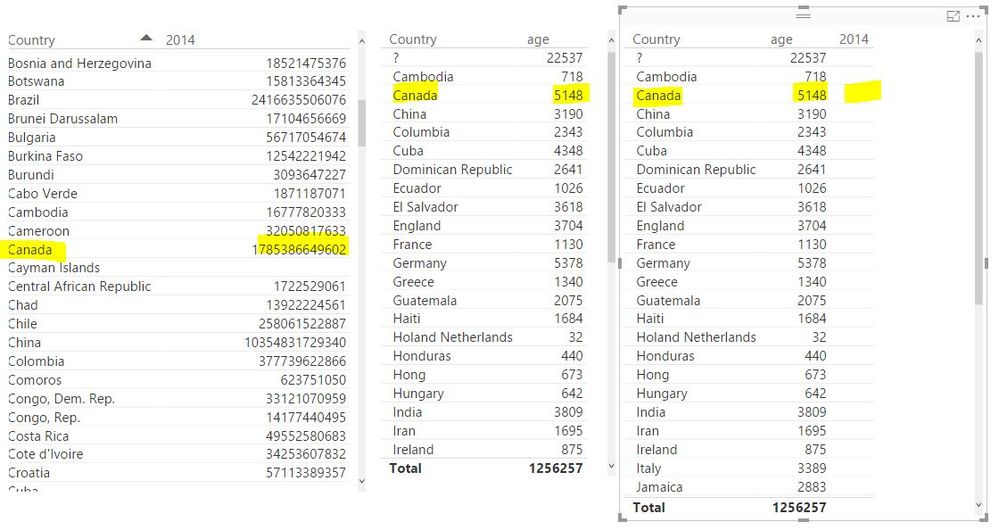
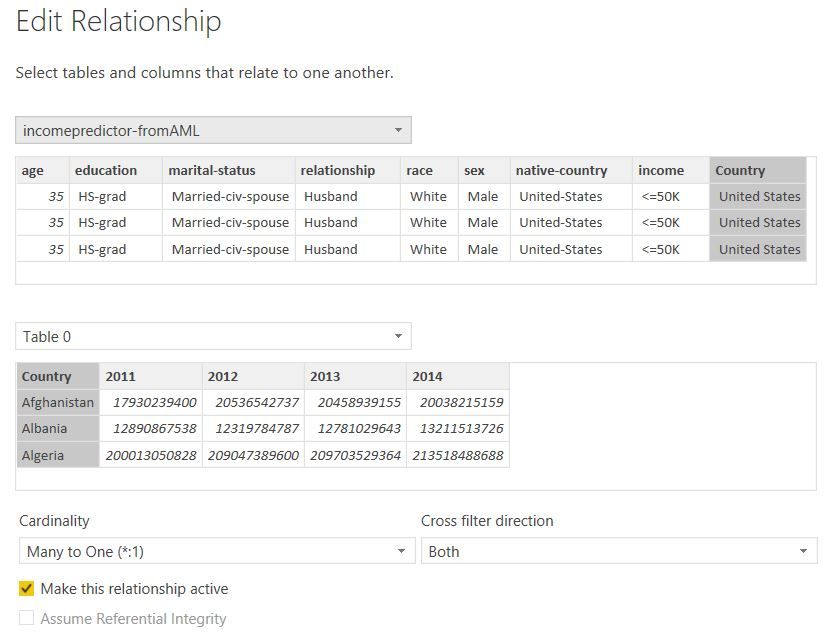
I'm not able to get the JOIN to work in Power BI Desktop.  Is supposed to join on Country, but when I select Country, it only returns Age, not 2014 measure.  See above images. 


Any help is appreciated.

1 ACCEPTED SOLUTION

Ok. You have a empty space before the country in the table. "Cambodia" " Cambodia"


Lima - Peru

View solution in original post

6 REPLIES 6
Vvelarde
Community Champion
Community Champion

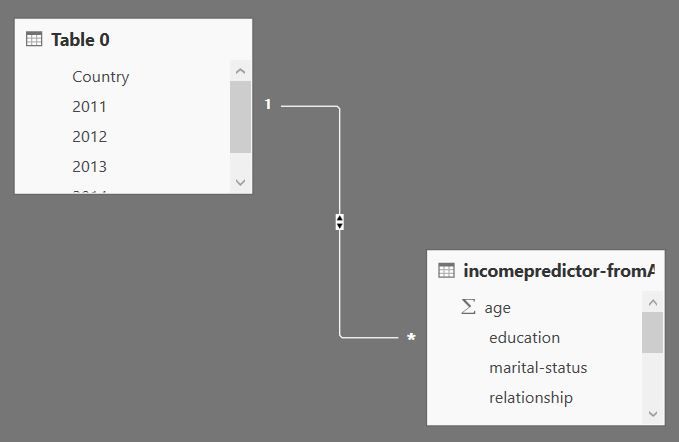
hi @captainlaw this is your relationship?


re.png


Lima - Peru

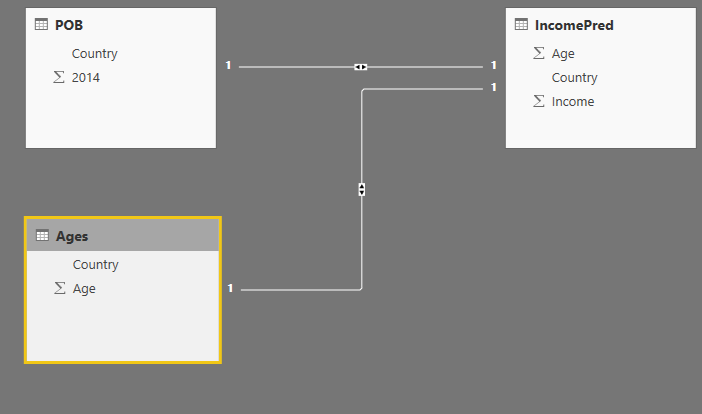
I copied the relationship previously.  Here's another look from diagram perspective.powerbi-joinissue-setting2.JPG

Do you have a slicer that maybe is filtering something?


Lima - Peru

No slicer... straight from the table.

Ok. You have a empty space before the country in the table. "Cambodia" " Cambodia"


Lima - Peru

Thank you!

Helpful resources

Announcements
November Power BI Update Carousel

Power BI Monthly Update - November 2025

Check out the November 2025 Power BI update to learn about new features.

Fabric Data Days Carousel

Fabric Data Days

Advance your Data & AI career with 50 days of live learning, contests, hands-on challenges, study groups & certifications and more!

FabCon Atlanta 2026 carousel

FabCon Atlanta 2026

Join us at FabCon Atlanta, March 16-20, for the ultimate Fabric, Power BI, AI and SQL community-led event. Save $200 with code FABCOMM.

Top Solution Authors
Top Kudoed Authors