cancel
Showing results for 
Search instead for 
Did you mean: 

The Power BI Data Visualization World Championships is back! Get ahead of the game and start preparing now! Learn more

Reply
captainlaw
Microsoft Employee
Microsoft Employee

join not working

powerbi-joinissue.JPGpowerbi-joinissue-setting.JPG

Hello,

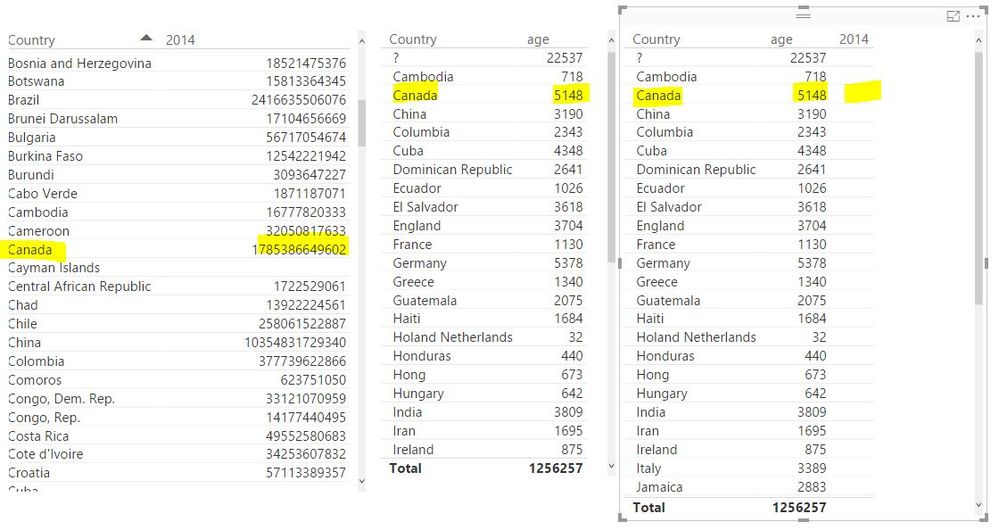
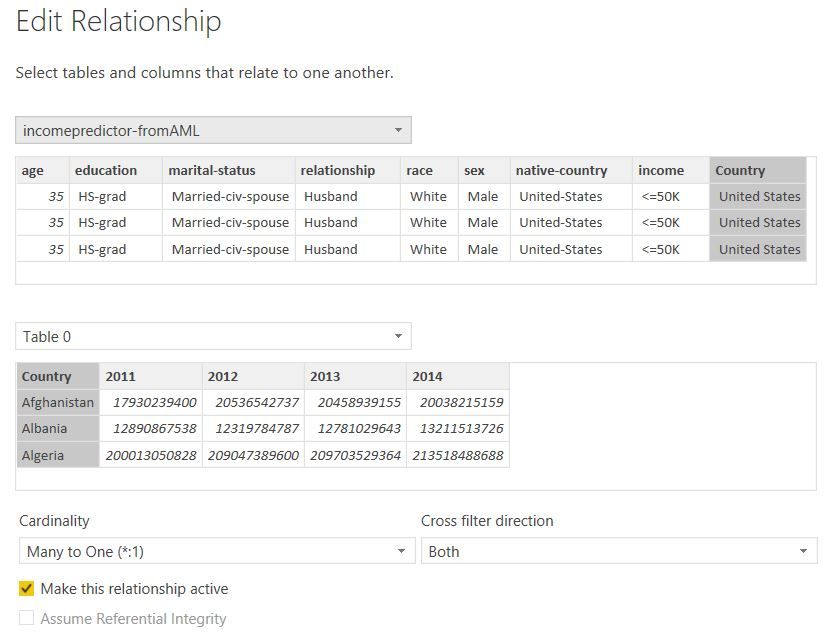
I'm not able to get the JOIN to work in Power BI Desktop.  Is supposed to join on Country, but when I select Country, it only returns Age, not 2014 measure.  See above images. 


Any help is appreciated.

1 ACCEPTED SOLUTION

Ok. You have a empty space before the country in the table. "Cambodia" " Cambodia"


Lima - Peru

View solution in original post

6 REPLIES 6
Vvelarde
Community Champion
Community Champion

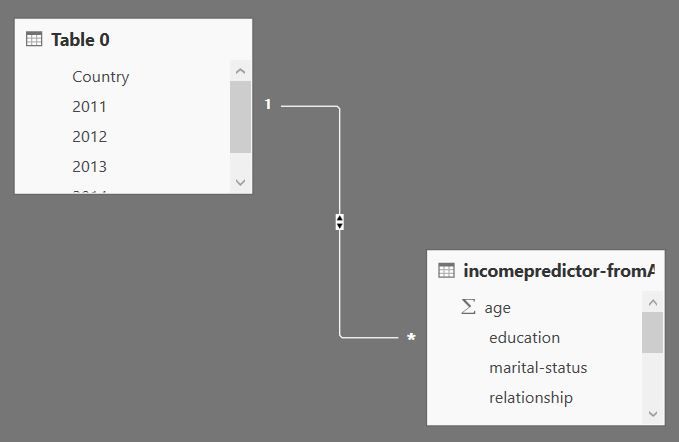
hi @captainlaw this is your relationship?


re.png


Lima - Peru

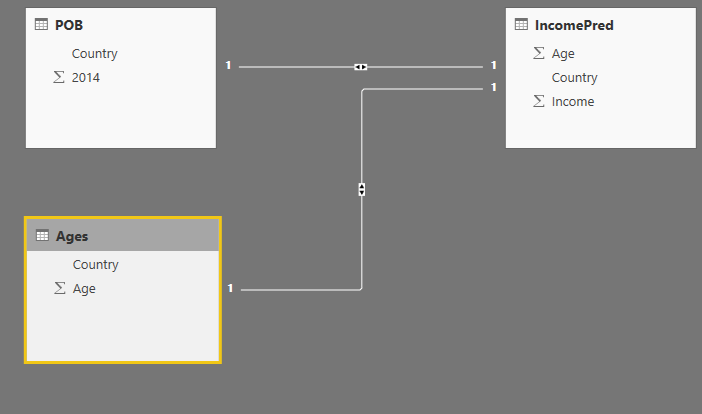
I copied the relationship previously.  Here's another look from diagram perspective.powerbi-joinissue-setting2.JPG

Do you have a slicer that maybe is filtering something?


Lima - Peru

No slicer... straight from the table.

Ok. You have a empty space before the country in the table. "Cambodia" " Cambodia"


Lima - Peru

Thank you!

Helpful resources

Announcements
Power BI DataViz World Championships

Power BI Dataviz World Championships

The Power BI Data Visualization World Championships is back! Get ahead of the game and start preparing now!

November Power BI Update Carousel

Power BI Monthly Update - November 2025

Check out the November 2025 Power BI update to learn about new features.

FabCon Atlanta 2026 carousel

FabCon Atlanta 2026

Join us at FabCon Atlanta, March 16-20, for the ultimate Fabric, Power BI, AI and SQL community-led event. Save $200 with code FABCOMM.