cancel
Showing results for 
Search instead for 
Did you mean: 

We've captured the moments from FabCon & SQLCon that everyone is talking about, and we are bringing them to the community, live and on-demand. Starts on April 14th. Register now

Reply
Anonymous
Not applicable

filter function charts

I have a bar graph, I need it to work as follows: By selecting any year in the filter values to be displayed in the chart must be the values of all previous years and it takes place a Texo box or similar Meeting that presents the total value of values by the year selected in the filter.


it is possible to do this in Power BI? if it is not possible to make a bar graph with what type of chart is possible I do this?


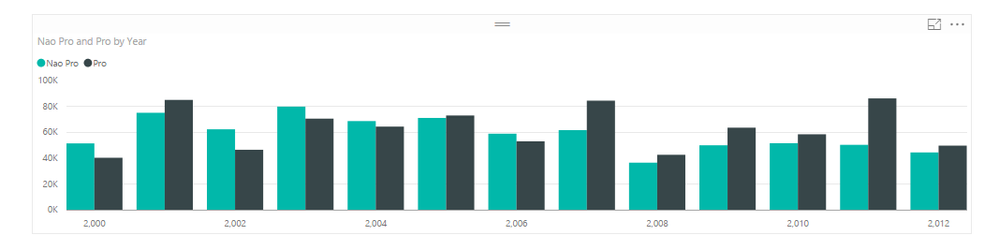
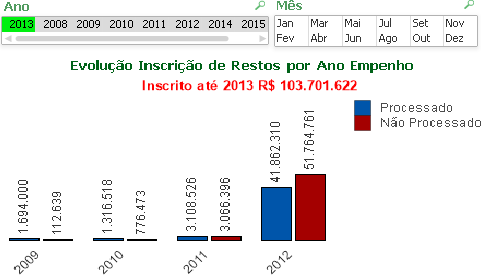
is an example of how I want to leave my graph:


Untitled.png

4 REPLIES 4
Anonymous
Not applicable

Hi vitexo87,

According to your description, you want to get the records filtered by date is equal or less than your choice in slicer, right?


Below is my test steps:


 1. Create test tables.

'Sales Amount Records':
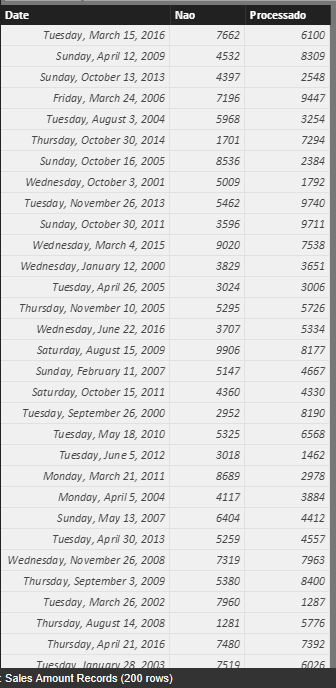
 Capture.PNG


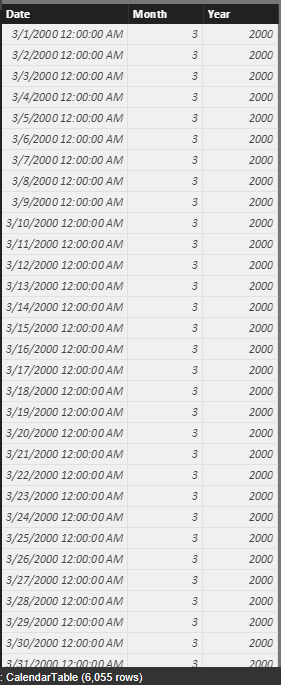
‘CalendarTable’:

Dax: CalendarTable = ADDCOLUMNS( CALENDAR(MIN('Sales Amount Records'[Date]),MAX('Sales Amount Records'[Date])),"Year",YEAR([Date]),"Month",MONTH([Date]))
 Capture1.PNG


Relationship(Date):

Capture5.PNG


 2. Add measures to table.

‘Sales Amount Records’:

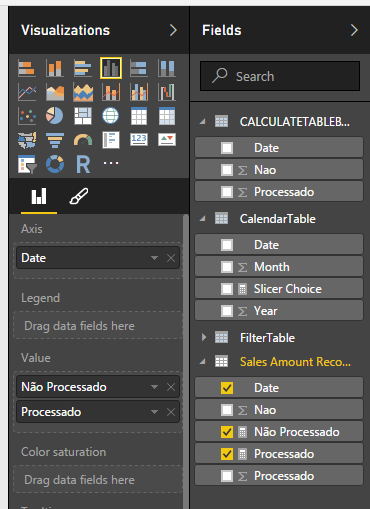
Não Processado = sum('Sales Amount Records'[Nao])

Processado = sum('Sales Amount Records'[Processado ])


‘CalendarTable’(Use to get the value of slicer):

Slicer Choice = if(HASONEVALUE(CalendarTable[Year]),MAX(CalendarTable[Year]),BLANK())


 3. Create a table get data from slicer.

Dax: CALCULATETABLEBYSlicer = CALCULATETABLE('Sales Amount Records',FILTER('Sales Amount Records',YEAR('Sales Amount Records'[Date]) <=[Slicer Choice]))


 4. Create visuals.

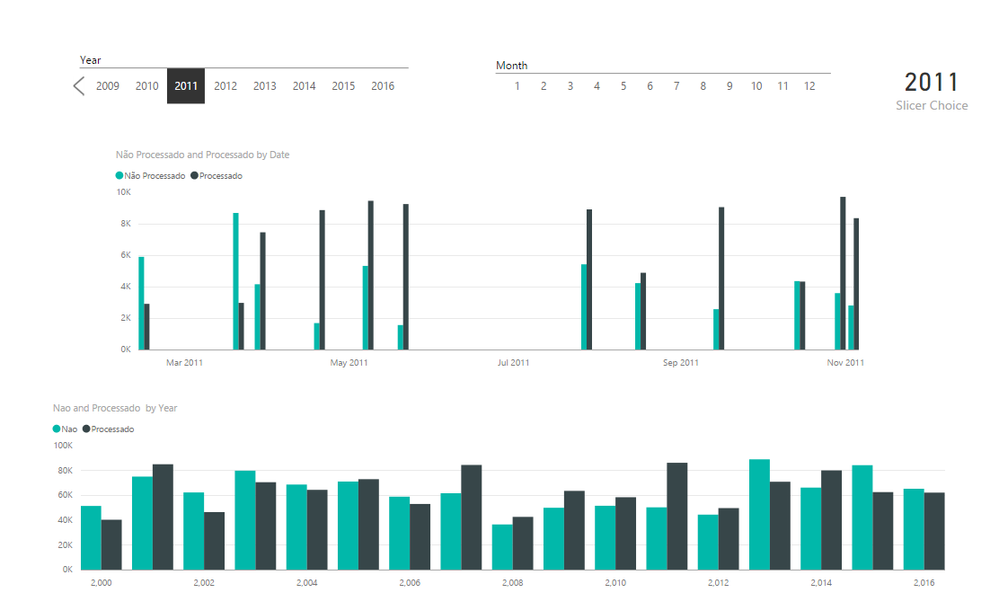
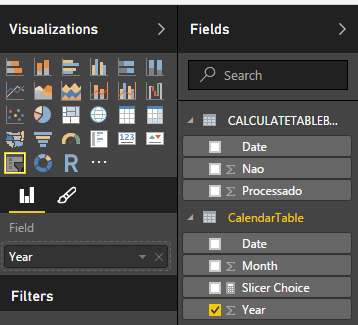
Slicer Year:
 Capture3.PNG

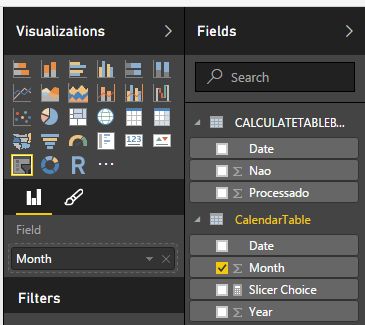
Slicer Month:

 Capture4.PNG


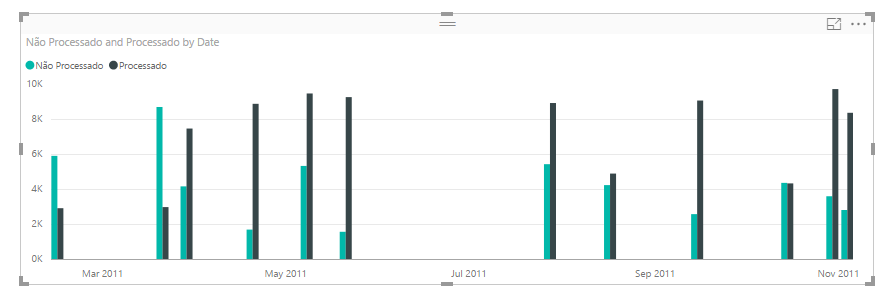
Current choice records:

 Capture6.PNG


Capture7.PNG


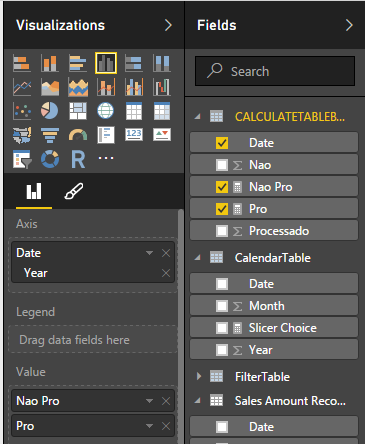
Requirement table:

 Capture8.PNG

Capture9.PNG


Test result:

Capture2.PNG


In summary, I found that the data which choice in slicer can’t alternately with the created table. When the dax formula initialization the table, the measure(‘Slicer Choice’) is blank. (it can’t get the value which selected in the slicer). The table’s structure will be fixed after initialization.


To work around the issue, you can use below two methods:

 a. Use the page level filter with “is on or before” operator

 Capture10.PNG

Capture11.PNG


 b. Use Timeline slicer.


Regards,

Xiaoxin Sheng

Anonymous
Not applicable

@Anonymous


I already had a calendar table, however I can not relate to any other table because the ano_id that would be the key doubles

I was trying to create a column in my Year table every time it was the year of filter values to be displayed by this new column was every year until the filtrate year.


i try create conditional columns, measurement, custom column but without success

Anonymous
Not applicable

Hi vitexo87,


>>By selecting any year in the filter values to be displayed in the chart must be the values of all previous years and it takes place a Texo box or similar Meeting that presents the total value of values by the year selected in the filter.


The slicer not support within feature, you can use 'page level filter' or 'timeline slicer' to achieve your requirement.


For detail info, you could refer to my previous reply.


Regards,

Xiaoxin Sheng

Anonymous
Not applicable

the expression that is being used in this graph


Não Processado = sum(Fatos[Vl_RestoNaoProcessado])


Processado = sum(Fatos[Vl_RestoProcessado])

Helpful resources

Announcements
New to Fabric survey Carousel

New to Fabric Survey

If you have recently started exploring Fabric, we'd love to hear how it's going. Your feedback can help with product improvements.

Power BI DataViz World Championships carousel

Power BI DataViz World Championships - June 2026

A new Power BI DataViz World Championship is coming this June! Don't miss out on submitting your entry.

Join our Fabric User Panel

Join our Fabric User Panel

Share feedback directly with Fabric product managers, participate in targeted research studies and influence the Fabric roadmap.

March Power BI Update Carousel

Power BI Community Update - March 2026

Check out the March 2026 Power BI update to learn about new features.