cancel
Showing results for 
Search instead for 
Did you mean: 

Try your skills in the Power BI Dataviz World Championship! Round one ends June 26. Join now

Reply
Anonymous
Not applicable

dynamic axis for chart

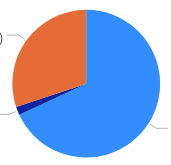
Hi all. I have 2 different pie charts: Customer Count by Product Version and Customer Count by Region. I want to ideally have only 1 pie chart showing Customer Count and have a horizontal slicer that I can rotate between Product Version and Region. Any ideas?


A snapshot of my data would look like this

CustomerRegionProduct Version
AUSPremium
BEuropeNormal


Desired result

RegionProduct Version

Screen Shot 2020-05-14 at 12.22.33 PM.png

1 ACCEPTED SOLUTION
v-diye-msft
Community Support
Community Support

Hi @Anonymous 


If you'd like to change the visual displaying based on the slicer, you might check the bookmark to achieve this:

https://docs.microsoft.com/en-us/power-bi/create-reports/desktop-bookmarks 


Community Support Team _ Dina Ye
If this post helps, then please consider Accept it as the solution to help the other members find it more
quickly.

View solution in original post

2 REPLIES 2
v-diye-msft
Community Support
Community Support

Hi @Anonymous 


If you'd like to change the visual displaying based on the slicer, you might check the bookmark to achieve this:

https://docs.microsoft.com/en-us/power-bi/create-reports/desktop-bookmarks 


Community Support Team _ Dina Ye
If this post helps, then please consider Accept it as the solution to help the other members find it more
quickly.
mahoneypat
Microsoft Employee
Microsoft Employee

Check out this blog to see how to do it with buttons.


https://powerbi.tips/2019/08/dynamic-visuals-using-buttons/


If this works for you, please mark it as the solution.  Kudos are appreciated too.  Please let me know if not.

Regards,

Pat


Did I answer your question? Mark my post as a solution! Kudos are also appreciated!

To learn more about Power BI, follow me on Twitter or subscribe on YouTube.


@mahoneypa HoosierBI on YouTube


Helpful resources

Announcements
Fabric Data Days is here Carousel

Data Days 2026

Don't miss out on Data Days, June 15 through August 7. Learn Fabric, Power BI, SQL, AI and more.

May Power BI Update Carousel

Power BI Monthly Update - May 2026

Check out the May 2026 Power BI update to learn about new features.

Power BI DataViz World Championships carousel

Power BI DataViz World Championships - June 2026

A new Power BI DataViz World Championship is coming this June! Don't miss out on submitting your entry.