cancel
Showing results for 
Search instead for 
Did you mean: 

The Power BI Data Visualization World Championships is back! Get ahead of the game and start preparing now! Learn more

Reply
Zakaria_1980
Post Patron
Post Patron

divide two measures errors.

Hi,

I want to divide Measure 1 by Measure 2 --> Measure 1 / Measure 2.


Further information - Measure 1 = 687

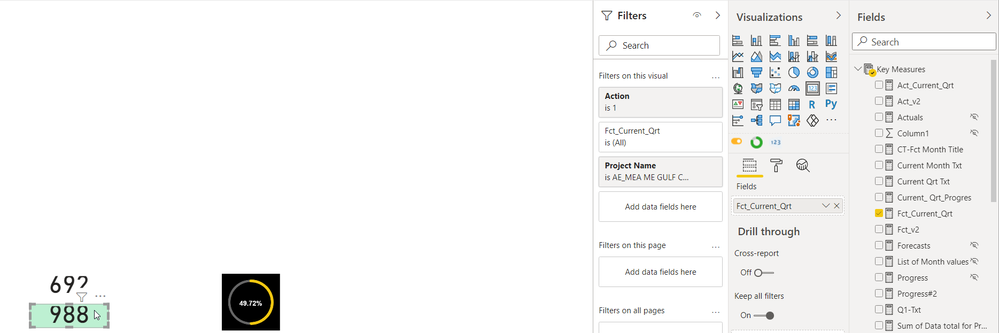
                                 - Measure 2 = 988


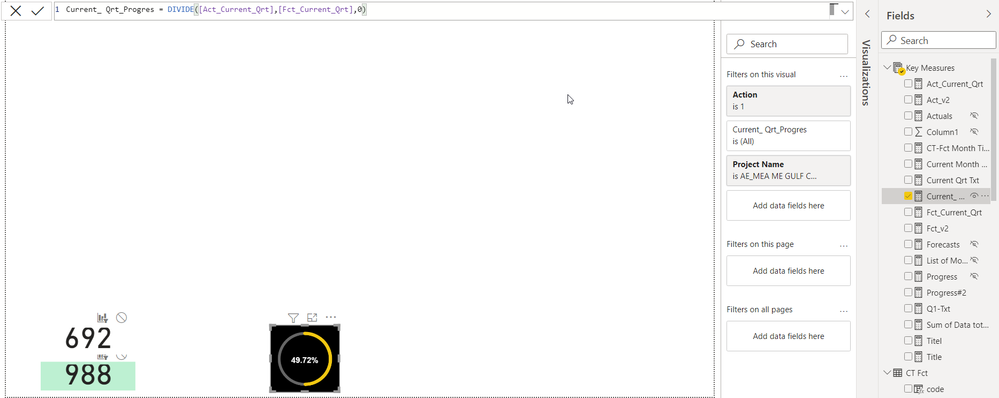
I get as a result : 49,59% while it should be 69,53%


Measure 1: 

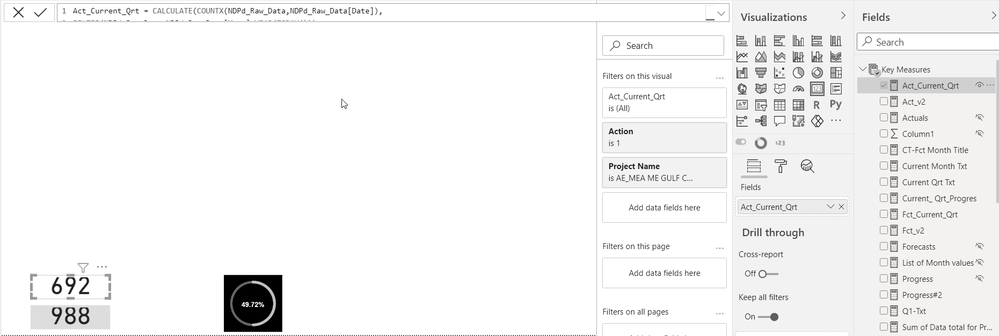
Act_Current_Qrt = CALCULATE(COUNTX(NDPd_Raw_Data,NDPd_Raw_Data[Date]),
FILTER(NDPd_Raw_Data,NDPd_Raw_Data[Year]=YEAR(TODAY())),
Filter(NDPd_Raw_Data, NDPd_Raw_Data[Act./Fct.]= "NDPd_Actual"),
Filter(NDPd_Raw_Data, NDPd_Raw_Data[Month]="P04"))
+
CALCULATE(countx(NDPd_Raw_Data,NDPd_Raw_Data[Date]),
FILTER(NDPd_Raw_Data,NDPd_Raw_Data[Year]=YEAR(TODAY())),
Filter(NDPd_Raw_Data, NDPd_Raw_Data[Act./Fct.]= "NDPd_Actual"),
Filter(NDPd_Raw_Data, NDPd_Raw_Data[Month]="P05"))
+
CALCULATE(sumx('CT Fct','CT Fct'[Data]),
Filter('CT Fct', 'CT Fct'[Month]="P06"))
 
Measure 2:
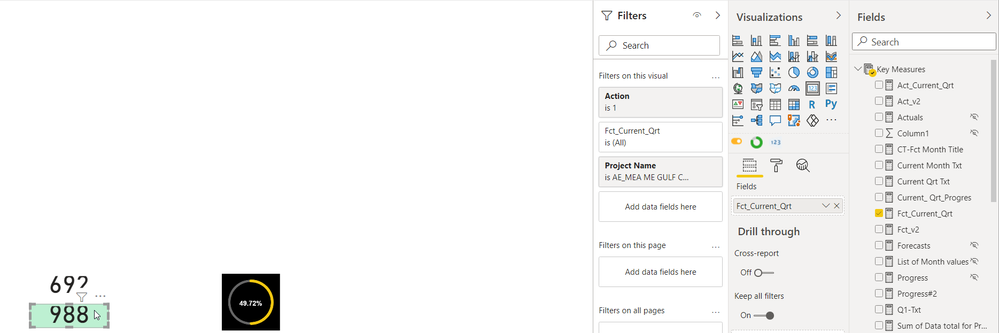
Fct_Current_Qrt =
CALCULATE(sumx('CT Fct','CT Fct'[Data]),
Filter('CT Fct', 'CT Fct'[Qx]="Q2"))
 
thanks in advance.
Br,
 
6 REPLIES 6
Anonymous
Not applicable

Hi  @Zakaria_1980  ,

You can try to use Var to make variables

divide =
var _1=[Act_Current_Qtr]
var _2=[Current_Qtr_Progres]
return
DIVIDE(_1,_2)


Best Regards,

Liu Yang

If this post helps, then please consider Accept it as the solution to help the other members find it more quickly.

Ashish_Mathur
Super User
Super User

Hi,

Are the 687 and 988 results being returned by the 2 measures correct?  If yes, then ensure that there are no additioal filter/slicers on that visual/page/report.


Regards,
Ashish Mathur
http://www.ashishmathur.com
https://www.linkedin.com/in/excelenthusiasts/

Hello,


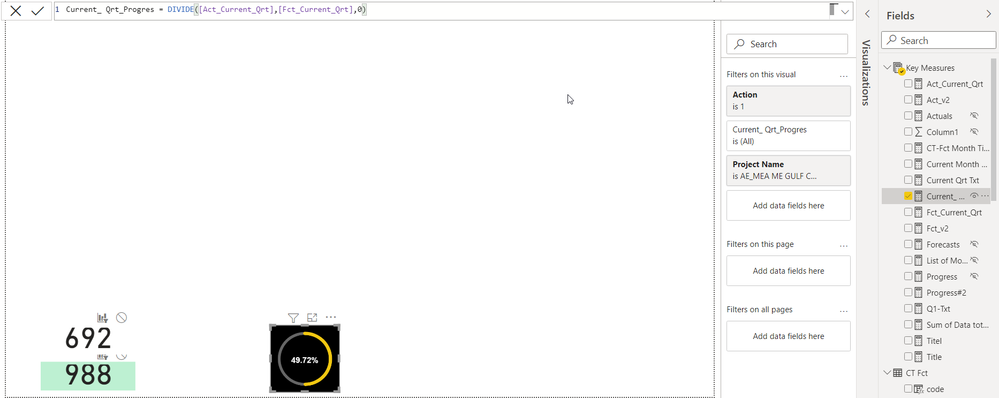
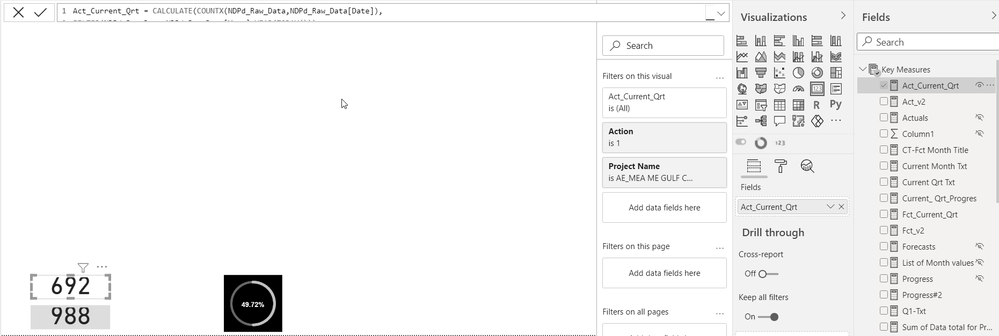
please find below the snapshot of the PBI report and the % i'm getting is wrong.

thanks for your support.


Mesure One.pngMesure Two.pngGraph.png

There's no way i can help you/find out the error with a screenshot.


Regards,
Ashish Mathur
http://www.ashishmathur.com
https://www.linkedin.com/in/excelenthusiasts/
AlB
Community Champion
Community Champion

Hi @Zakaria_1980 

Are you sure Measure 1 and Measure 2 are returning the result that you expect and show above? I bet they aren't. If they were, the division should be straightforward and certainly yield the correct result.

Share the pbix if possible


SU18_powerbi_badge

Please accept the solution when done and consider giving a thumbs up if posts are helpful. 

Contact me privately for support with any larger-scale BI needs, tutoring, etc.


Hi,

please find below the snapshots of the 2 measures as well as the graph. you will notice that the % in the graph is wrong. i don't know why.


Mesure One.pngMesure Two.pngGraph.png

Helpful resources

Announcements
Power BI DataViz World Championships

Power BI Dataviz World Championships

The Power BI Data Visualization World Championships is back! Get ahead of the game and start preparing now!

December 2025 Power BI Update Carousel

Power BI Monthly Update - December 2025

Check out the December 2025 Power BI Holiday Recap!

FabCon Atlanta 2026 carousel

FabCon Atlanta 2026

Join us at FabCon Atlanta, March 16-20, for the ultimate Fabric, Power BI, AI and SQL community-led event. Save $200 with code FABCOMM.

Top Solution Authors