This is best Fabric, Power BI, SQL and AI community event. How do we know? The last event sold out! Save €200 with code FABCMTY200.
Register nowA new Data Days event is coming soon! This time we’re going bigger than ever. Fabric, Power BI, SQL, AI and more. Don't miss out.
Hi,
I want to divide Measure 1 by Measure 2 --> Measure 1 / Measure 2.
Further information - Measure 1 = 687
- Measure 2 = 988
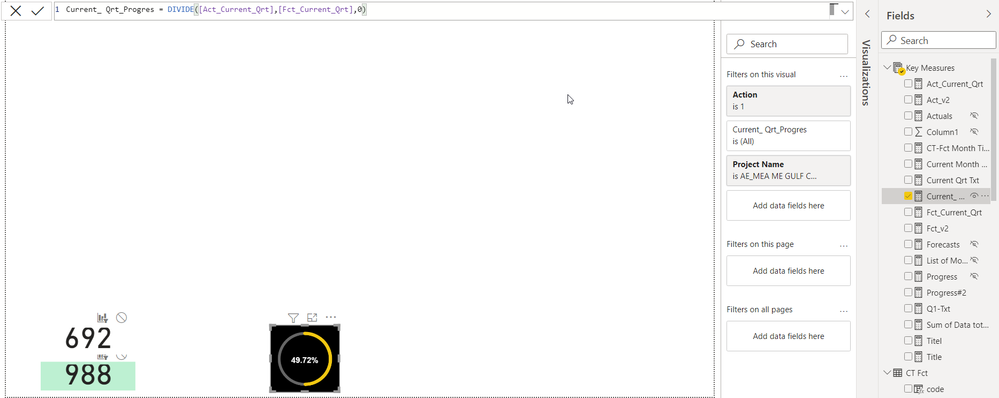
I get as a result : 49,59% while it should be 69,53%
Measure 1:
Hi @Zakaria_1980 ,
You can try to use Var to make variables
divide =
var _1=[Act_Current_Qtr]
var _2=[Current_Qtr_Progres]
return
DIVIDE(_1,_2)
Best Regards,
Liu Yang
If this post helps, then please consider Accept it as the solution to help the other members find it more quickly.
Hi,
Are the 687 and 988 results being returned by the 2 measures correct? If yes, then ensure that there are no additioal filter/slicers on that visual/page/report.
Hello,
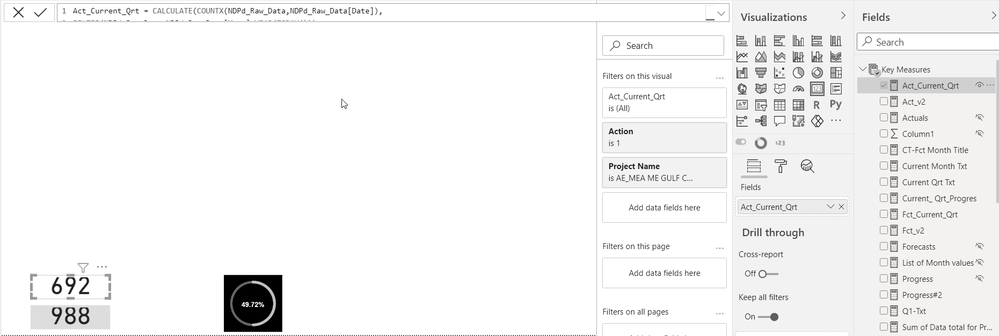
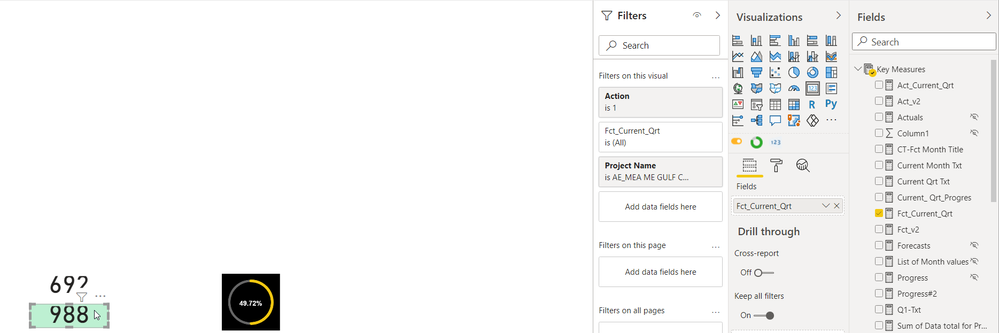
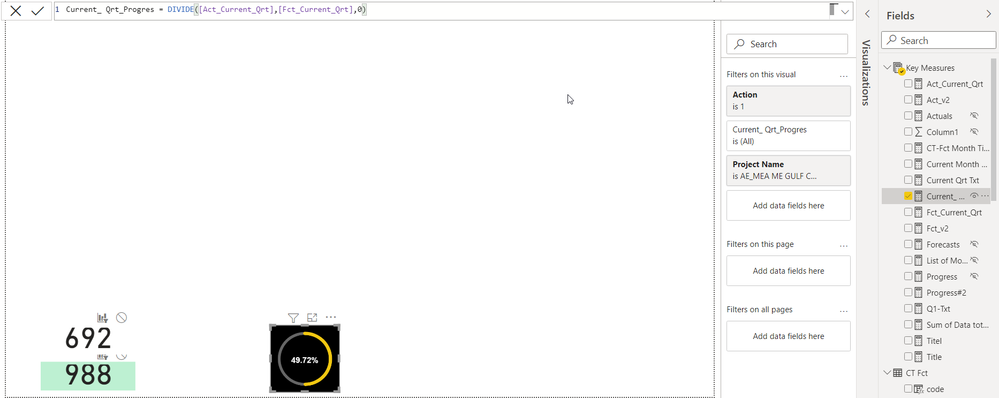
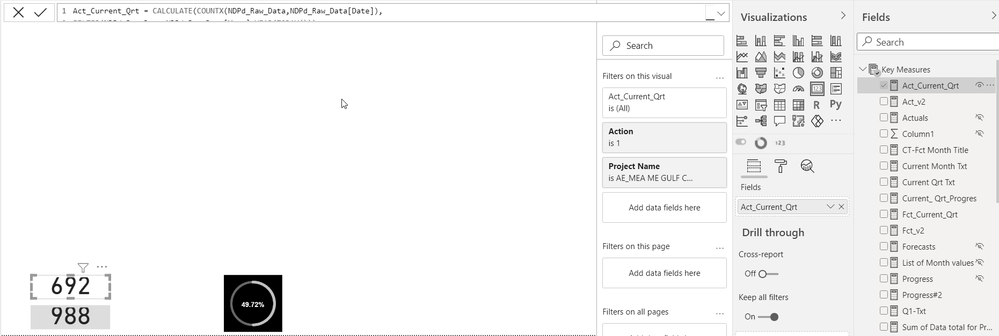
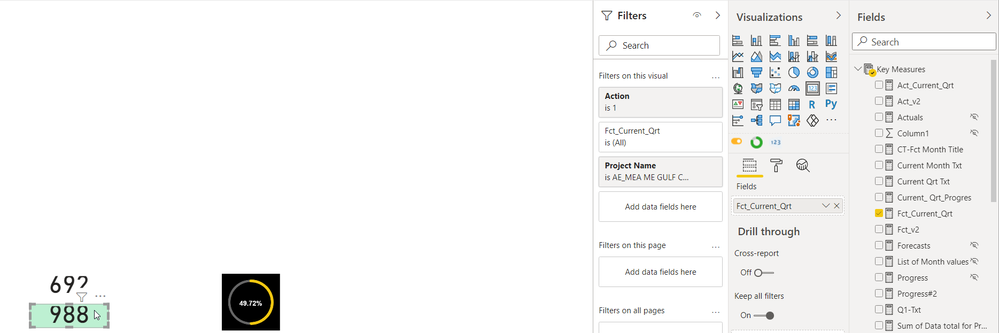
please find below the snapshot of the PBI report and the % i'm getting is wrong.
thanks for your support.
There's no way i can help you/find out the error with a screenshot.
Are you sure Measure 1 and Measure 2 are returning the result that you expect and show above? I bet they aren't. If they were, the division should be straightforward and certainly yield the correct result.
Share the pbix if possible
|
|
Please accept the solution when done and consider giving a thumbs up if posts are helpful. Contact me privately for support with any larger-scale BI needs, tutoring, etc. |
Hi,
please find below the snapshots of the 2 measures as well as the graph. you will notice that the % in the graph is wrong. i don't know why.
Sign up to receive a private message when registration opens and key events begin.
If you have recently started exploring Fabric, we'd love to hear how it's going. Your feedback can help with product improvements.
| User | Count |
|---|---|
| 32 | |
| 26 | |
| 23 | |
| 20 | |
| 15 |
| User | Count |
|---|---|
| 64 | |
| 41 | |
| 28 | |
| 22 | |
| 22 |