Join us at FabCon Atlanta from March 16 - 20, 2026, for the ultimate Fabric, Power BI, AI and SQL community-led event. Save $200 with code FABCOMM.
Register now!Learn from the best! Meet the four finalists headed to the FINALS of the Power BI Dataviz World Championships! Register now
Hello everyone
I have a date table with a 4-year history plus the current year. I would like to set a default selection in my Power BI slicer for a year based on the current year without losing the history of other years. This means that if the default date range in my slicer is from 01/01/2024 to 12/31/2024, when I clear the slicer selection, it should return all the years in the table in the slicer, spanning from 01/01/2020 to 12/31/2024.
Please help me
Solved! Go to Solution.
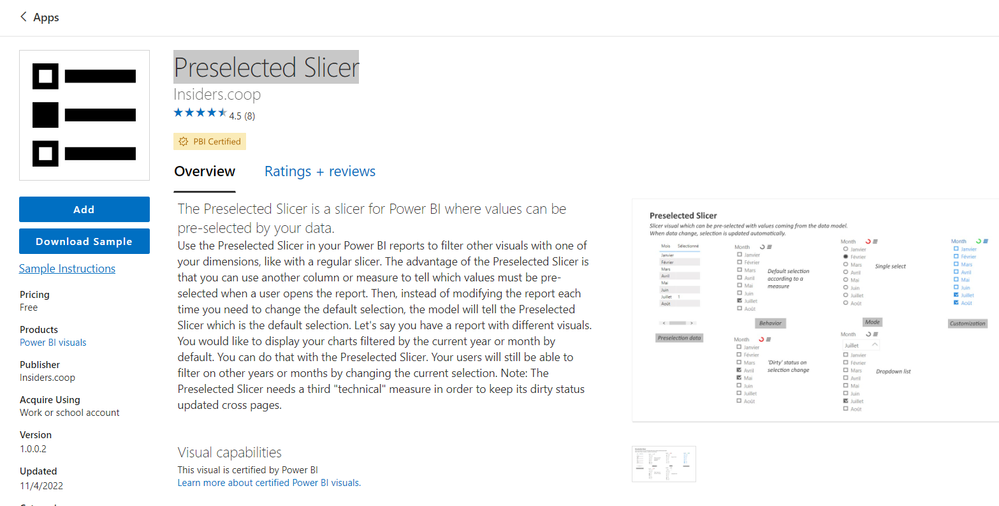
@alsolok , You can use preselected slicer from custom visual
Or you can do the workaround by creating a column a column like below and save it on "This Year"
Year Type = Switch( True(),
year([Date])= year(Today()),"This Year" ,
year([Date])= year(Today())-1,"Last Year" ,
Format([Date],"YYYY")
)
Default Date Today/ This Month / This Year: https://www.youtube.com/watch?v=hfn05preQYA
@alsolok , You can use preselected slicer from custom visual
Or you can do the workaround by creating a column a column like below and save it on "This Year"
Year Type = Switch( True(),
year([Date])= year(Today()),"This Year" ,
year([Date])= year(Today())-1,"Last Year" ,
Format([Date],"YYYY")
)
Default Date Today/ This Month / This Year: https://www.youtube.com/watch?v=hfn05preQYA
Share feedback directly with Fabric product managers, participate in targeted research studies and influence the Fabric roadmap.
Check out the February 2026 Power BI update to learn about new features.
| User | Count |
|---|---|
| 52 | |
| 51 | |
| 39 | |
| 15 | |
| 14 |
| User | Count |
|---|---|
| 93 | |
| 84 | |
| 33 | |
| 29 | |
| 25 |