cancel
Showing results for 
Search instead for 
Did you mean: 

Data Days is here! Join us now for 60+ days of learning, challenges, and connection. Learn more

Reply
alsolok
Helper II
Helper II

default data slicer

Hello everyone


I have a date table with a 4-year history plus the current year. I would like to set a default selection in my Power BI slicer for a year based on the current year without losing the history of other years. This means that if the default date range in my slicer is from 01/01/2024 to 12/31/2024, when I clear the slicer selection, it should return all the years in the table in the slicer, spanning from 01/01/2020 to 12/31/2024.


Please help me

1 ACCEPTED SOLUTION
amitchandak
Super User
Super User

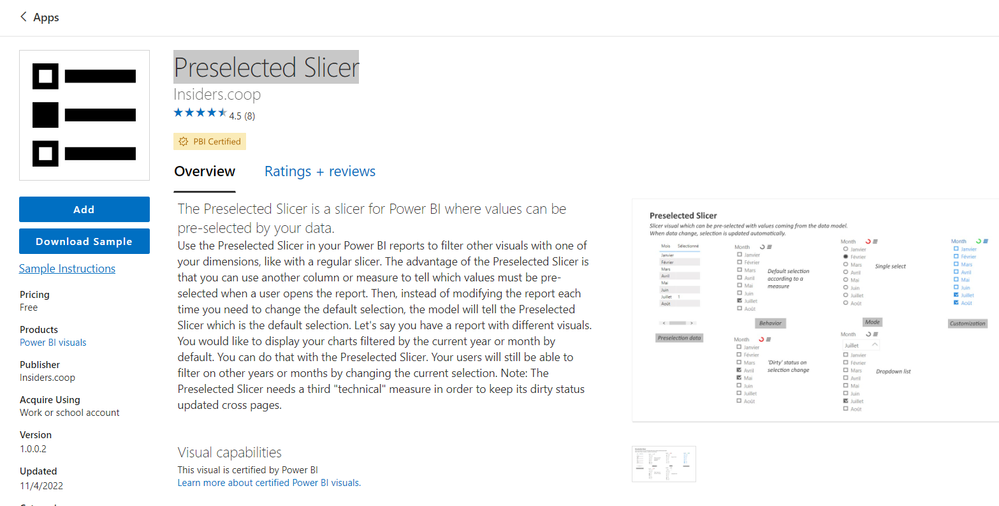
@alsolok , You can use preselected slicer from custom visual amitchandak_0-1706855837260.png


Or you can do the workaround by creating a column a column like below and save it on "This Year"


Year Type = Switch( True(),
year([Date])= year(Today()),"This Year" ,
year([Date])= year(Today())-1,"Last Year" ,
Format([Date],"YYYY")
)


Default Date Today/ This Month / This Year: https://www.youtube.com/watch?v=hfn05preQYA

Share with Power BI Enthusiasts: Full Power BI Video (20 Hours) YouTube
Microsoft Fabric Series 60+ Videos YouTube
Microsoft Fabric Hindi End to End YouTube

View solution in original post

1 REPLY 1
amitchandak
Super User
Super User

@alsolok , You can use preselected slicer from custom visual amitchandak_0-1706855837260.png


Or you can do the workaround by creating a column a column like below and save it on "This Year"


Year Type = Switch( True(),
year([Date])= year(Today()),"This Year" ,
year([Date])= year(Today())-1,"Last Year" ,
Format([Date],"YYYY")
)


Default Date Today/ This Month / This Year: https://www.youtube.com/watch?v=hfn05preQYA

Share with Power BI Enthusiasts: Full Power BI Video (20 Hours) YouTube
Microsoft Fabric Series 60+ Videos YouTube
Microsoft Fabric Hindi End to End YouTube

Helpful resources

Announcements
Fabric Data Days is here Carousel

Fabric Data Days 2026

Don't miss out on Data Days, June 15 through August 7. Learn Fabric, Power BI, SQL, AI and more.

May Power BI Update Carousel

Power BI Monthly Update - May 2026

Check out the May 2026 Power BI update to learn about new features.

Power BI DataViz World Championships carousel

Power BI DataViz World Championships - June 2026

A new Power BI DataViz World Championship is coming this June! Don't miss out on submitting your entry.