
Join us at FabCon Atlanta from March 16 - 20, 2026, for the ultimate Fabric, Power BI, AI and SQL community-led event. Save $200 with code FABCOMM.
Register now!The Power BI Data Visualization World Championships is back! Get ahead of the game and start preparing now! Learn more
Hi!
I have dataset that looks like this:
| Job Name | Start | End | Duration (days) |
| JOB24 | 12.07.2018 03:00:53 | 12.07.2018 03:30:53 | 0,020833333 |
| JOB23 | 12.07.2018 02:37:36 | 12.07.2018 02:38:09 | 0,000381944 |
| JOB22 | 12.07.2018 02:37:36 | 12.07.2018 02:38:04 | 0,000324074 |
| JOB21 | 12.07.2018 02:37:13 | 12.07.2018 02:37:14 | 1,15741E-05 |
..........
Start and End have DateTime type. Duration is simply End minus Start.
Some Jobs overlap in time.
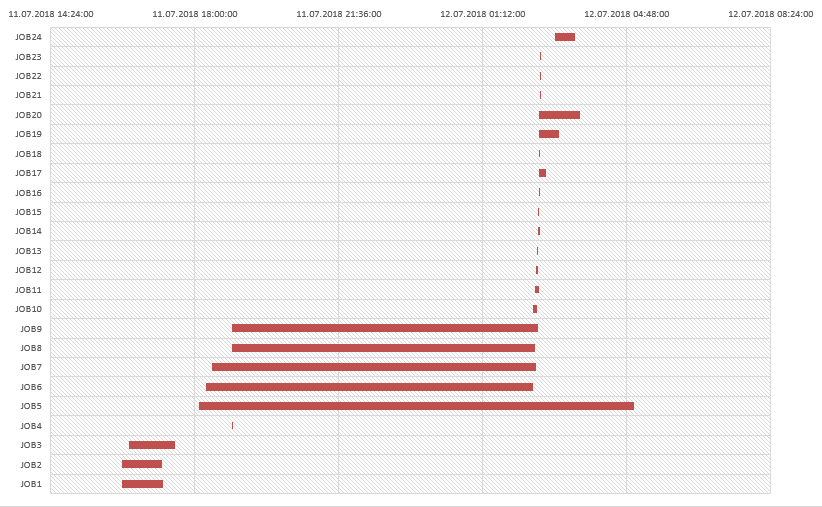
I am trying to visualize Jobs Flow using Stacked Bar Chart. Ideally (reproduced in Excel) it should look like this:
Please help to create similar Graph in Power BI Desktop.
In Excel I set 'Start' and 'Duration' to Legend and then 'No fill' Start. In Power BI Desktop only one variable possible to add to the Legend.
Solved! Go to Solution.
Hi k0ater,
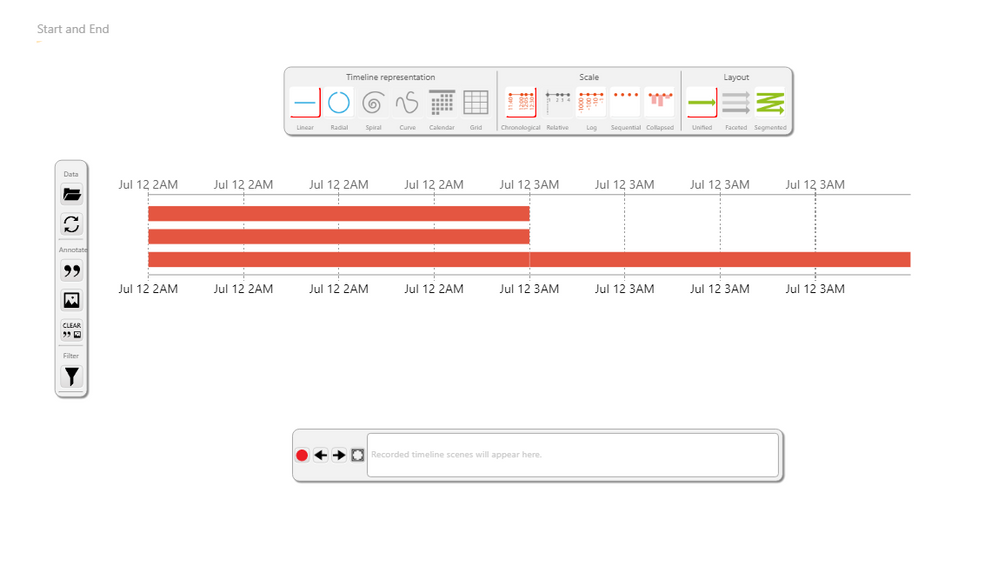
Add this custom visual to your report:
You just have to put the start date and the end date.
The visual is very powerful, so I let the configuration of the visual to you.
But you should be able to see somenthing like this:
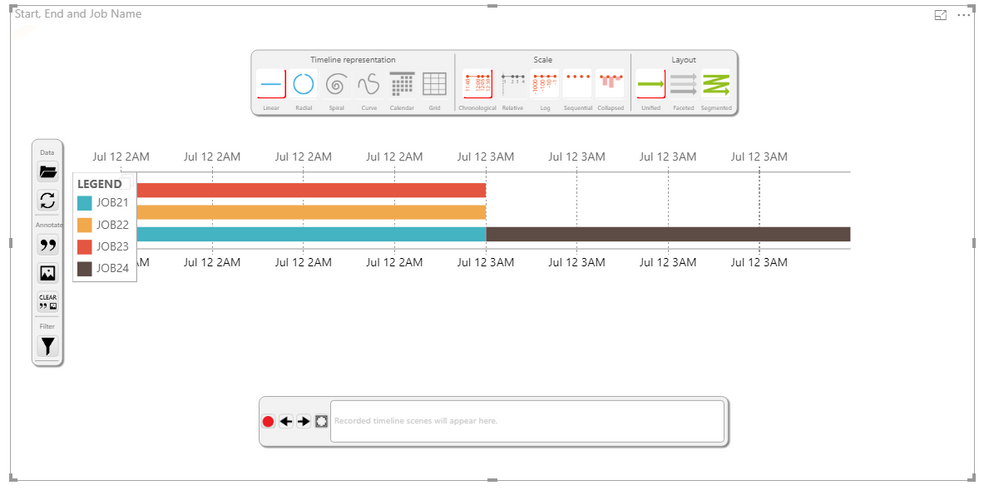
or this:
If my answer is what you where looking for, please mark it as accepted. Like this, others can benefit from my answer too.
Regards
Hi k0ater,
Add this custom visual to your report:
You just have to put the start date and the end date.
The visual is very powerful, so I let the configuration of the visual to you.
But you should be able to see somenthing like this:
or this:
If my answer is what you where looking for, please mark it as accepted. Like this, others can benefit from my answer too.
Regards
Thanks! Thats exactly what I need
The Power BI Data Visualization World Championships is back! Get ahead of the game and start preparing now!
Check out the November 2025 Power BI update to learn about new features.
| User | Count |
|---|---|
| 59 | |
| 43 | |
| 42 | |
| 23 | |
| 17 |
| User | Count |
|---|---|
| 190 | |
| 122 | |
| 96 | |
| 66 | |
| 47 |