This is best Fabric, Power BI, SQL and AI community event. How do we know? The last event sold out! Save €200 with code FABCMTY200.
Register nowA new Data Days event is coming soon! This time we’re going bigger than ever. Fabric, Power BI, SQL, AI and more. Don't miss out.
Hi,
The table visual has a startdate which I would like to chage th eformat of.
How do I do this please?
At present it is i.e. in format of 14 july 2019
I would like it changed to 14/06/2019
Thank you
Solved! Go to Solution.
Hi @Anonymous
Changing Format settings is only changing the way you display the data and its not impacting the model, so you don't need to worry, on the other hand changing the Data type would impact the model and you would have to reload if you wont to revers the change.
This I believe hs to be done in the dataset?
Then should I click on refresh?
And then I will be able to use the new date format in desktop so that it can be used in table visual?
Thanks
Hi @Anonymous
Changing Format settings is only changing the way you display the data and its not impacting the model, so you don't need to worry, on the other hand changing the Data type would impact the model and you would have to reload if you wont to revers the change.
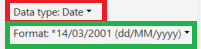
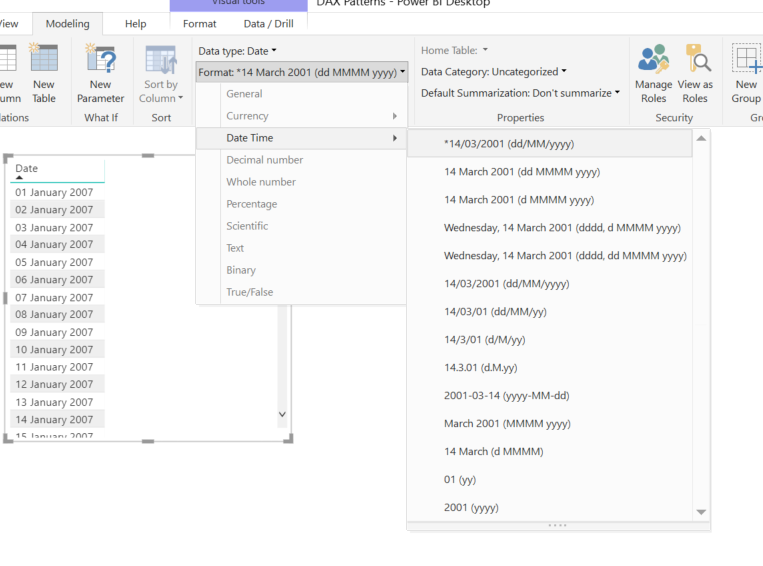
In th eformat menu, I see two options
1-
*14/03/2001
2-
14/03/2001
What is the difference please?
thank you
Check out the May 2026 Power BI update to learn about new features.
Sign up to receive a private message when registration opens and key events begin.
If you have recently started exploring Fabric, we'd love to hear how it's going. Your feedback can help with product improvements.
| User | Count |
|---|---|
| 29 | |
| 27 | |
| 25 | |
| 19 | |
| 14 |
| User | Count |
|---|---|
| 56 | |
| 48 | |
| 37 | |
| 21 | |
| 20 |