Get certified for free when you join Fabric Data Days 2026 and dive into Fabric, Power BI, SQL, AI, and other essential data skills.
Join nowJuly 7 - July 17 | Round 2 of the Power BI Dataviz World Championships. Don't miss your chance! Learn more
Hi,
The table visual has a startdate which I would like to chage th eformat of.
How do I do this please?
At present it is i.e. in format of 14 july 2019
I would like it changed to 14/06/2019
Thank you
Solved! Go to Solution.
Hi @Anonymous
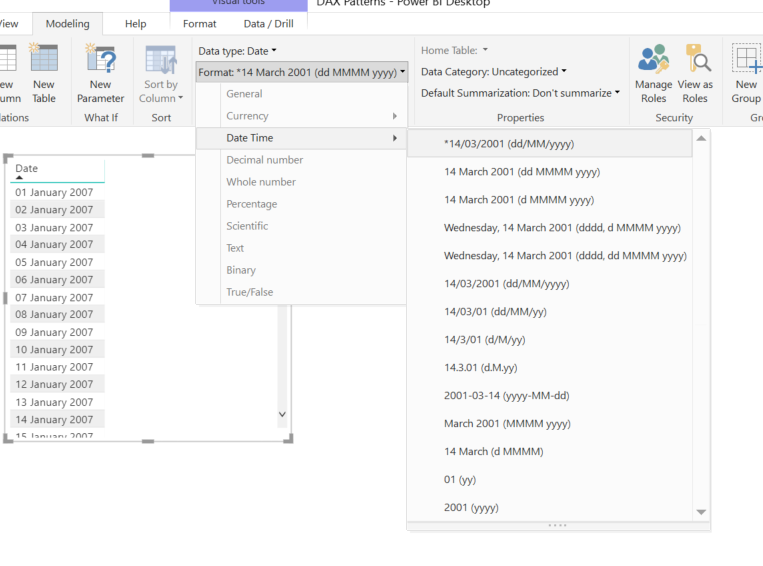
Changing Format settings is only changing the way you display the data and its not impacting the model, so you don't need to worry, on the other hand changing the Data type would impact the model and you would have to reload if you wont to revers the change.
This I believe hs to be done in the dataset?
Then should I click on refresh?
And then I will be able to use the new date format in desktop so that it can be used in table visual?
Thanks
Hi @Anonymous
Changing Format settings is only changing the way you display the data and its not impacting the model, so you don't need to worry, on the other hand changing the Data type would impact the model and you would have to reload if you wont to revers the change.
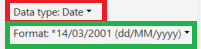
In th eformat menu, I see two options
1-
*14/03/2001
2-
14/03/2001
What is the difference please?
thank you
Join us in Barcelona for FabCon and SQLCon, the Fabric, Power BI, SQL, and AI community event. Save €200 with code FABCMTY200.
Join Data Days 2026: 60 days of free live/on-demand sessions, challenges, study groups, and certification opportunities.
| User | Count |
|---|---|
| 28 | |
| 26 | |
| 26 | |
| 20 | |
| 16 |
| User | Count |
|---|---|
| 51 | |
| 49 | |
| 43 | |
| 39 | |
| 36 |