Get certified for free when you join Fabric Data Days 2026 and dive into Fabric, Power BI, SQL, AI, and other essential data skills.
Join nowData Days is here! Join us now for 60+ days of learning, challenges, and connection. Learn more
Hi All,
Is there a way to calculate a simple measure like, total count of something (filings) but in a way that it dynamically updates with the current month of the data. For example, I have this measure in a visual card, and right now it displays total filings for July 2021, when the data comes in for August, the card will update automatically and display the total for August, then eventually September when that data comes in, etc......
Solved! Go to Solution.
Hi Greg, @Greg_Deckler I am having success with this:
@pfarahani So generally, the way this is done is to create a calculated column like the following:
Column IsCurrentMonth =
VAR __Today = TODAY()
VAR __CurrentYear = YEAR(__Today)
VAR __CurrentMonth = MONTH(__Today)
VAR __Year = YEAR('Table'[Date])
VAR __Month = MONTH('Table'[Date])
RETURN
IF(__Year = __CurrentYear && __Month = __CurrentMonth,1,0)
Column IsCurrentMonth Alternate =
VAR __CurrentEOMonth = EOMONTH(TODAY(),0)
VAR __EoMonth = EOMONTH([Date],0)
RETURN
IF __EoMonth = __CurrentEoMonth, 1, 0)
Then you can filter your visual on this column = 1
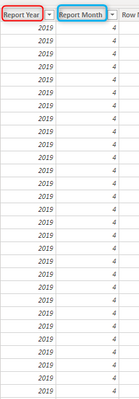
Hi Greg, @Greg_Deckler - my bad, I looked more closely at the data in this dashboard, its a little but different. There is this filings table, I am trying to create a measure to count total filings based on the last/max month-year in this dataset, which right now is December of 2019
@pfarahani OK, how about this one:
Column IsCurrentMonth =
VAR __MaxYear = MAX('Table'[Report Year])
VAR __MaxMonth = MAXX(FILTER('Table',[Report Year] = __MaxYear),[Report Month])
RETURN
IF([Report Year]=__MaxYear && [Report Month]=__MaxMonth,1,0)
Hi Greg, @Greg_Deckler I am having success with this:
@pfarahani Yep, I can see how that would work too!
Don't miss out on Data Days, June 15 through August 7. Learn Fabric, Power BI, SQL, AI and more.
Check out the May 2026 Power BI update to learn about new features.
| User | Count |
|---|---|
| 23 | |
| 23 | |
| 20 | |
| 18 | |
| 14 |
| User | Count |
|---|---|
| 58 | |
| 51 | |
| 41 | |
| 30 | |
| 24 |