Don't miss your chance to take the Fabric Data Engineer (DP-700) exam on us!
Learn moreNext up in the FabCon + SQLCon recap series: The roadmap for Microsoft SQL and Maximizing Developer experiences in Fabric. All sessions are available on-demand after the live show. Register now
hi.
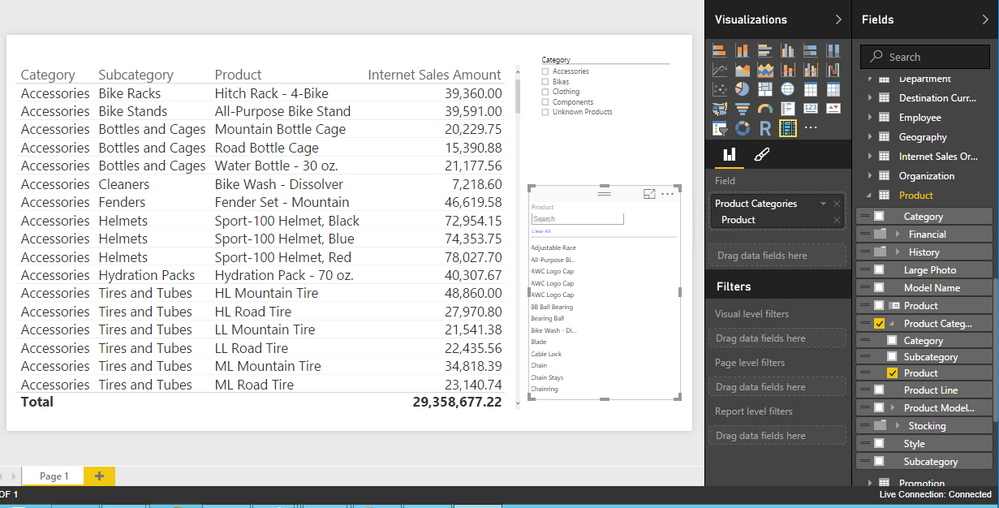
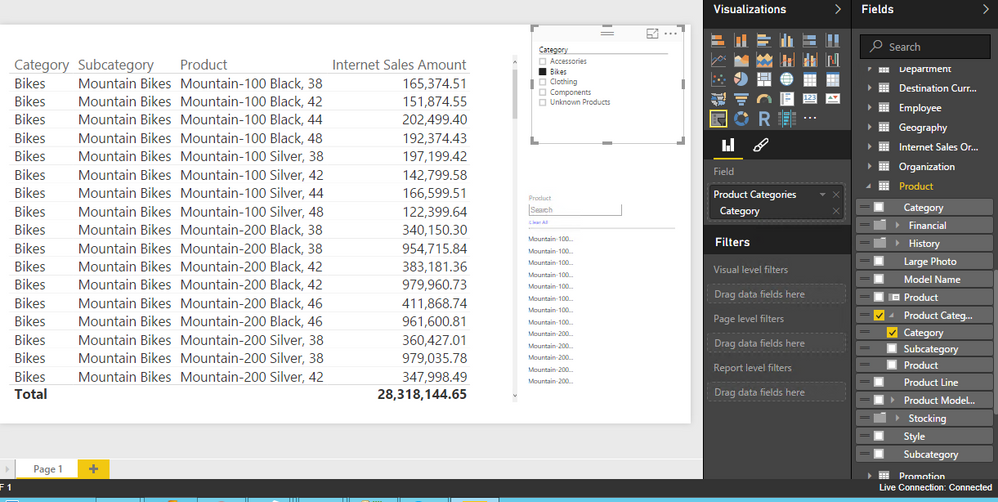
im using the attribue slicer for one dimensions, and another 4 regular slicers.
i've noticed that the attribute slicer doesnt slice according to the other slicers,
for example, i have category->products
category - regular slicer
products - attribue slicer
when selecting category, the products slicer stays the same
is someone knows the problem?
thanks!
maybe it's related to the live/import?
i have an import report and the slicer works good there...
strange:(
@MP_123 I have a report with both attribute and normal slicer and both are working fine with filtering from one another.
Have you checked you have active relations between two tables ? I didn't noticed issue with DirectQuery either.
Also select any of the two visual, go to edit interactions and check you have filter selected.
hi, thanks!
actually my data comes from a ssas cube so the relations defined already.
i tried to create report with "import data" and there's no problem
now on live connection i've noticed to this problem.
and the problem is not withh the attribute slicer, but the whole slicers, don't interact with each other, edit intercations defined also.
i'm lost.. you have an idea? maybe some setting on the cube itself
thanks!!!
@MP_123 When you connect live, in powerbi desktop are able to see the relations in Relationships area. Are you sure data is correct ?
yes, data is correct
connecting live dont enable to see relations.
i have month slicer and date slicer, both under the same dimension and they do affect each other.
other slicer don't
hi,
the problem is dimensions doesnt affect other dimensions, only measures
again, the problem happens in live only.
somone??
It works properly in my test environment.
I recommend you update the latest versoin of Power BI Desktop, re-import the Attribute Slicer .pbviz try again.
Regards,
If you have recently started exploring Fabric, we'd love to hear how it's going. Your feedback can help with product improvements.
A new Power BI DataViz World Championship is coming this June! Don't miss out on submitting your entry.
Share feedback directly with Fabric product managers, participate in targeted research studies and influence the Fabric roadmap.
| User | Count |
|---|---|
| 53 | |
| 45 | |
| 44 | |
| 20 | |
| 19 |
| User | Count |
|---|---|
| 73 | |
| 71 | |
| 34 | |
| 33 | |
| 31 |