Learn from the best! Meet the four finalists headed to the FINALS of the Power BI Dataviz World Championships! Register now
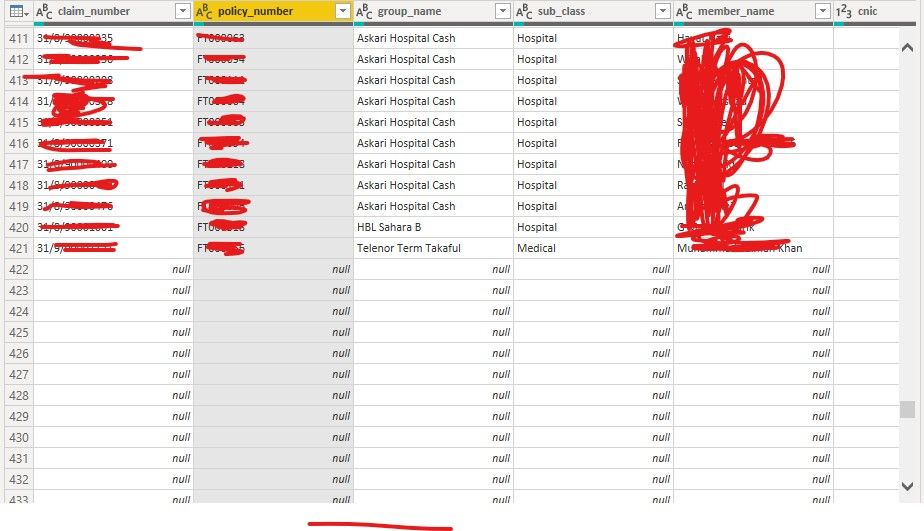
I was trying to append two tables using append queries but when i am trying to append into one , Power query isn't showing the merged table ( total data of two tables) wheres as it is just showing the rows from one table and the rows from other table is appearing to be null.
The rows of my first table are 421 and after the that the rows of the second table should start, but they are appearing to be null.
Solved! Go to Solution.
Hi @Anonymous ,
@Anonymous is correct, the fields should have the same name but, just as important, they must be the same CASE.
M code is entirely case-sensitive, so it will see capitalised and non-capitalised field names as completely different words.
I imagine that, while your rows under your original table appear null, you will have a load of new columns to the right with the field names as they appear in your second table which contain the values you're looking for. This is a sure-fire indicator that Power Query is seeing the field names as different values.
For completeness: you must also ensure that your fields to be appended are also the same DATA TYPE, but it doesn't look like this is affecting you.
Pete
Proud to be a Datanaut!
Hello @Anonymous ,
Could you share some data ?
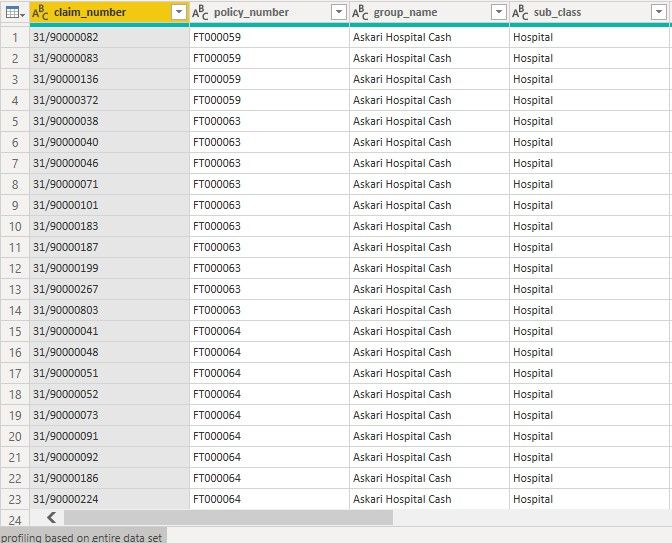
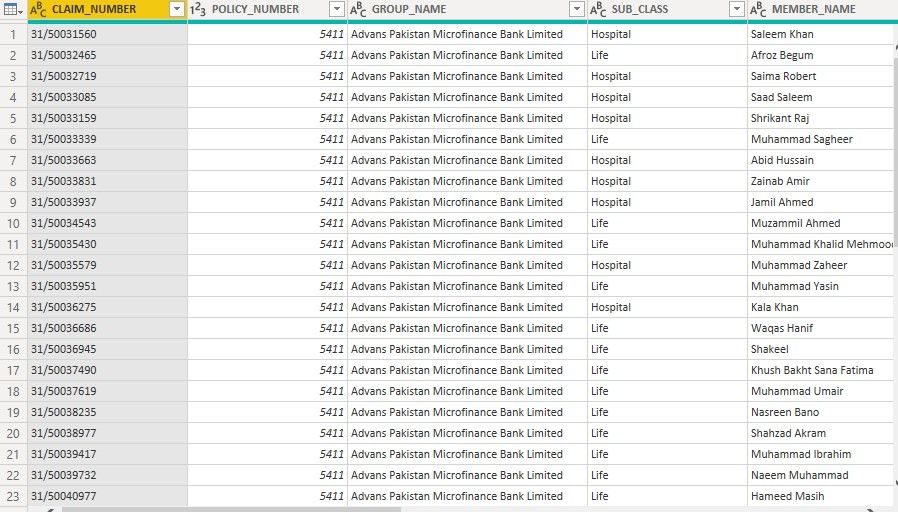
These are the two tables that i am trying to append
Hello @Anonymous ,
I am able to append the data.
Make sure to append the data both tables should have same column name.
Hi @Anonymous ,
@Anonymous is correct, the fields should have the same name but, just as important, they must be the same CASE.
M code is entirely case-sensitive, so it will see capitalised and non-capitalised field names as completely different words.
I imagine that, while your rows under your original table appear null, you will have a load of new columns to the right with the field names as they appear in your second table which contain the values you're looking for. This is a sure-fire indicator that Power Query is seeing the field names as different values.
For completeness: you must also ensure that your fields to be appended are also the same DATA TYPE, but it doesn't look like this is affecting you.
Pete
Proud to be a Datanaut!
If you have recently started exploring Fabric, we'd love to hear how it's going. Your feedback can help with product improvements.
A new Power BI DataViz World Championship is coming this June! Don't miss out on submitting your entry.
Share feedback directly with Fabric product managers, participate in targeted research studies and influence the Fabric roadmap.
| User | Count |
|---|---|
| 57 | |
| 33 | |
| 33 | |
| 19 | |
| 18 |
| User | Count |
|---|---|
| 67 | |
| 67 | |
| 45 | |
| 30 | |
| 26 |