Get certified for free when you join Fabric Data Days 2026 and dive into Fabric, Power BI, SQL, AI, and other essential data skills.
Join nowJuly 7 - July 17 | Round 2 of the Power BI Dataviz World Championships. Don't miss your chance! Learn more
Hi everibody.
I have the following measure
YTD Capacity Hours = CALCULATE( TOTALYTD( SUM(Capacity[capacity]) , Dates[Date] ) ,
ALL(Dates) ,
FILTER( Capacity, Capacity[idemployee] < "30000" && Capacity[functional_type] = "Consulting" )
)
table Capacity (date, capacity, idemployee, functiona_type,......)
I hope to receive the sum of capacity for the last year load into the table (exmpl loaded up to 31-03-2017)
I have defined a time slicer on Dates (i can select differents months between jan 2016 and march 2017) the results vary on selection.
How can help me
thnks in advance
david
Solved! Go to Solution.
Hi @davaru,
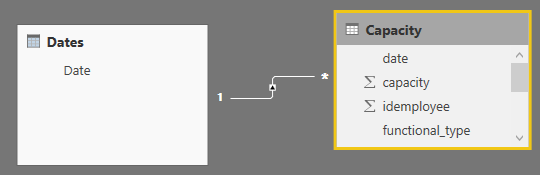
If the date slicer is set to "Between", and the date column is dragged from calendar table, you can refer to below formulas.
Dates = CALENDAR ( MIN ( Capacity[date] ), MAX ( Capacity[date] ) ) YTD Capacity = CALCULATE ( TOTALYTD ( SUM ( 'Capacity'[capacity] ), 'Dates'[Date] ), ALL ( 'Dates' ), FILTER ( 'Capacity', 'Capacity'[idemployee] < 30000 && 'Capacity'[functional_type] = "Consulting" ) ) LY YTD Capacity = CALCULATE ( [YTD Capacity Hours], SAMEPERIODLASTYEAR ( Dates[Date] ) )
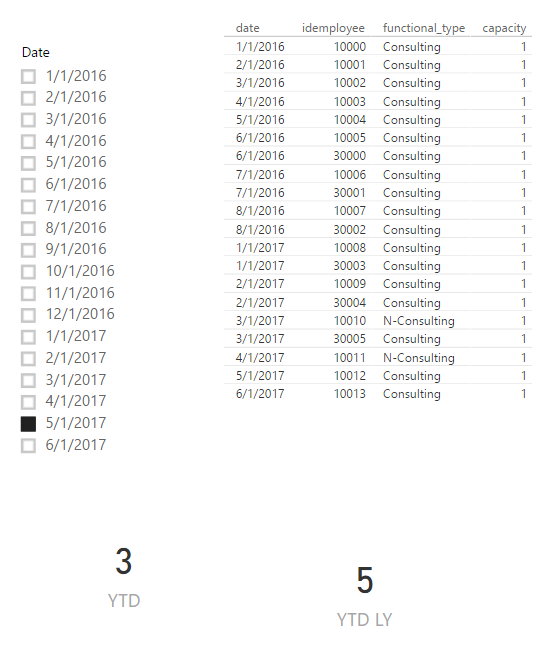
However, if the date slicer is set to "List", you need an extra calendar table. You should drag date column from 'Dates2'.
YTD = CALCULATE ( SUM ( Capacity[capacity] ), DATESYTD ( Dates[Date] ), FILTER ( Capacity, Capacity[idemployee] < 30000 && Capacity[functional_type] = "Consulting" && Capacity[date] <= MAX ( Dates2[Date] ) ) ) YTD LY = CALCULATE ( [YTD], SAMEPERIODLASTYEAR ( INTERSECT ( VALUES ( Dates[Date] ), DATESBETWEEN ( Dates[Date], BLANK (), MAX ( Dates2[Date] ) ) ) ) )
Best regards,
Yuliana Gu
Hi @davaru,
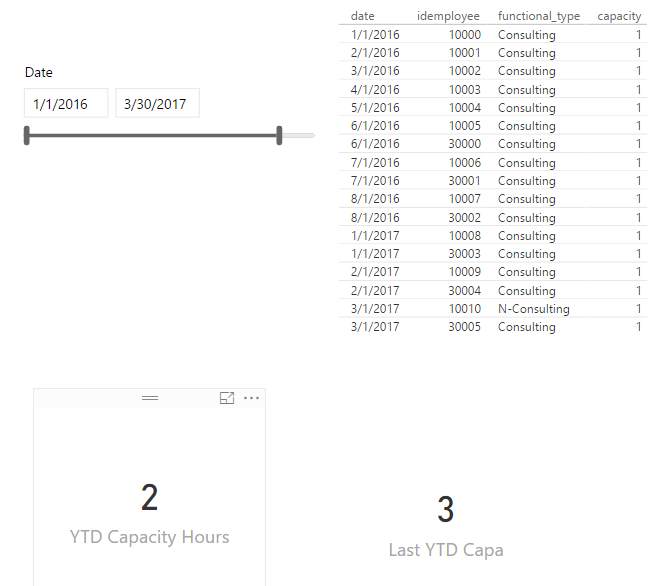
If the date slicer is set to "Between", and the date column is dragged from calendar table, you can refer to below formulas.
Dates = CALENDAR ( MIN ( Capacity[date] ), MAX ( Capacity[date] ) ) YTD Capacity = CALCULATE ( TOTALYTD ( SUM ( 'Capacity'[capacity] ), 'Dates'[Date] ), ALL ( 'Dates' ), FILTER ( 'Capacity', 'Capacity'[idemployee] < 30000 && 'Capacity'[functional_type] = "Consulting" ) ) LY YTD Capacity = CALCULATE ( [YTD Capacity Hours], SAMEPERIODLASTYEAR ( Dates[Date] ) )
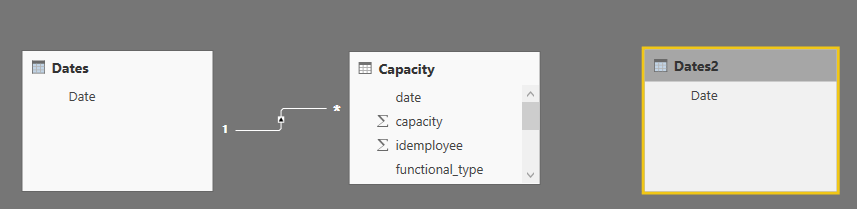
However, if the date slicer is set to "List", you need an extra calendar table. You should drag date column from 'Dates2'.
YTD = CALCULATE ( SUM ( Capacity[capacity] ), DATESYTD ( Dates[Date] ), FILTER ( Capacity, Capacity[idemployee] < 30000 && Capacity[functional_type] = "Consulting" && Capacity[date] <= MAX ( Dates2[Date] ) ) ) YTD LY = CALCULATE ( [YTD], SAMEPERIODLASTYEAR ( INTERSECT ( VALUES ( Dates[Date] ), DATESBETWEEN ( Dates[Date], BLANK (), MAX ( Dates2[Date] ) ) ) ) )
Best regards,
Yuliana Gu
Thnks.
Good solutions It works
Tnks again
Join us in Barcelona for FabCon and SQLCon, the Fabric, Power BI, SQL, and AI community event. Save €200 with code FABCMTY200.
Join Data Days 2026: 60 days of free live/on-demand sessions, challenges, study groups, and certification opportunities.
| User | Count |
|---|---|
| 29 | |
| 23 | |
| 18 | |
| 18 | |
| 15 |
| User | Count |
|---|---|
| 51 | |
| 44 | |
| 43 | |
| 39 | |
| 32 |