cancel
Showing results for 
Search instead for 
Did you mean: 

The Power BI Data Visualization World Championships is back! Get ahead of the game and start preparing now! Learn more

Reply
Anonymous
Not applicable

Workspace security issues.

Hi


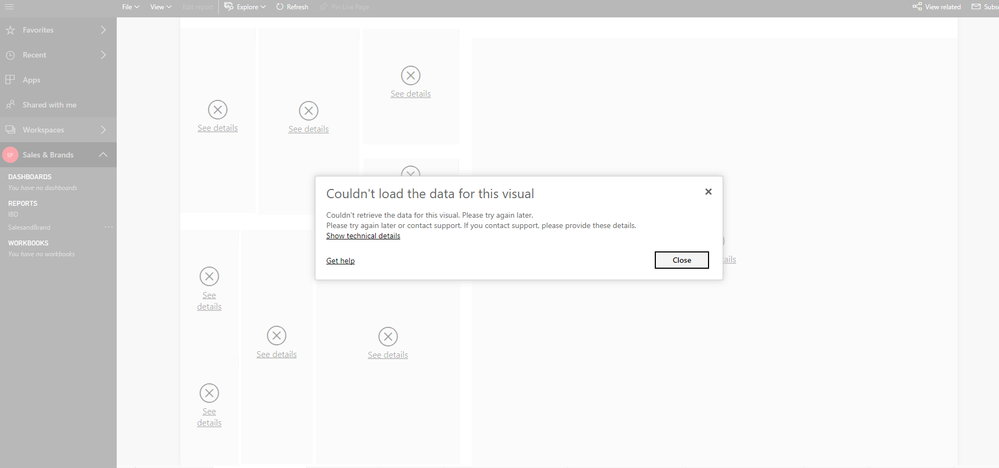
I'm having a problem with one of the workspaces within Power BI with regards to security.  I want to lock down the workspace so that users cannot create or edit any of the existing reports within the workspace.  However, when I give the members 'members can only view PowerBI content access' the reports do not display corrrectly.  The users receive the attached screen errors 'cannot display visual'.  If I give member the 'members can edit Power BI content' the visuals display correctly.  I am wondering if anyone else has experienced this problem and knows of a workaround.


Many thanks


Jo.


1 ACCEPTED SOLUTION

OK, that means there's something wrong with the way you've set up RLS. RLS and workspace security are 2 different things. Giving them edit rights on workspace security will nullify RLS limitations. Whatever you've done with RLS, when it is active, it is causing them to get those blank results. I suspect you have not assigned the users to their roles on the published dataset. Go to your dataset, right click and hit Security. You must add each user to their role there for RLS to function. Then you can set their workspace security to read-only and it will work.


Did I answer your question? Mark my post as a solution!

Proud to be a Super User!


View solution in original post

5 REPLIES 5
Anonymous
Not applicable

oops forgot to upload the image of the error! powerbi.png


Are you using row level security in this dataset?


Did I answer your question? Mark my post as a solution!

Proud to be a Super User!


Anonymous
Not applicable

Hello 


thank you for your reply. Yes I am using RLS on this dataset. However, once I give my users 'members can edit power bi content' access so that they can use the reports, RLS doesn't work.


OK, that means there's something wrong with the way you've set up RLS. RLS and workspace security are 2 different things. Giving them edit rights on workspace security will nullify RLS limitations. Whatever you've done with RLS, when it is active, it is causing them to get those blank results. I suspect you have not assigned the users to their roles on the published dataset. Go to your dataset, right click and hit Security. You must add each user to their role there for RLS to function. Then you can set their workspace security to read-only and it will work.


Did I answer your question? Mark my post as a solution!

Proud to be a Super User!


Anonymous
Not applicable

brilliant thank you. I have tried your solution and it works.  It has also solved my other issue of RLS not working any dashboards generated from the dataset.


thanks again

Helpful resources

Announcements
November Power BI Update Carousel

Power BI Monthly Update - November 2025

Check out the November 2025 Power BI update to learn about new features.

Fabric Data Days Carousel

Fabric Data Days

Advance your Data & AI career with 50 days of live learning, contests, hands-on challenges, study groups & certifications and more!

FabCon Atlanta 2026 carousel

FabCon Atlanta 2026

Join us at FabCon Atlanta, March 16-20, for the ultimate Fabric, Power BI, AI and SQL community-led event. Save $200 with code FABCOMM.