cancel
Showing results for 
Search instead for 
Did you mean: 

The Power BI Data Visualization World Championships is back! Get ahead of the game and start preparing now! Learn more

Reply
rmettu_1242
Advocate II
Advocate II

WordCloud Visualization conditional formatting/custom color code

Hi everyone,


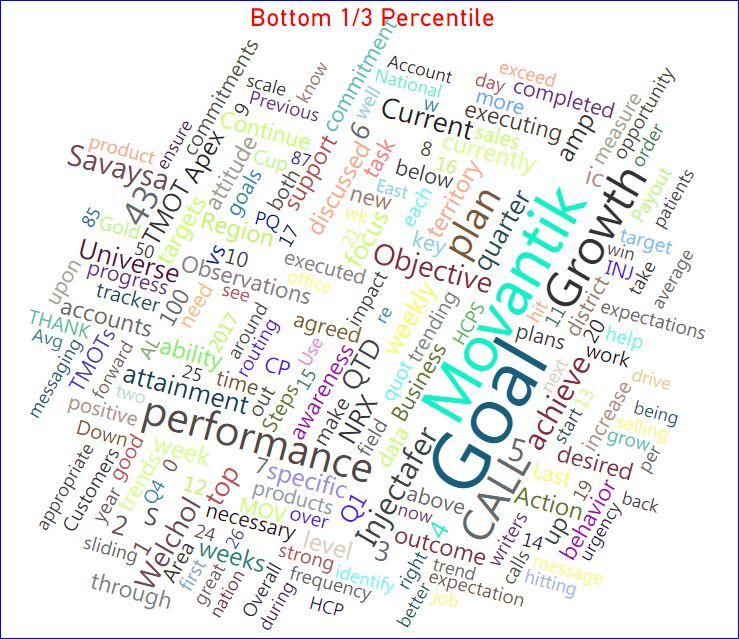
i am using wordcloud visualization for my text analysis. how to display conditional formatting for  certian words/sentences or  selected words/sentence i would like to show in different color coding .  Any one have an idea to display the conditional formatting/different color code in chart.


wordcloud1.JPG

2 ACCEPTED SOLUTIONS
v-haibl-msft
Microsoft Employee
Microsoft Employee

@rmettu_1242


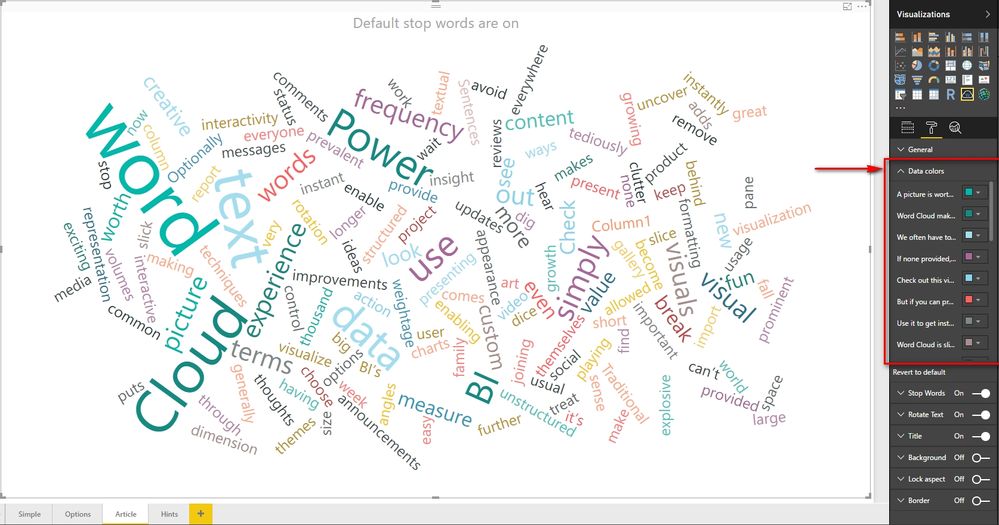
In WordCloud, the only color setting is to set specific color for every word or sentence as below.

If you desire more functions about this custom visual, please create an idea in https://ideas.powerbi.com/forums/265200-power-bi-ideas?query=WordCloud.


WordCloud Visualization conditional formatting custom color code_1.jpg


Best Regards,
Herbert

View solution in original post

@rmettu_1242


For sentiment analysis, you can take a look at this great article which takes advantage of Azure Text Analytics API. There is a good and simple sample there. For % Cases appear, you can use Calculate Measure to do the calculation using proper DAX formulas.

BTW, if you question/problem has been solved, you can accept the right reply as solution, so that other people who have the same question/problem can find the solution quickly.


Best Regards,
Herbert

View solution in original post

4 REPLIES 4
v-haibl-msft
Microsoft Employee
Microsoft Employee

@rmettu_1242


Do you have any other question about this scenario?


Best Regards,
Herbert

Thank you quick response.


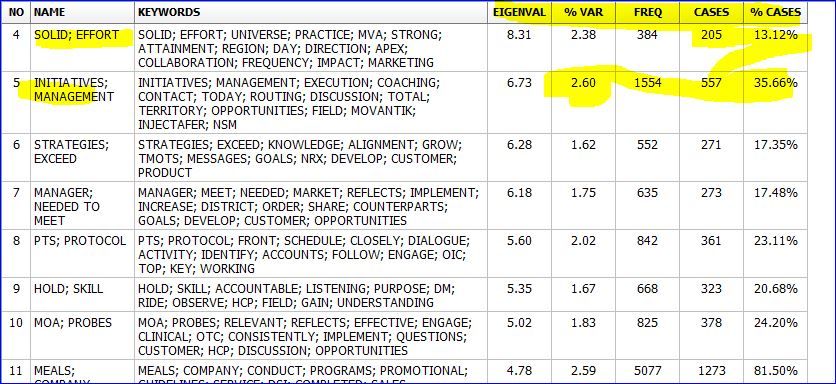
we are looking for  text minig/analysis statics like frequency of words now avaible in Power BI  great feature.

other statics like sentiment analysis , % Cases appear .


wordcloud726.JPG

@rmettu_1242


For sentiment analysis, you can take a look at this great article which takes advantage of Azure Text Analytics API. There is a good and simple sample there. For % Cases appear, you can use Calculate Measure to do the calculation using proper DAX formulas.

BTW, if you question/problem has been solved, you can accept the right reply as solution, so that other people who have the same question/problem can find the solution quickly.


Best Regards,
Herbert

v-haibl-msft
Microsoft Employee
Microsoft Employee

@rmettu_1242


In WordCloud, the only color setting is to set specific color for every word or sentence as below.

If you desire more functions about this custom visual, please create an idea in https://ideas.powerbi.com/forums/265200-power-bi-ideas?query=WordCloud.


WordCloud Visualization conditional formatting custom color code_1.jpg


Best Regards,
Herbert

Helpful resources

Announcements
Power BI DataViz World Championships

Power BI Dataviz World Championships

The Power BI Data Visualization World Championships is back! Get ahead of the game and start preparing now!

December 2025 Power BI Update Carousel

Power BI Monthly Update - December 2025

Check out the December 2025 Power BI Holiday Recap!

FabCon Atlanta 2026 carousel

FabCon Atlanta 2026

Join us at FabCon Atlanta, March 16-20, for the ultimate Fabric, Power BI, AI and SQL community-led event. Save $200 with code FABCOMM.