This time we’re going bigger than ever. Fabric, Power BI, SQL, AI and more. We're covering it all. You won't want to miss it.
Learn moreDid you hear? There's a new SQL AI Developer certification (DP-800). Start preparing now and be one of the first to get certified. Register now
Hi,
I am trying to display blank visuals until user make a selection from the slicer. Using the below two metrics I can make the visuals blank and display the data with single selection but my challenge is to make it work with MULTIPLE SELECTIONS. My slicer column is being displayed in the Matrix visual as one of the fields, this might be the reason it's not working the way it's supposed to, with my first metric.
Using Cross Filter: = IF(ISCROSSFILTERED(Table[Column_Name]),"Y",BLANK())
With the second metric I could only make it for a single selection:
Using Distinct Count: = IF(CALCULATE(DISTINCTCOUNT(Table[Column_Name]),ALLSELECTED(Table[Column_Name]))=1,"Y","N")
Solved! Go to Solution.
HI @Anonymous,
You can follow below steps to achive your requiremetn:
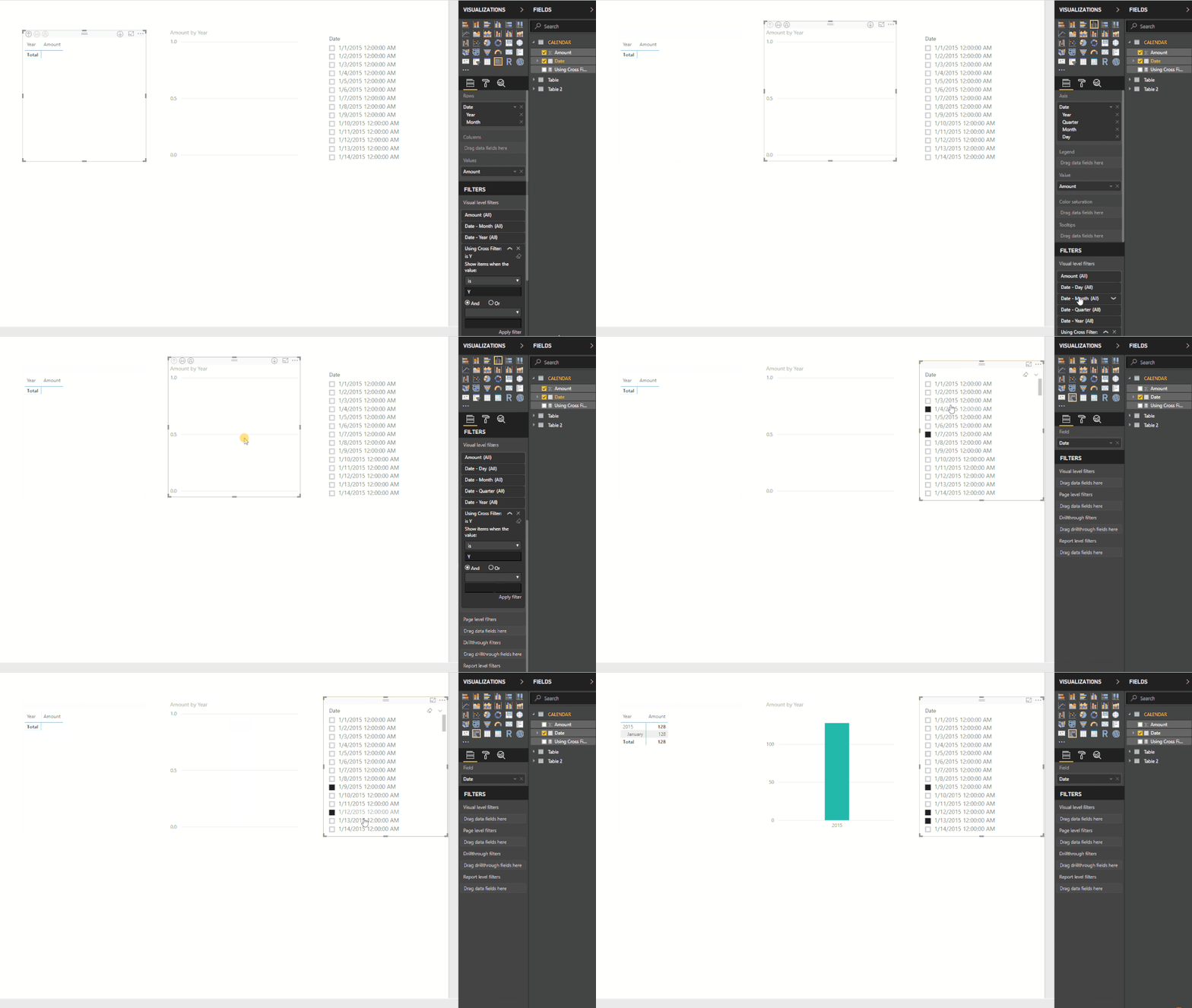
1. Create a measure to mark tag based on selected records .
Using Cross Filter: =
IF (
COUNTROWS(ALLSELECTED ( 'CALENDAR' )) <> COUNTROWS(ALL ( 'CALENDAR' ))
&& COUNTROWS ( ALLSELECTED ( 'CALENDAR' ) ) > 1,
"Y",
"N"
)
2. Add above measure to visual level filter, then switch filter mode to 'is' to filter "Y" tag.
Result:
Regards,
Xiaoxin Sheng
Hi,
Used this measure to filter :
sing Cross Filter: =
IF (
COUNTROWS(ALLSELECTED ( 'CALENDAR' )) <> COUNTROWS(ALL ( 'CALENDAR' ))
&& COUNTROWS ( ALLSELECTED ( 'CALENDAR' ) ) > 1,
"Y",
"N"
)It works fine on Table and Pie viz. but cannot apply to cards, linear guage visualizations. Is there any ither measure that'll work for all visualizations?
Also, is it possible that measures cannot be filtered by another measure?
Please help.
Regards,
Pooja
HI @Anonymous,
You can follow below steps to achive your requiremetn:
1. Create a measure to mark tag based on selected records .
Using Cross Filter: =
IF (
COUNTROWS(ALLSELECTED ( 'CALENDAR' )) <> COUNTROWS(ALL ( 'CALENDAR' ))
&& COUNTROWS ( ALLSELECTED ( 'CALENDAR' ) ) > 1,
"Y",
"N"
)
2. Add above measure to visual level filter, then switch filter mode to 'is' to filter "Y" tag.
Result:
Regards,
Xiaoxin Sheng
This doesn't work for me 😞
Cause I amgetting N for every row
Awesome, It's working Pefectly. Thank you for the quick response and help @Anonymous
Check out the April 2026 Power BI update to learn about new features.
Sign up to receive a private message when registration opens and key events begin.
If you have recently started exploring Fabric, we'd love to hear how it's going. Your feedback can help with product improvements.
| User | Count |
|---|---|
| 34 | |
| 31 | |
| 25 | |
| 20 | |
| 16 |
| User | Count |
|---|---|
| 60 | |
| 48 | |
| 29 | |
| 23 | |
| 23 |