Join us at FabCon Atlanta from March 16 - 20, 2026, for the ultimate Fabric, Power BI, AI and SQL community-led event. Save $200 with code FABCOMM.
Register now!The Power BI Data Visualization World Championships is back! Get ahead of the game and start preparing now! Learn more
Hi All,
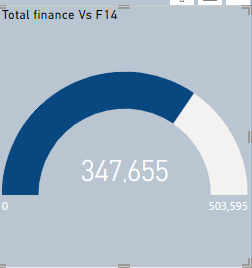
I have a visual which has a filter on it so that it only shows the current year data.
However, when a slicer is used to select a different year it over rules the filter on the visual.
Is there a way to stop the filter on the visual from being overruled?
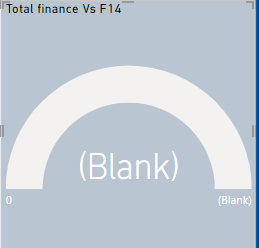
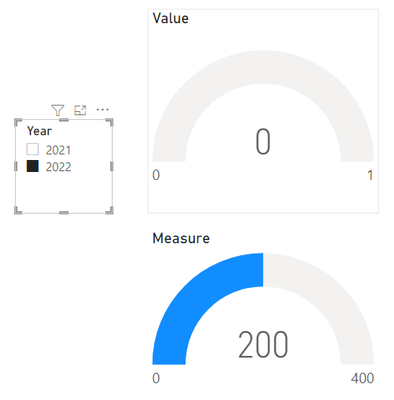
when slicer date is changed visual turns to
Solved! Go to Solution.
@Anonymous
Have you tried editing the interaction of the slicer to not effect that visual?
Hi, @Anonymous
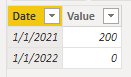
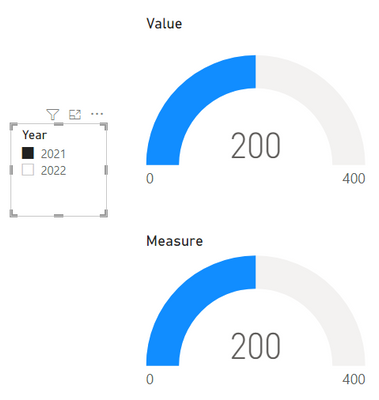
You can try to use Measure and use the ALLEXCEPT function. You can refer to the following example.
Measure:
Measure =
CALCULATE ( SUM ( 'Table'[Value] ), ALLEXCEPT ( 'Table', 'Table'[Date] ) )
ALLEXCEPT:
Removes all context filters in the table except filters that have been applied to the specified columns.
https://docs.microsoft.com/dax/allexcept-function-dax
Best Regards,
Community Support Team _Charlotte
If this post helps, then please consider Accept it as the solution to help the other members find it more quickly.
@Anonymous
Have you tried editing the interaction of the slicer to not effect that visual?
The Power BI Data Visualization World Championships is back! Get ahead of the game and start preparing now!
| User | Count |
|---|---|
| 39 | |
| 35 | |
| 33 | |
| 32 | |
| 29 |
| User | Count |
|---|---|
| 134 | |
| 96 | |
| 78 | |
| 67 | |
| 65 |