Join us at FabCon Atlanta from March 16 - 20, 2026, for the ultimate Fabric, Power BI, AI and SQL community-led event. Save $200 with code FABCOMM.
Register now!The Power BI Data Visualization World Championships is back! Get ahead of the game and start preparing now! Learn more
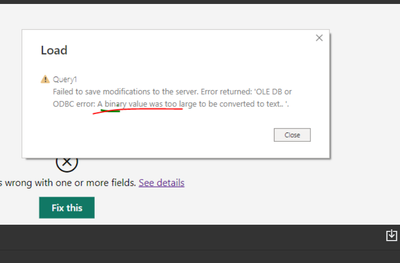
I'm trying to import .csv files from Azure Data Lake Storage Gen1, the file size is about 700 MB and when I create a query, I'm getting this error "Failed to save modifications to the server. Error returned:'OLE DB or ODBC error: A binary value was too large to be converted to text.'"... It sounds like there is a size limitation to load .csv file.
Has anyone gone through this error before? Any suggestions to fix this?
Hi @v-likosh ,
This error could be an issue with your M script within your Power BI Desktop file. There might a data type conversion of binary before combining or opening the last file that is preventing the engine to read the record as binary. Please check it in your Power Bi Desktop. Try refreshing and checking the code.
I have also found some posts, please refer to.
Solved: Merge Issue: Expression.Error: We cannot convert t... - Microsoft Power BI Community
Solved: Underlying error message: We cannot convert the va... - Microsoft Power BI Community
Solved: Binary data - Microsoft Power BI Community
If it still does not help, please provide more details.
Best Regards
Community Support Team _ Polly
If this post helps, then please consider Accept it as the solution to help the other members find it more quickly.
The Power BI Data Visualization World Championships is back! Get ahead of the game and start preparing now!
| User | Count |
|---|---|
| 60 | |
| 44 | |
| 40 | |
| 37 | |
| 21 |
| User | Count |
|---|---|
| 178 | |
| 127 | |
| 116 | |
| 77 | |
| 54 |