cancel
Showing results for 
Search instead for 
Did you mean: 

The Power BI Data Visualization World Championships is back! Get ahead of the game and start preparing now! Learn more

Reply
ChrisQuinn
New Member

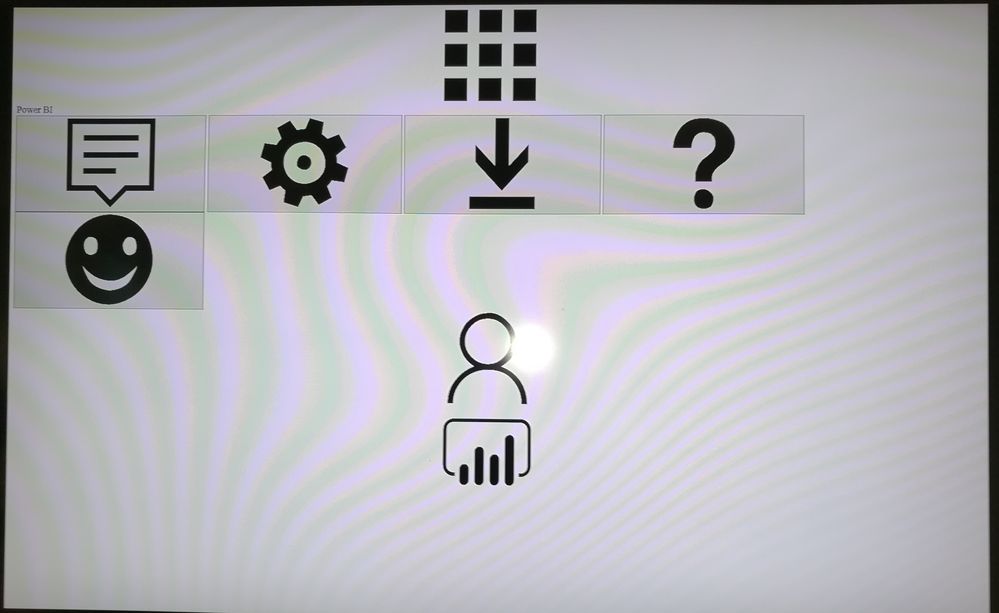
Very wierd display problem

I have created a powershell script that flips between three PowerBi dashboards displayed on a large screen on our office - each dashboard is displayed for 30 seconds before switching to the next - a carousel display so tthe people in the office can get a quick look at current data from their desks.


This was working fine on an old Win7 PC we were using, but that was scrapped and it was replaced with a new mini PC running Win 10.


After an indeterminate period of time, the display corrupts, with a huge PowerBi toolbar taking up the whole screen - see below:

IMG_20170421_101224.jpg


To get it working again I have to close all windows and the powershell screept, then restart it.


Has anyone seen this before?  If so is there a fix or workaround?

1 REPLY 1
v-sihou-msft
Microsoft Employee
Microsoft Employee

@ChrisQuinn


I haven't encountered this kind of issue before. I suggest you open a support ticket for more assistance.


Regards,

Helpful resources

Announcements
Power BI DataViz World Championships

Power BI Dataviz World Championships

The Power BI Data Visualization World Championships is back! Get ahead of the game and start preparing now!

December 2025 Power BI Update Carousel

Power BI Monthly Update - December 2025

Check out the December 2025 Power BI Holiday Recap!

FabCon Atlanta 2026 carousel

FabCon Atlanta 2026

Join us at FabCon Atlanta, March 16-20, for the ultimate Fabric, Power BI, AI and SQL community-led event. Save $200 with code FABCOMM.