Get certified for free when you join Fabric Data Days 2026 and dive into Fabric, Power BI, SQL, AI, and other essential data skills.
Join nowTry your skills in the Power BI Dataviz World Championship! Round one ends June 26. Join now
Hello!
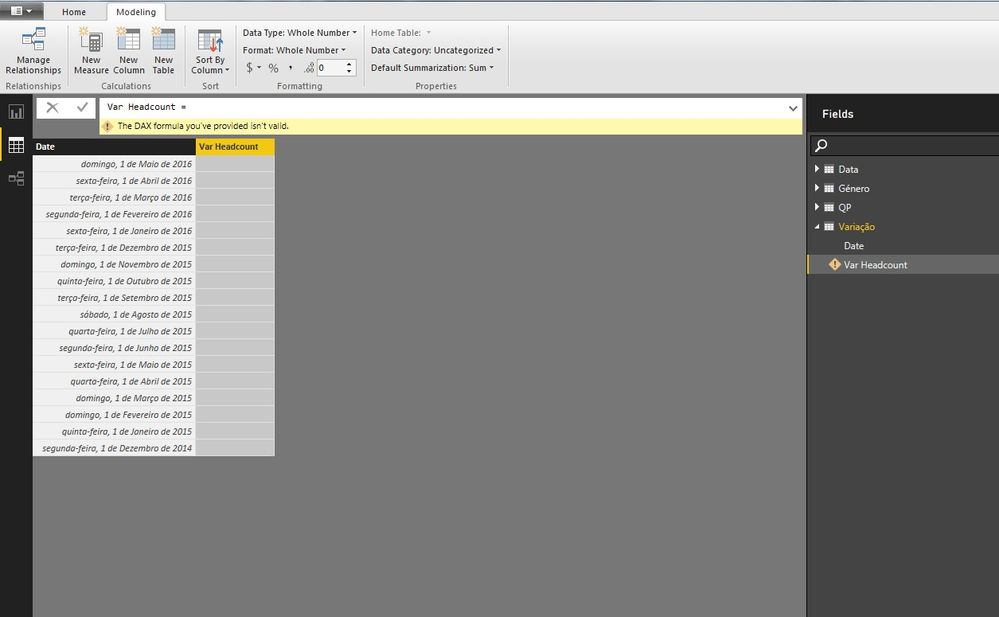
I need to create a new column in "Variação" (variation in english) table, called "Var Headcount" in which the 1st row is:
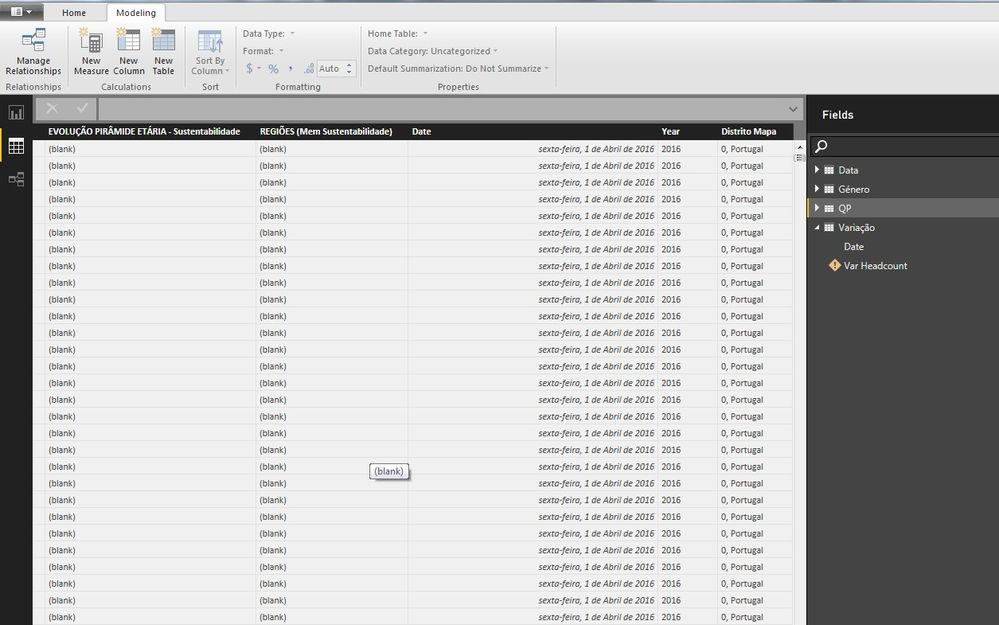
[nr of rows with 'domingo, 1 de Maio de 2016' associated in 'QP' table] - [nr of rows with 'sexta-feira, 1 de Abril de 2016' associated in 'QP' table]
2nd row:
[nr of rows with 'sexta-feira, 1 de Abril de 2016' associated in 'QP' table] - [nr of rows with 'terça-feira, 1 de Março de 2016' associated in 'QP' table]
and so on...
How can i do this?
Thanks!
Solved! Go to Solution.
Please see the below if it works for you....
2 Steps:
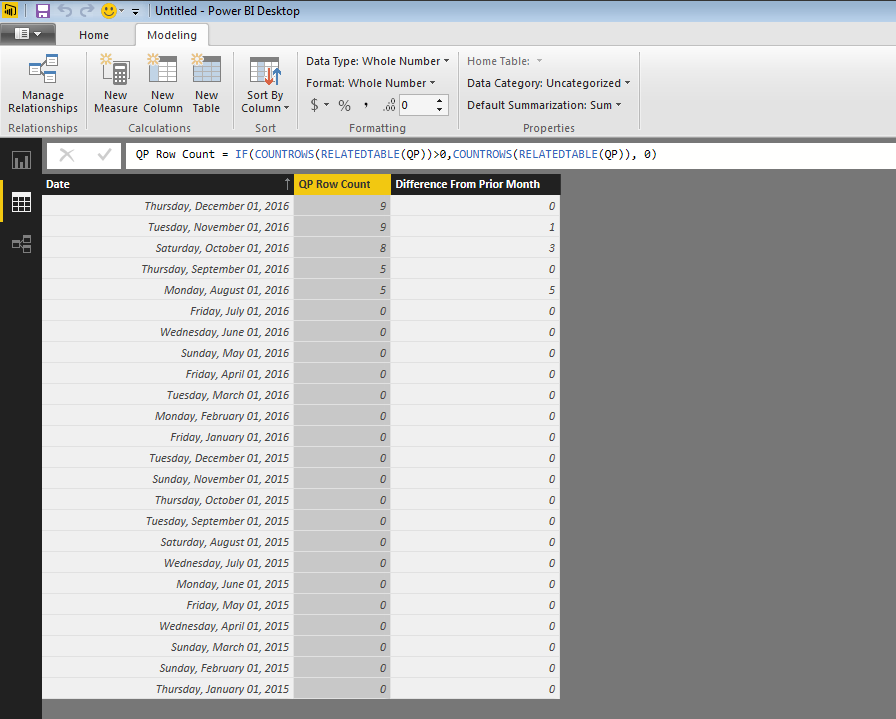
Step 1 Count of related rows as a column in Date Table:
QP Row Count = IF(COUNTROWS(RELATEDTABLE(QP))>0,COUNTROWS(RELATEDTABLE(QP)), 0)
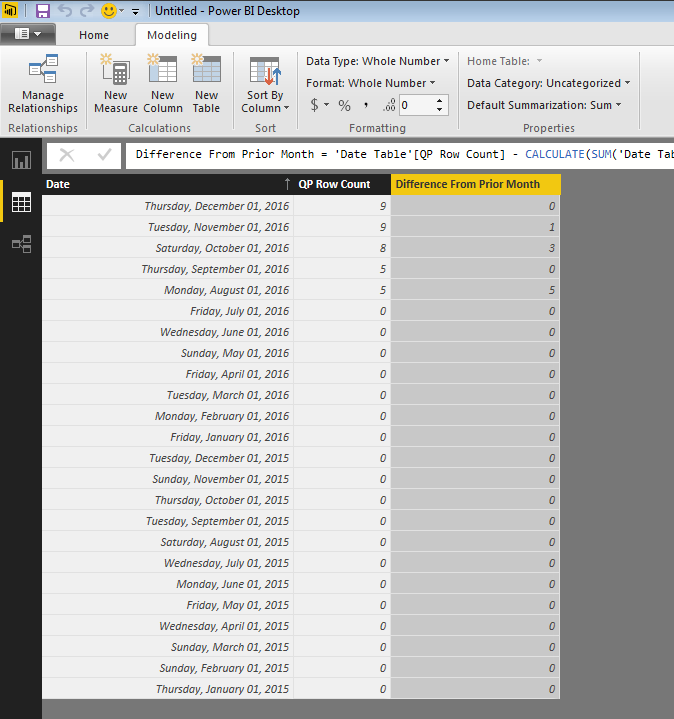
Step 2: Difference in Count from Prior Month:
Difference From Prior Month = 'Date Table'[QP Row Count] - CALCULATE(SUM('Date Table'[QP Row Count]),DATEADD('Date Table'[Date],-1,MONTH))
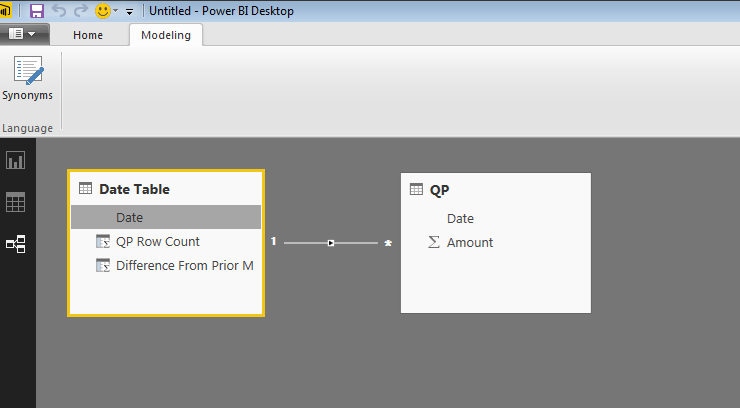
Data Model
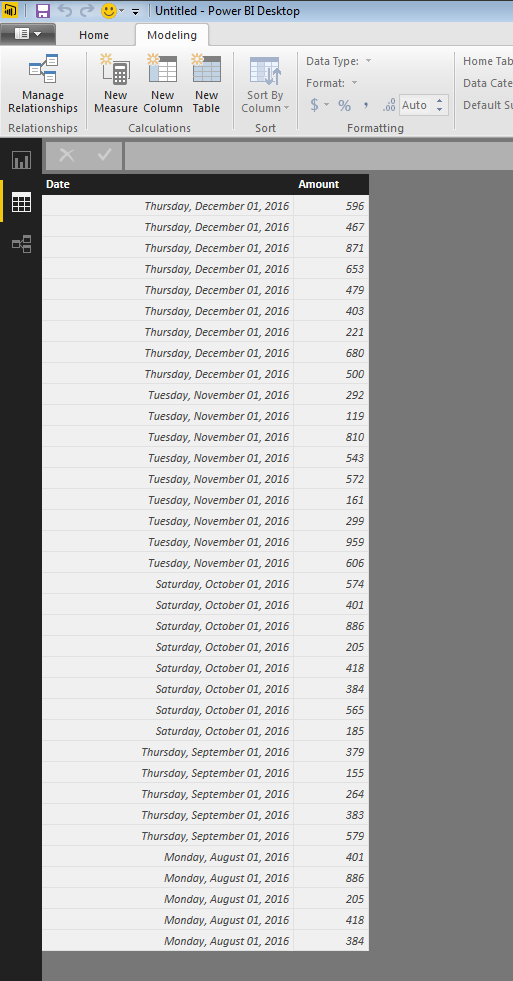
QP Table
Step 1 - Add a Related Row Count Column
Step 2 - Add a Difference in Row Count from prior Month
Please see the below if it works for you....
2 Steps:
Step 1 Count of related rows as a column in Date Table:
QP Row Count = IF(COUNTROWS(RELATEDTABLE(QP))>0,COUNTROWS(RELATEDTABLE(QP)), 0)
Step 2: Difference in Count from Prior Month:
Difference From Prior Month = 'Date Table'[QP Row Count] - CALCULATE(SUM('Date Table'[QP Row Count]),DATEADD('Date Table'[Date],-1,MONTH))
Data Model
QP Table
Step 1 - Add a Related Row Count Column
Step 2 - Add a Difference in Row Count from prior Month
Don't miss out on Data Days, June 15 through August 7. Learn Fabric, Power BI, SQL, AI and more.
Check out the May 2026 Power BI update to learn about new features.
| User | Count |
|---|---|
| 24 | |
| 20 | |
| 20 | |
| 19 | |
| 13 |
| User | Count |
|---|---|
| 69 | |
| 57 | |
| 42 | |
| 41 | |
| 30 |