
We've captured the moments from FabCon & SQLCon that everyone is talking about, and we are bringing them to the community, live and on-demand. Starts on April 14th. Register now
Hi All:
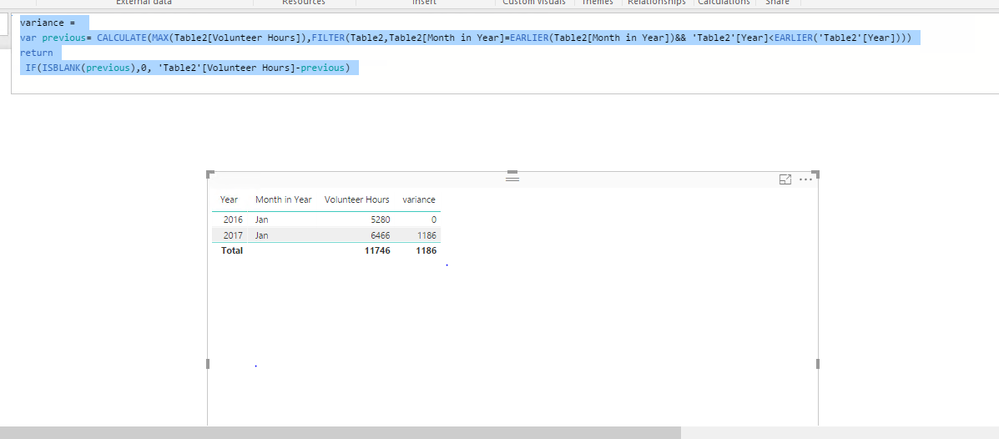
I have the below data set that references volunteerism in January of 2016 & 2017. Can someone show me how to get the variance to display. I want to see that the difference between hours volunteered in 2016 & 2017 is '1186'.
Solved! Go to Solution.
Create a column using DAX below.
variance =
var previous= CALCULATE(MAX(Table2[Volunteer Hours]),FILTER(Table2,Table2[Month in Year]=EARLIER(Table2[Month in Year])&& 'Table2'[Year]<EARLIER('Table2'[Year])))
return
IF(ISBLANK(previous),0, 'Table2'[Volunteer Hours]-previous)
If you get any issues, please share table structure with raw data.
Regards,
Create a column using DAX below.
variance =
var previous= CALCULATE(MAX(Table2[Volunteer Hours]),FILTER(Table2,Table2[Month in Year]=EARLIER(Table2[Month in Year])&& 'Table2'[Year]<EARLIER('Table2'[Year])))
return
IF(ISBLANK(previous),0, 'Table2'[Volunteer Hours]-previous)
If you get any issues, please share table structure with raw data.
Regards,
for some reason this formula isnt working or recognizing my table for calendar? I have the hours information that you seen in my original post and I have a table that I built that has the calendar details... do you know what could be causing this to arise?
@nmck86,
Right click your table, select New Column and put the DAX there.
Regards,
If you have recently started exploring Fabric, we'd love to hear how it's going. Your feedback can help with product improvements.
A new Power BI DataViz World Championship is coming this June! Don't miss out on submitting your entry.
Share feedback directly with Fabric product managers, participate in targeted research studies and influence the Fabric roadmap.
| User | Count |
|---|---|
| 57 | |
| 38 | |
| 33 | |
| 19 | |
| 16 |
| User | Count |
|---|---|
| 68 | |
| 66 | |
| 41 | |
| 34 | |
| 25 |