Don't miss your chance to take the Fabric Data Engineer (DP-700) exam on us!
Learn moreNext up in the FabCon + SQLCon recap series: The roadmap for Microsoft SQL and Maximizing Developer experiences in Fabric. All sessions are available on-demand after the live show. Register now
I have a slicer dropdown which is a list of weeks from a table
The user selects a week and aggregations of that data (e.g. sales) are shown in various cards on screen
I'd also like to have a chart which displays all the history of sales by week up to the week selection
Bit stuck on how to do the chart bit. Can anyone help please?
Hi @johnmc,
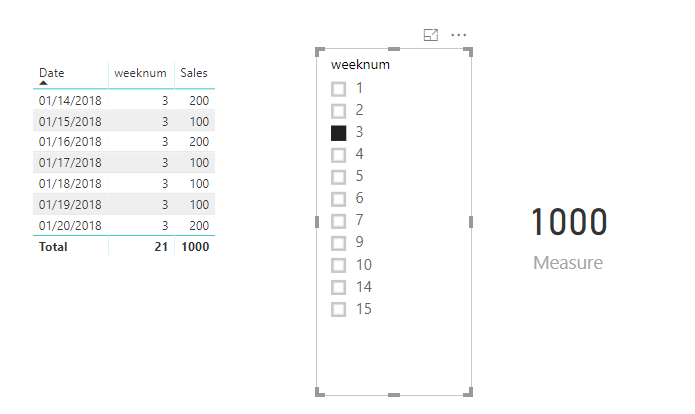
Assuming that you have a weeknum column, you could create a measure like below.
Measure =
IF (
ISFILTERED ( 'table'[weeknum] ),
CALCULATE (
SUM ( 'table'[Sales] ),
FILTER (
'table',
WEEKNUM ( 'table'[Date] ) = WEEKNUM ( MAX ( 'table'[Date] ) )
)
),
BLANK ()
)
Then when you select the weeknum in a slicer, you will get the weekly total sales.
If you still need help, please share some data sample and your desired output so that we could help further investigate on it?
Best Regards,
Cherry
Hi - thanks for the replies and the direction so far. I've posted screenshots of my process
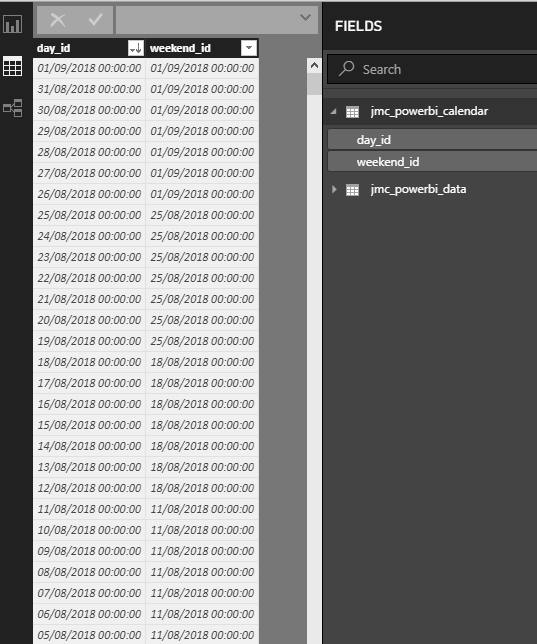
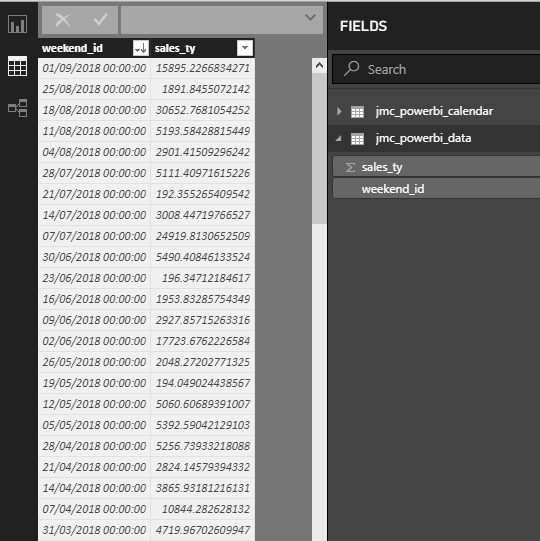
I have a calendar table and data table which are linked.
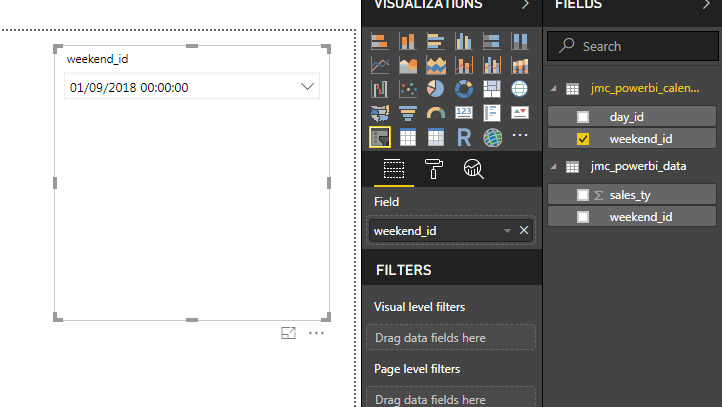
I then create a drop down slicer based on the weekend_id in calendar
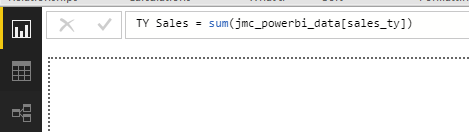
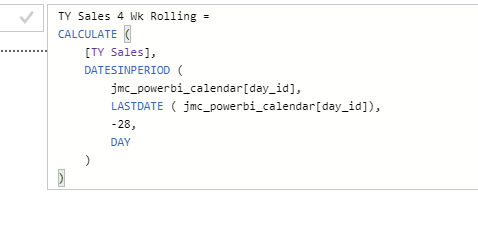
I then create a couple of measures - TY Sales and TY Sales 4 Wk Rolling
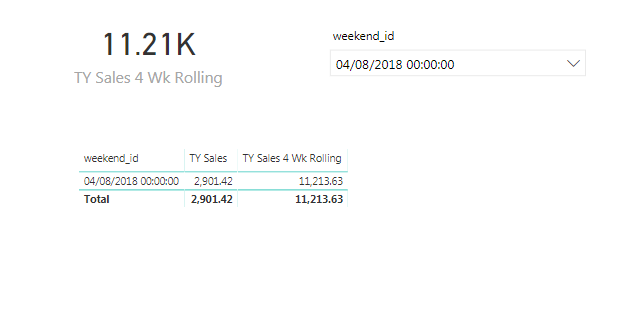
I then add a card and a table to the report.
Card = TY Sales 4 Wk Rolling
Table = weekend_id from calendar and the x2 created sales measures
The card is displaying the correct value
How would I go about getting the table to show a row by row history of say 52 weeks up to the selection date?
In methods so far I can only get one or the other to happen
Calendar table
Data table
Calendar and Data have an active relationship
Add a slicer to the report from the calendar table (weekend_id)
Create a summed sales measure
Create a rolling summed sales measure
Added a card and table to the report. I like the card value, but want the table to show 52 weeks of row by row history up to the selected date if possible
You would need to create a measure that does an ALL and then FILTERs that down based upon the date being less than the chosen date. Sample data would help. Please see this post regarding How to Get Your Question Answered Quickly: https://community.powerbi.com/t5/Community-Blog/How-to-Get-Your-Question-Answered-Quickly/ba-p/38490
If you have recently started exploring Fabric, we'd love to hear how it's going. Your feedback can help with product improvements.
A new Power BI DataViz World Championship is coming this June! Don't miss out on submitting your entry.
Share feedback directly with Fabric product managers, participate in targeted research studies and influence the Fabric roadmap.
| User | Count |
|---|---|
| 50 | |
| 44 | |
| 41 | |
| 18 | |
| 18 |
| User | Count |
|---|---|
| 69 | |
| 68 | |
| 32 | |
| 32 | |
| 32 |